Home
Revit

BEST REVIT ALTERNATIVES 2026

6 Best Revit Alternatives in 2026

By Altaf Ganihar, Founder and CEO at Snaptrude

The best Revit alternative in 2026 depends on which phase you're replacing. Snaptrude is the top pick for concept-to-schematic design: browser-based BIM with AI massing and native .rvt export, from $60/month. ArchiCAD (from ~$2,414/year) is the closest like-for-like replacement through construction documents. Vectorworks Architect ($1,530/year) suits design-led firms, especially on Mac; BricsCAD BIM offers DWG-native BIM at a lower cost; Allplan targets engineering-heavy work; FreeCAD is the genuinely free open-source option.

The problem

Why architects look for a Revit alternative

Revit is still the documentation standard in most large offices, but the reasons architects search for a way out are consistent and specific:

  • Cost. A standalone Revit subscription runs about $3,030/year per seat in 2026 (the AEC Collection is ~$3,430/year). For a five-person studio, that's over $15,000 a year before training or hardware.
  • Learning curve. Reaching production speed typically takes 6–12 months. Hiring "Revit people" instead of architects is a real staffing pattern.
  • Windows-only. There is no native Mac version. Mac-based firms run Boot Camp, Parallels, or a virtual desktop, all of which add cost and friction.
  • Version lock. A Revit 2024 file won't open in Revit 2023, which forces whole project teams to upgrade in lockstep.
  • Heavyweight for early design. Revit is built for documentation. Testing five massing options in an afternoon fights the software rather than using it.

Side by side

Quick comparison

Tool
Best for
Price
Platform
Snaptrude
Complement · concept-to-schematic BIM
Free plan; $60/mo Individual; $100/user/mo Organization
Browser (Mac, Windows)
ArchiCAD
Full replacement · closest like-for-like
From ~$2,414/yr (Studio); ~$2,840/yr Collaborate
Windows, Mac
Vectorworks Architect
Full replacement · design-led, Mac-first
$1,530/yr or $153/mo
Windows, Mac
BricsCAD BIM
Full replacement · DWG-native, budget
Sub ~€1,060/yr (~$1,200); perpetual ~$1,890 (verify)
Windows, Mac, Linux
Allplan
Full replacement · engineering-heavy
Quote-based subscription (contact Allplan)
Windows only
FreeCAD
Free & open source · parametric BIM
$0, free and open-source
Windows, Mac, Linux
Snaptrude
Best for

Complement · concept-to-schematic BIM

Price

Free plan; $60/mo Individual; $100/user/mo Organization

Platform

Browser (Mac, Windows)

ArchiCAD
Best for

Full replacement · closest like-for-like

Price

From ~$2,414/yr (Studio); ~$2,840/yr Collaborate

Platform

Windows, Mac

Vectorworks Architect
Best for

Full replacement · design-led, Mac-first

Price

$1,530/yr or $153/mo

Platform

Windows, Mac

BricsCAD BIM
Best for

Full replacement · DWG-native, budget

Price

Sub ~€1,060/yr (~$1,200); perpetual ~$1,890 (verify)

Platform

Windows, Mac, Linux

Allplan
Best for

Full replacement · engineering-heavy

Price

Quote-based subscription (contact Allplan)

Platform

Windows only

FreeCAD
Best for

Free & open source · parametric BIM

Price

$0, free and open-source

Platform

Windows, Mac, Linux

The Alternatives

6 tools ranked — Snaptrude first

1.

Snaptrude

Best for:

Complement · concept-to-schematic BIM

Verdict: The strongest Revit companion for the front of the project. Snaptrude owns concept through schematic design, then hands the work to Revit for documentation, so treat it as the tool your team reaches for before Revit rather than instead of it.

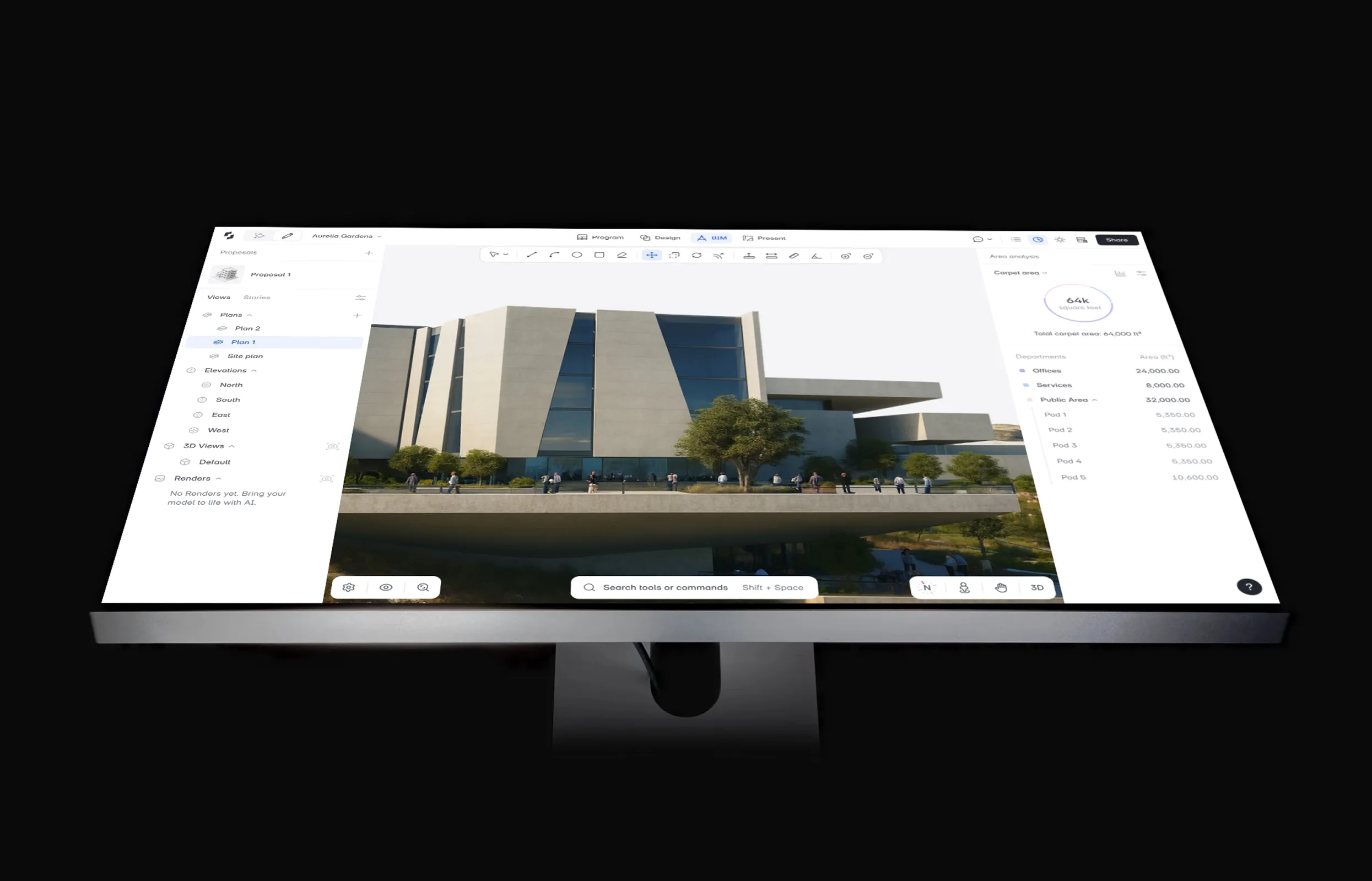
  • Point Snaptrude's AI agents at an RFP or brief and they work through program, stacking and packing, massing, and cores, checking each move against live US municipal zoning codes (with Zoneomics) to reach a working, zoning-checked model in about 7–10 minutes. You approve every step, so the design stays yours.
  • One-click mass-to-BIM turns your massing into parametric walls, slabs, doors, windows, and rooms, with automatic area schedules and Custom Program Sheets, ready for PDF or DWG export.
  • Real-time multi-user editing runs in the browser on Mac or Windows, with no install and no version lock to force the whole team onto the same release.
  • The .rvt round-trip is the point on this page: native .rvt export through Snaptrude Manager carries materials and custom parameters across, in-browser .rvt import handles files up to 150 MB, and IFC, DWG, and .skp round out the interop so the documentation team's Revit pipeline never changes.

Proof at scale: AEC Magazine reports firms using Snaptrude to cut concept-design time by 60–70%.

Pricing: Free ($0, 3 projects, basic BIM and Revit export) · Individual $60/month · Organization $100/user/month billed annually · Enterprise custom.

  • Costs a fraction of a Revit seat for the early phases it covers, so it adds capability without adding a second full-price license.
  • Architects reach production in days rather than months, because it behaves like a sketch tool that quietly produces BIM.
  • The clean native .rvt hand-off means adopting it for SD asks nothing of your Revit documentation team.
  • It stops at schematic design: construction documents still belong in Revit, which is exactly why it pairs with Revit instead of replacing it.
  • Environmental analysis covers sun hours, shadow, and illuminance only, so energy, carbon, and CFD studies stay with your existing tools.
  • As a newer platform, its ecosystem and content library are smaller than Revit's decades-deep catalog.

Pick it if: Revit's pain is concentrated in early design and you want feasibility, massing, and SD done fast and collaboratively, then handed off as a native .rvt.

2.

ArchiCAD

Best for:

Full replacement · closest like-for-like

Verdict: ArchiCAD is the closest like-for-like Revit replacement: a mature, architect-focused BIM platform that takes a project from concept through construction documents, natively on Mac.

  • Full BIM authoring with a documentation engine many architects find more design-friendly than Revit's
  • BIMx for model presentation and BIMcloud for team collaboration (Collaborate plan)
  • Strong IFC/OpenBIM support and an AI Visualizer included in both plans
  • Runs natively on macOS, the standard choice for Mac-based BIM firms

Pricing: Subscription only since perpetual licenses were phased out (end of 2025 for existing customers): Studio ~$2,414/year, Collaborate ~$2,840/year per seat; month-to-month runs $345–$406.

  • Covers every phase Revit covers, including CDs
  • Native Mac version and generally gentler learning curve than Revit
  • 30+ years of development, deep object libraries, large user community
  • Only ~10–20% cheaper than Revit: this is a lateral move on cost
  • No .rvt round-trip; Revit collaboration happens through IFC
  • Still a heavyweight desktop tool with a real learning investment

Pick it if: You want to leave Revit entirely, produce full construction documents, and value Mac support or the OpenBIM workflow.

3.

Vectorworks Architect

Best for:

Full replacement · design-led, Mac-first

Verdict: A flexible BIM-plus-design platform at roughly half Revit's price, favored by design-led and Mac-based practices that want freeform modeling and BIM in one tool.

  • Hybrid 2D/3D environment with strong freeform and NURBS modeling alongside BIM objects
  • Built-in rendering (Redshift) and strong graphic output: presentation drawings straight from the model
  • Good landscape, interiors, and entertainment-design coverage beyond core architecture
  • IFC, DWG, and SketchUp interoperability; native on Mac and Windows

Pricing: $1,530/year per license, or $153/month; new-customer promotions of ~20% off appear regularly.

  • About half of Revit's annual cost
  • Design freedom Revit's system-family logic doesn't allow
  • Includes unlimited Vectorworks University training courses
  • BIM data management and multi-user worksharing are weaker than Revit or ArchiCAD on large projects
  • Smaller US architecture market share means fewer consultants fluent in it
  • Performance can lag on very large models

Pick it if: Your work is design-heavy, you're on Mac, and your projects don't demand Revit-scale multi-disciplinary coordination.

4.

BricsCAD BIM

Best for:

Full replacement · DWG-native, budget

Verdict: The pragmatic pick for firms coming from AutoCAD: BIM built directly on the DWG format, so 2D drafting habits and files carry straight over.

  • Native .dwg throughout: model in 3D, document in the same DWG environment your consultants already use
  • AI-assisted "BIMify" tools classify plain solids into walls, slabs, and spaces automatically
  • Includes full CAD drafting (a superset of BricsCAD Pro), so one license covers 2D and BIM
  • Runs on Windows, macOS, and Linux, the only tool here with Linux support

Pricing: Subscription runs about €1,060/year (~$1,200) via the Bricsys store; perpetual licenses (~$1,890 plus maintenance) are still offered, something Autodesk and Graphisoft no longer do. Verify current quotes; reseller pricing varies by region.

  • Significantly cheaper than Revit, with a perpetual option
  • Almost zero retraining for AutoCAD-fluent staff
  • Lightweight installer and fast performance on modest hardware
  • Architectural object libraries and documentation templates are thinner than Revit's or ArchiCAD's
  • Small BIM user community; fewer tutorials and third-party add-ons
  • Multi-user model collaboration is limited

Pick it if: Your office lives in DWG and wants to add 3D BIM without adopting Autodesk's subscription-only model.

5.

Allplan

Best for:

Full replacement · engineering-heavy

Verdict: A precision BIM platform from the Nemetschek group, strongest where architecture meets structural engineering: precast, infrastructure, and detail-heavy European-style delivery.

  • Combined architecture and engineering modeling in one platform, with exceptional reinforcement and precast detailing
  • Very high geometric precision for complex concrete and façade work
  • Bimplus cloud platform for model coordination across disciplines
  • Strong IFC/OpenBIM credentials as a Nemetschek sibling of ArchiCAD and Vectorworks

Pricing: Quote-based, sold in Basic, Concept, Professional, and Ultimate tiers through regional resellers; expect Revit-comparable per-seat costs at the Professional level. No public US price list: get a quote.

  • Handles architecture-to-structure workflows Revit needs add-ons for
  • Subscription tiers let smaller firms start below the full package
  • Established 40-year track record in the DACH market
  • Windows only, no help for Mac-based firms
  • Small North American community; most documentation and training is Europe-centric
  • Opaque pricing makes budgeting harder than any other tool on this list

Pick it if: Your work skews structural or precast and you operate where Allplan's reseller and training network is strong.

6.

FreeCAD

Best for:

Free & open source · parametric BIM

Verdict: The genuinely free Revit alternative. FreeCAD's BIM workbench has matured markedly since dedicated funding arrived in 2022, and it's usable for real small-scale projects if you'll invest setup time.

  • Full parametric modeling with a dedicated BIM workbench: walls, structures, windows, schedules
  • IFC import and export built in, plus 2D documentation via the TechDraw workbench
  • Python-scriptable end to end: automate anything
  • Version 1.x runs on Windows, macOS, and Linux with no license server, ever

Pricing: $0. Open-source (LGPL). Optional paid support exists through community developers.

  • Completely free with no seat counts, trials, or expiry
  • Active development community and rapid recent progress
  • You own your tool: no vendor can sunset your license
  • Significant configuration required before it's production-ready; UI is engineer-oriented, not architect-oriented
  • Documentation output needs heavy manual work compared to any commercial BIM tool
  • No real-time collaboration and no .rvt support (IFC only)

Pick it if: Budget is zero, projects are small, and you're comfortable trading polish for freedom.

Apron Planner

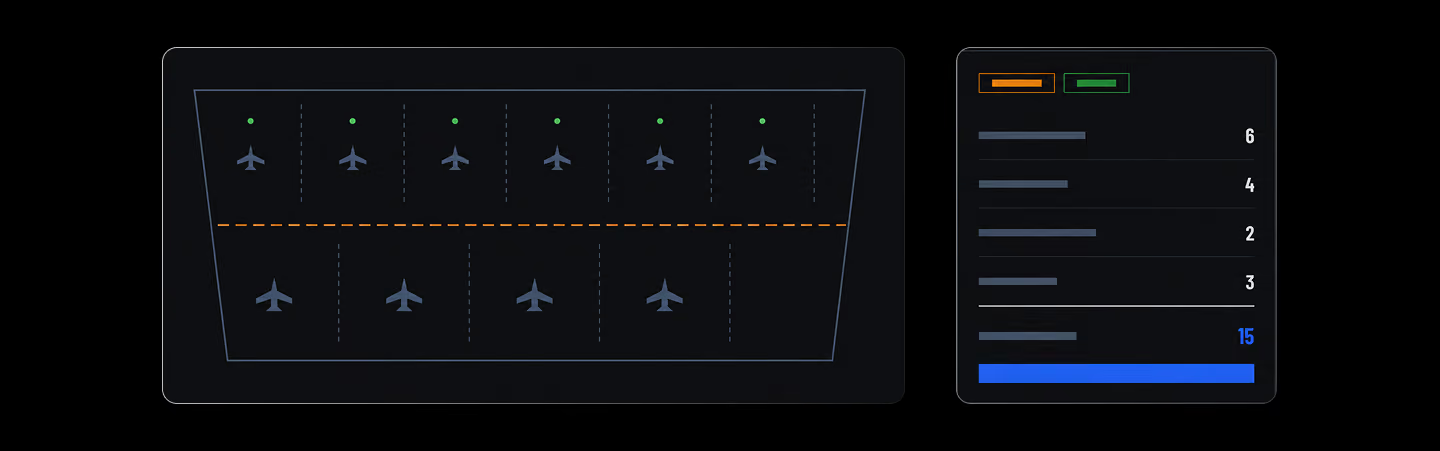
Fills a selected apron boundary with aircraft stands and circulation corridors, then commits the layout back to the model.

Terrain Grading Editor

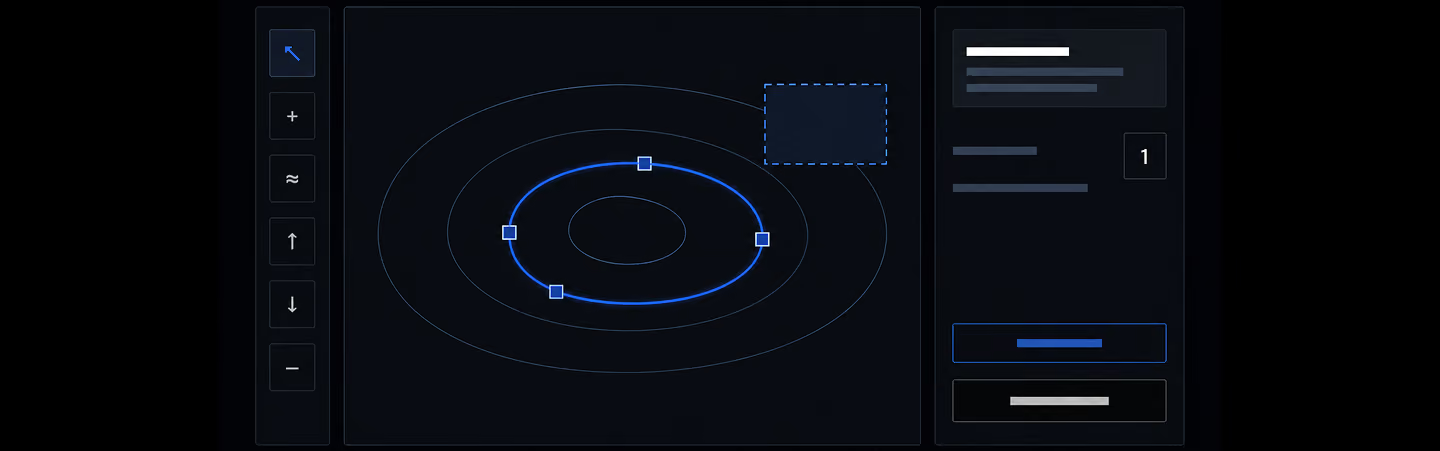
Promote detected contours, author exact feature lines, grades, and pads, then refine with terrain-scaled brushes.

Decision guide

How to choose

Match the tool to what you're actually replacing:

  • By phase. If Revit only hurts in early design, complement it: do concept-to-schematic in a lighter tool (Snaptrude) and hand a native .rvt to the documentation team. If you want to leave entirely, you need a full-lifecycle platform like ArchiCAD or Vectorworks.
  • By platform. On a Mac, ArchiCAD, Vectorworks, and browser-based Snaptrude run natively; Revit doesn't.
  • By budget. FreeCAD is $0, Snaptrude starts free, BricsCAD BIM undercuts the incumbents, and ArchiCAD/Vectorworks/Allplan sit closer to Revit's price but without Autodesk's ecosystem lock-in. See what the first hour on a project looks like in Snaptrude to judge the phase-based approach for yourself.

Choosing between the full-replacement options? Our guide on how to evaluate BIM software breaks down the criteria. And if you currently run SketchUp alongside Revit, read about the parallel-workflow tax first.

Your files come with you: Snaptrude imports .rvt directly in the browser (up to 150 MB) plus DWG and SKP, and exports native .rvt, IFC, DWG, and PDF, so switching for one phase doesn't strand your existing library.

Keep comparing

Frequently Asked

Questions

Is there a free Revit alternative?

Yes. Snaptrude's free plan includes 3 projects with real BIM modeling and Revit export, and FreeCAD is fully free and open-source with a maturing BIM workbench. Revit itself offers no free professional tier: only a 30-day trial and education licenses that expire after graduation.

Does Revit work on Mac?

No. There is no native Mac version of Revit. Mac users run it through Boot Camp, Parallels, or a cloud/virtual desktop, all with performance and licensing overhead. Native Mac options include ArchiCAD, Vectorworks Architect, and Snaptrude, which runs in the browser on any Mac with no install.

What is the easiest BIM software to learn?

Snaptrude is the fastest to learn of the tools here: it works like a sketch tool, and its AI agents take a brief to a zoning-checked massing model in roughly 7–10 minutes. ArchiCAD is generally considered easier than Revit but still takes weeks to months to reach production speed.

Can these alternatives open .rvt files?

Mostly no: .rvt is a closed Autodesk format. Snaptrude is the exception, importing .rvt files up to 150 MB directly in the browser and exporting native .rvt back. ArchiCAD, Vectorworks, BricsCAD BIM, Allplan, and FreeCAD exchange data with Revit through IFC instead, which works but flattens some parametric data.

Is Revit LT a cheaper alternative to Revit?

Revit LT costs about $560/year versus $3,030/year for full Revit, but it cuts the features most firms switch for: no worksharing (multi-user collaboration), no third-party add-ins, no advanced rendering, and limited analysis. It suits solo practitioners producing simple documentation, not teams collaborating on one model.

More Alternatives

Design better

buildings together

Try Snaptrude