The best free AutoCAD alternative in 2026 depends on what you draw. Snaptrude Free is the strongest for building design: $0, browser-based, DWG import, and actual BIM output, capped at 3 projects. For pure 2D drafting, LibreCAD and QCAD Community are fully free and open source. FreeCAD covers parametric 3D, nanoCAD Free offers native DWG editing for non-commercial work, and Onshape Free suits 3D mechanical design. None of these are trials.
The problem
AutoCAD costs around $2,095 per year, a hard number to justify for a student past graduation, a freelancer billing a handful of drafting jobs, or a two-person firm that mostly needs to open, mark up, and issue DWGs. AutoCAD LT is cheaper but still a recurring subscription with no perpetual option.
Side by side
Free BIM · DWG import, building design
$0 forever; paid from $60/mo
Browser (Mac, Windows)
Free 2D CAD · unrestricted
Free, open source (GPLv2)
Windows, Mac, Linux
Free 2D CAD · easiest to learn
Free; Pro is ~$40 one-time
Windows, Mac, Linux
Free parametric 3D + BIM
Free, open source (LGPL)
Windows, Mac, Linux
Free 2D CAD · non-commercial
$0 non-commercial; paid from $289
Windows only
Free cloud 3D · public docs
$0 public docs; paid from ~$1,500/yr
Browser, iOS, Android
The Alternatives
Best for:
Free BIM · DWG import, building design
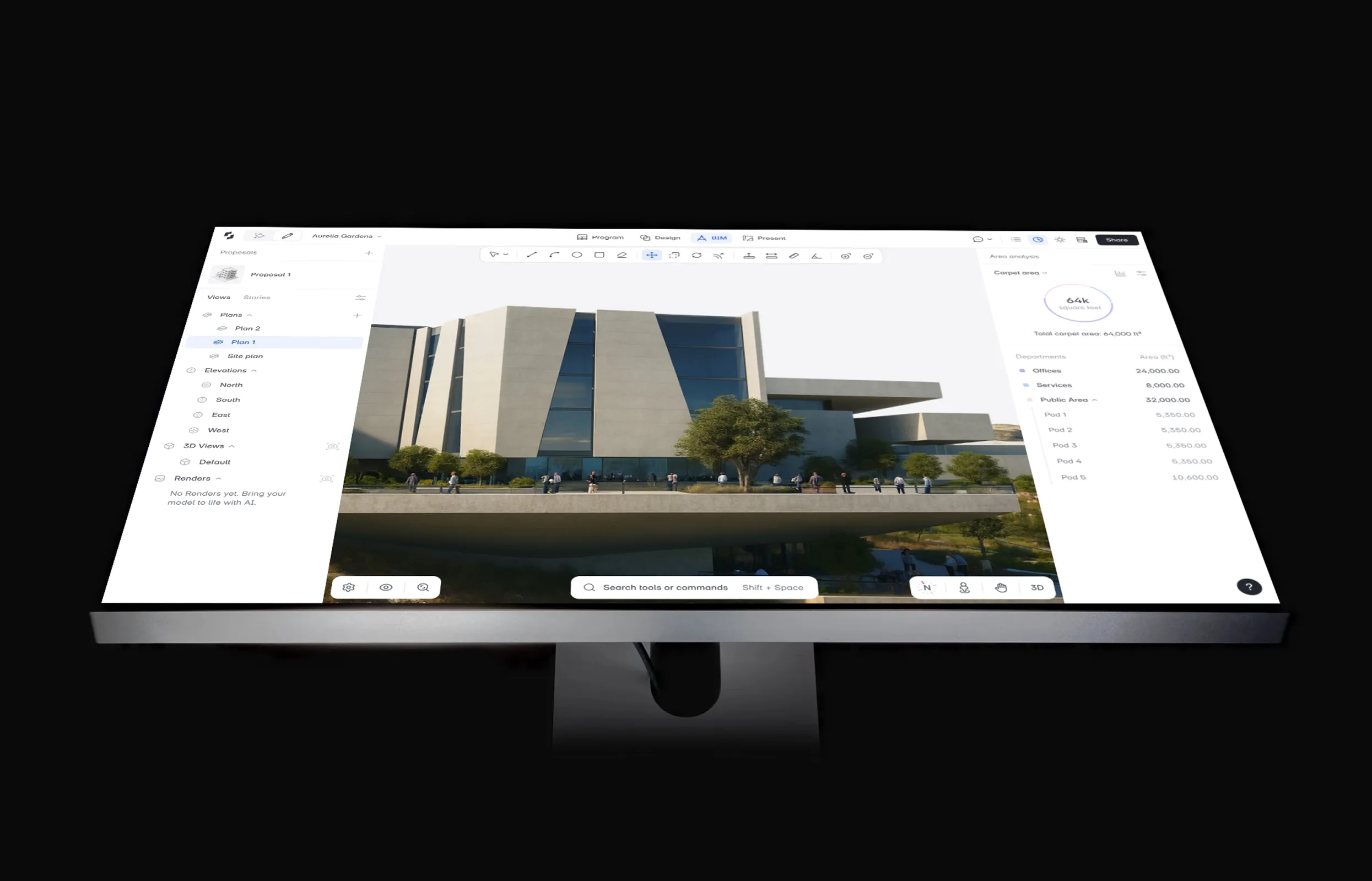
Verdict: This is the one genuinely free tool here that hands you real BIM instead of flat linework. If your AutoCAD days are spent on buildings (plans, layouts, area calculations), Snaptrude Free collapses the usual draft-it-then-rebuild-it-in-a-BIM-tool cycle into a single browser session: open the client's DWG, model straight over it, and walk away with structured BIM at $0.
Pricing: Free is $0 with 3 projects, basic BIM, and Revit export. Individual is $60/month. Organization is $100/user/month billed annually.
Worth knowing: Snaptrude's AI agents can carry a program brief through program, stacking and packing, massing, and cores, checking US zoning against live municipal codes and Zoneomics as they go. That gets you to a working, zoning-checked model in roughly 7–10 minutes, and you approve every step, so the drafting-to-model loop that AutoCAD forces on building work never starts. AEC Magazine reports firms cutting concept-design time by 60–70% this way.
Pick it if: you draft buildings and want to go from a client's DWG to a 3D BIM model without paying anything or installing anything.
Best for:
Free 2D CAD · unrestricted
Verdict: LibreCAD is the no-strings option: a fully open-source 2D drafting tool with no tiers, no accounts, and no commercial-use clause. Version 2.2 (2025) improved DWG import fidelity and added HiDPI support.
Pricing: Free. Open source under GPLv2, so commercial use is fully allowed, forever.
Pick it if: you need honest, unrestricted 2D drafting for commercial work and can live with DXF as your most reliable exchange format.
Best for:
Free 2D CAD · easiest to learn
Verdict: QCAD Community is the most approachable open-source 2D CAD, cleaner and easier to learn than LibreCAD, with one significant catch: the free edition works in DXF only.
Pricing: Community Edition is free and open source. QCAD Professional is a one-time EUR 33 / USD 39 perpetual license (no subscription) and adds DWG read/write plus extra tools.
Pick it if: you want the friendliest free 2D drafting experience and your collaborators can exchange DXF files.
Best for:
Free parametric 3D + BIM
Verdict: FreeCAD is the most capable fully free CAD package, period. The 1.0 release (November 2024) finally fixed the decade-old topological naming problem, and the current 1.1.x builds are stable enough for real parametric work.
Pricing: Free. Open source under LGPL, with unrestricted commercial use, no tiers, no upsell.
Pick it if: you need serious parametric 3D or open-source BIM at $0 and are willing to invest real learning time.
Best for:
Free 2D CAD · non-commercial
Verdict: nanoCAD Free (still available in 2026) is the closest thing on this list to actually sitting in AutoCAD (command line, ribbon, native DWG) but it's an older engine (v5) and licensed for non-commercial use only.
Pricing: Free version is $0 for non-commercial use. The commercial nanoCAD Platform starts at $289 (verify current nanosoft pricing).
Pick it if: you're a student or hobbyist on Windows who wants AutoCAD muscle memory and genuine DWG fidelity for personal projects.
Best for:
Free cloud 3D · public docs
Verdict: If your AutoCAD use leans mechanical (parts, assemblies, fabrication drawings) Onshape Free gives you professional-grade parametric 3D in the browser, as long as you accept that everything you make is public.
Pricing: Free is $0, all documents public, non-commercial use, roughly 10 private-storage document limit. Paid professional plans start around $1,500/year (verify).
Pick it if: you're learning 3D mechanical CAD or building open/hobby projects and don't mind designing in public.
Decision guide
Match the tool to the work, not the other way around:
Your existing drawings come with you: Snaptrude imports DWG directly in the browser, and LibreCAD, FreeCAD, and nanoCAD Free all read DWG files, so switching doesn't mean redrawing.
No. Autodesk offers a free one-year educational license for verified students and educators (renewable while enrolled), and 30-day trials for everyone else. Beyond that, AutoCAD costs around $2,095 per year. For a permanent $0 option you need an alternative like Snaptrude Free, LibreCAD, or FreeCAD.
Yes, with caveats. Snaptrude Free imports DWG in the browser, nanoCAD Free edits DWG natively, and LibreCAD reads DWG (saving to DXF is more reliable). FreeCAD handles DWG via the free ODA File Converter. QCAD Community is DXF-only: DWG requires QCAD Pro, a one-time ~$40 license.
There's always one. The honest question is which catch you can live with. Common ones: non-commercial clauses (nanoCAD Free, Onshape Free), public-only documents (Onshape Free), project caps (Snaptrude Free's 3 projects), format limits (QCAD Community lacks DWG), or the free tier simply disappearing, as DraftSight's did at the end of 2019.
Yes. The Free plan is $0 permanently (not a trial) and includes 3 projects, basic BIM modeling, DWG import, and Revit export, with no credit card required. Commercial use is allowed. If you outgrow the 3-project cap, the Individual plan is $60/month.
Snaptrude is the strongest free option on Mac because it runs entirely in the browser, with nothing to install. LibreCAD, QCAD Community, and FreeCAD all have native macOS builds for offline 2D and 3D work. Note that nanoCAD Free is Windows-only, so skip it on a Mac.