Home
Revit for Mac

REVIT FOR MAC: 2026 GUIDE

Revit for Mac in 2026: 2 Workarounds and 6 Native Alternatives

By Altaf Ganihar, Founder and CEO at Snaptrude

No, Revit does not run natively on macOS in 2026, and Autodesk has stated it has no plans to build a Mac version. Mac users have two real options: run Windows on the Mac (Parallels Desktop on Apple Silicon, roughly $3,350 in year one including a Revit license) or use Mac-compatible BIM software. Snaptrude runs in any browser with .rvt import and export; ArchiCAD and Vectorworks Architect are the established native-Mac BIM tools.

The problem

Your options for running Revit on a Mac

Autodesk's Revit team has said plainly that a Mac-native version is not on the roadmap. Revit is built on Windows-specific .NET APIs, and porting it would mean a ground-up rewrite. So if you need actual Revit on Apple hardware, you're running Windows somewhere. Here's what each route really costs in 2026:

  • Boot Camp: dead on Apple Silicon. Boot Camp only exists on Intel Macs, which Apple stopped selling in 2023. If you bought any M-series Mac, dual-booting Windows is not an option.
  • Parallels Desktop + Windows 11 ARM: the usual answer. Parallels Standard is $99.99/yr (Pro $119.99/yr), Windows 11 Pro is ~$199, and Revit itself is ~$3,030/yr, call it $3,350 in year one. Revit runs through Windows-on-ARM's x64 emulation, and users report it's workable for small-to-medium models on an M3/M4 with 16 GB+ RAM (allocate at least half to the VM). Large or federated models lag, rendering is slow, and Autodesk does not officially support this configuration, a real risk when you need support on a deadline.
  • Cloud streaming (Azure Virtual Desktop, Frame). Stream a GPU-backed Windows desktop to your Mac. Expect roughly $1–3/hr for GPU instances plus your Revit license: fine for occasional access, expensive at 40 hrs/week, and dependent on your internet connection.
  • A second Windows machine. A Revit-capable workstation laptop runs $1,200–2,500 one-time. Clunky, but it's the only route Autodesk fully supports.

The alternative is to stop fighting the platform: a growing set of BIM tools runs natively on macOS, or in the browser, where the operating system stops mattering at all. For a wider survey beyond Mac constraints, see our top 10 BIM software tools comparison.

Side by side

Quick comparison

Tool
Best for
Price
Platform
Snaptrude
Browser BIM · any Mac, no install
Free; $60/mo Individual; $100/user/mo Organization
Any browser, every Mac
ArchiCAD
Native Mac BIM · the incumbent
From $2,414/yr (Studio); $2,840/yr Collaborate
macOS (Apple Silicon native), Windows
Vectorworks Architect
Native Mac BIM · design-led
$1,530/yr or $153/mo
macOS (Apple Silicon native), Windows
SketchUp Pro
Native Mac modeler · not BIM
$399/yr
macOS native, Windows, iPad, web
BricsCAD BIM
Native Mac BIM · DWG-based
~€1,060/yr (~$1,200) subscription (verify)
macOS, Windows, Linux
Blender + Bonsai
Free · Mac-native IFC BIM
$0, both fully free
macOS (Apple Silicon native), Windows, Linux
Snaptrude
Best for

Browser BIM · any Mac, no install

Price

Free; $60/mo Individual; $100/user/mo Organization

Platform

Any browser, every Mac

ArchiCAD
Best for

Native Mac BIM · the incumbent

Price

From $2,414/yr (Studio); $2,840/yr Collaborate

Platform

macOS (Apple Silicon native), Windows

Vectorworks Architect
Best for

Native Mac BIM · design-led

Price

$1,530/yr or $153/mo

Platform

macOS (Apple Silicon native), Windows

SketchUp Pro
Best for

Native Mac modeler · not BIM

Price

$399/yr

Platform

macOS native, Windows, iPad, web

BricsCAD BIM
Best for

Native Mac BIM · DWG-based

Price

~€1,060/yr (~$1,200) subscription (verify)

Platform

macOS, Windows, Linux

Blender + Bonsai
Best for

Free · Mac-native IFC BIM

Price

$0, both fully free

Platform

macOS (Apple Silicon native), Windows, Linux

The Alternatives

6 tools ranked — Snaptrude first

1.

Snaptrude

Best for:

Browser BIM · any Mac, no install

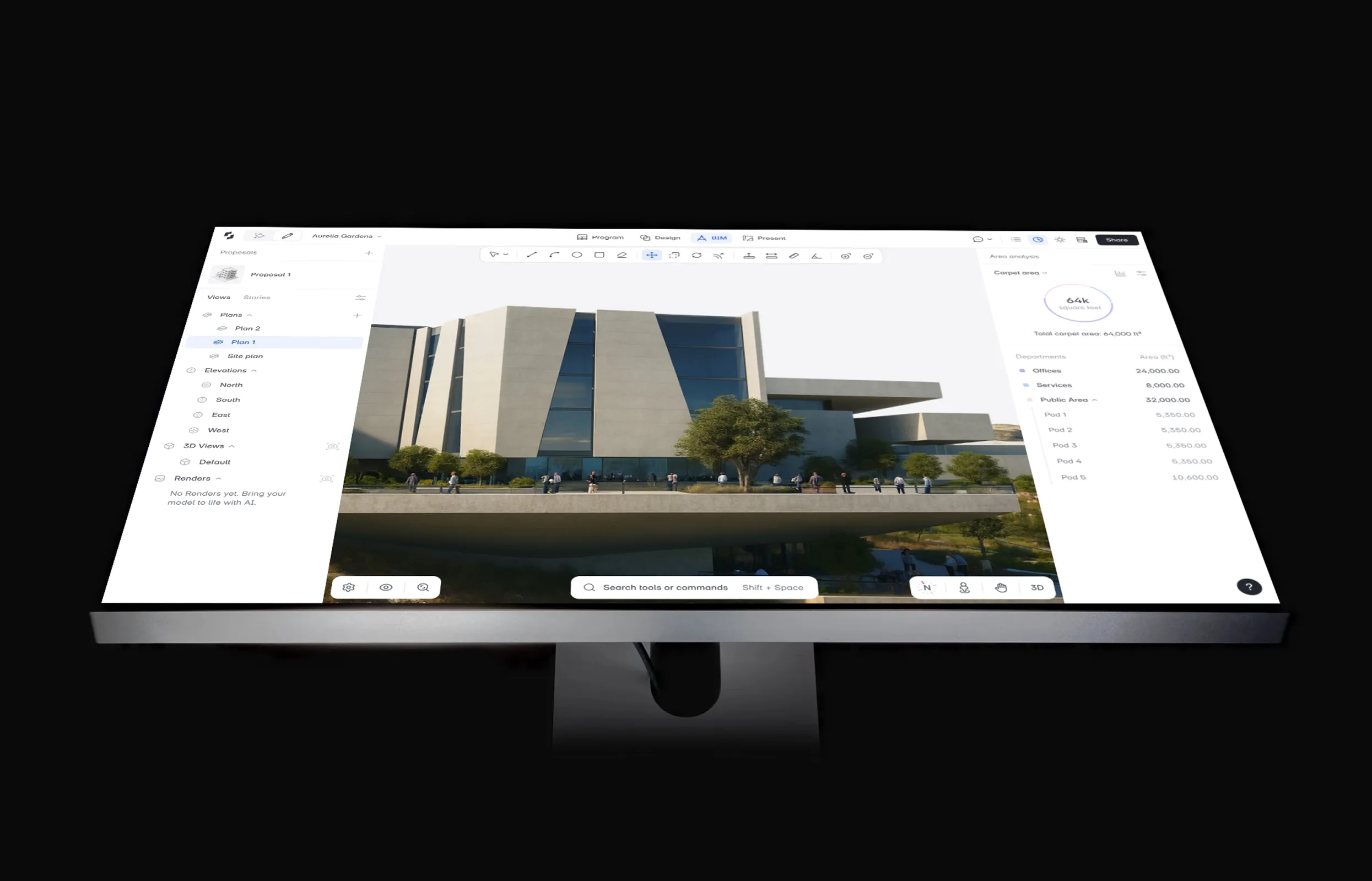
Verdict: The cleanest way to do real BIM on a Mac is to skip the operating-system fight altogether. Snaptrude opens in a browser tab on any Mac, Intel or Apple Silicon, so there is no Parallels layer, no Windows license, and nothing to install.

  • Imports .rvt straight into the browser (files up to 150 MB) and exports native .rvt through Snaptrude Manager with materials and custom parameters intact. It is the one tool here that round-trips Revit files both ways.
  • Point its AI agents at an RFP or brief and they carry it through program, stacking, massing, and cores, checking US zoning against live municipal codes and Zoneomics as they go. You land on a zoning-checked working model in about 7–10 minutes, and you approve each step before it proceeds.
  • One-click mass-to-BIM: parametric walls, slabs, doors, windows, and rooms, with auto area schedules and PDF/DWG export.
  • Real-time multi-user editing, so the whole studio works in one model at once.

Pricing: Free plan with 3 projects and Revit export; Individual $60/mo; Organization $100/user/mo billed annually; Enterprise custom.

  • Nothing to install, so it runs on a locked-down studio or office Mac where you can't get admin rights
  • The two-way native .rvt round-trip means your Revit-based consultants keep receiving real .rvt files while you never touch Windows
  • Runs identically on Intel and Apple Silicon, no emulation and no VM tuning
  • Stops at schematic design, not construction documents, so a CD set still moves to Revit or ArchiCAD
  • Environmental analysis is limited to sun hours, shadow, and illuminance, with no energy, carbon, or CFD modeling
  • A younger platform than a 20-year Mac incumbent like ArchiCAD, so its object and add-on library is still growing

Pick it if: you design on a Mac, spend your day in concept-to-schematic, and need to hand real .rvt files to Revit users without ever owning a Windows machine.

2.

ArchiCAD

Best for:

Native Mac BIM · the incumbent

Verdict: The incumbent answer to "BIM on a Mac." Graphisoft has shipped a native Mac version for decades, and it runs natively on Apple Silicon. This is the closest thing to "Revit, but for macOS."

  • Complete BIM authoring: modeling, documentation, schedules, and publishing in one package
  • Teamwork (BIMcloud) for multi-user collaboration on shared models
  • Mature ecosystem: 40+ years of objects, add-ons, and trained staff
  • IFC-based open workflows; exchanges with Revit via IFC rather than .rvt

Pricing: Subscription-only (perpetual licenses ended in 2025): Studio $2,414/year, Collaborate $2,840/year per seat; month-to-month runs $345–$406.

  • True native Mac performance, no VM overhead and no emulation caveats
  • Carries a project from concept through construction documents
  • Large talent pool and training resources
  • Costs nearly as much as Revit itself
  • No native .rvt exchange; IFC round-trips with Revit consultants take discipline
  • Its own 6+ month learning curve if you're coming from Revit

Pick it if: you need a full Revit replacement on macOS, documentation included, and the budget supports it.

3.

Vectorworks Architect

Best for:

Native Mac BIM · design-led

Verdict: Vectorworks Architect is the other serious native-Mac BIM platform, historically strong with design-led practices that value drawing quality and flexible modeling over rigid parametrics.

  • Hybrid 2D/3D environment: freeform modeling alongside BIM objects and worksheets
  • Native Apple Silicon build with Metal-accelerated graphics
  • Strong site modeling and landscape tools compared to peers
  • IFC, DWG, and Rhino interoperability

Pricing: $1,530/yr billed annually, or ~$153/mo, about half the price of ArchiCAD or Revit.

  • Roughly half the annual cost of ArchiCAD or Revit
  • More design freedom than heavily parametric BIM tools
  • Genuinely good 2D output; many firms keep it just for drawings
  • BIM data management is looser than ArchiCAD or Revit, and larger teams feel it
  • No .rvt exchange; IFC only for Revit collaboration
  • Smaller US architecture market share means fewer trained hires

Pick it if: you're a design-led small or mid-size practice on Macs and want capable BIM at half the incumbent price.

4.

SketchUp Pro

Best for:

Native Mac modeler · not BIM

Verdict: The easiest 3D modeler on the Mac, but be clear about what it is: SketchUp is not BIM. There are no parametric building elements, no data-rich schedules, no coordinated documentation. It earns its place here as a concept tool, not a Revit replacement.

  • Push-pull modeling most people learn in an afternoon
  • Native Mac app plus iPad and web versions
  • 3D Warehouse, the largest free 3D model library anywhere
  • LayOut included for 2D presentation drawings

Pricing: $399/yr (Go $119/yr; Studio $749/yr, and note Studio's V-Ray/Revit-importer features are Windows-only).

  • Cheapest paid option on this list
  • Ubiquitous: clients, contractors, and students all know it
  • Great for quick massing and design studies
  • Not BIM: no parametric elements, quantities, or coordinated docs without heavy plugin scaffolding
  • Large models bog down without disciplined component management
  • Documentation via LayOut doesn't scale to full CD sets

Pick it if: you need fast conceptual 3D on a Mac and BIM data genuinely doesn't matter to your workflow.

5.

BricsCAD BIM

Best for:

Native Mac BIM · DWG-based

Verdict: The dark-horse option, a full BIM authoring tool built on the DWG format, and the only one on this list that runs on macOS, Windows, and Linux alike. BricsCAD V26 ships a complete Mac version with feature parity to Windows.

  • Familiar AutoCAD-style interface and command line, near-zero retraining for CAD veterans
  • AI-assisted BIMIFY converts plain 3D solids into classified BIM elements
  • Scan-to-BIM point cloud workflows built in
  • Everything lives in DWG, so 2D deliverables are trivially compatible

Pricing: Subscription ~€1,060/yr (~$1,200); perpetual licenses still offered at ~$1,890 one-time (verify current Bricsys store pricing, it varies by region and bundle).

  • One of the few vendors still selling perpetual licenses
  • DWG-native, painless coexistence with AutoCAD-based consultants
  • Cross-platform license covers Mac, Windows, and Linux
  • Small architecture community, few tutorials, templates, or trained hires
  • BIM tools are younger and rougher than ArchiCAD's
  • IFC-only exchange with Revit teams

Pick it if: you come from AutoCAD, want real BIM on a Mac, and value perpetual licensing.

6.

Blender + Bonsai

Best for:

Free · Mac-native IFC BIM

Verdict: The free option. Blender runs natively on Apple Silicon, and the Bonsai add-on (formerly BlenderBIM) turns it into a genuine IFC-native BIM authoring tool: you model directly into the open IFC format rather than exporting to it.

  • Truly $0: both Blender and Bonsai are open source with no tiers or trials
  • Native IFC authoring, arguably cleaner OpenBIM data than the commercial tools produce
  • Blender's world-class modeling, rendering (Cycles), and animation come along free
  • Active open-source community shipping frequent updates

Pricing: Free. Donations optional.

  • Unbeatable price for students and solo practitioners
  • Runs fast natively on M-series Macs
  • No license servers, no subscription creep, no vendor lock-in
  • Steep learning curve: Blender conventions, then BIM workflows on top
  • Documentation output is far behind commercial BIM tools
  • No commercial support; you rely on community forums

Pick it if: budget is zero, you're comfortable with open-source tooling, and IFC-based deliverables satisfy your projects.

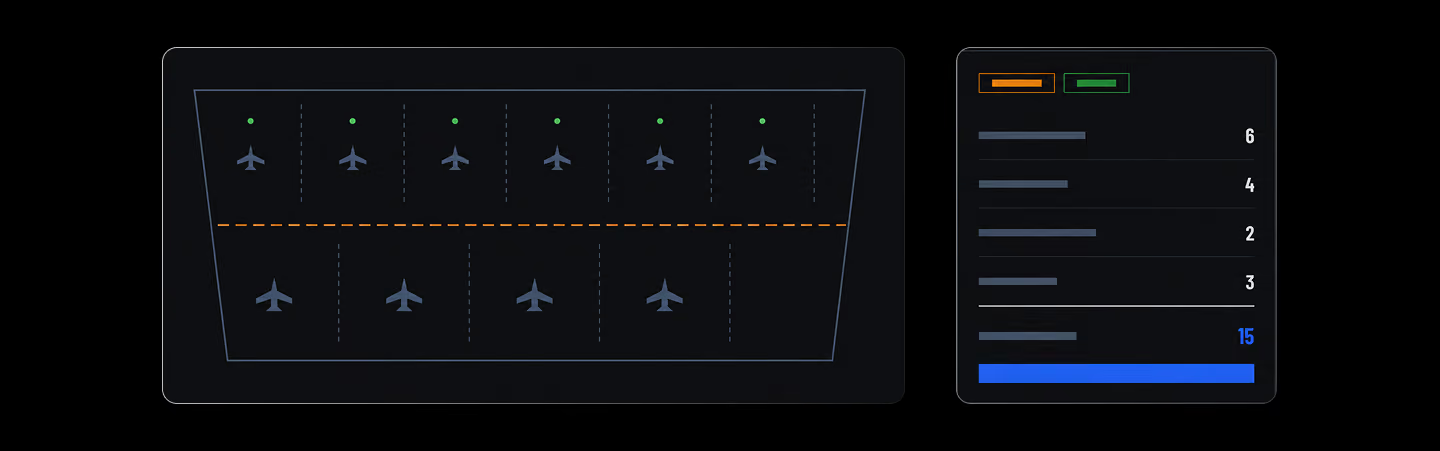
Apron Planner

Fills a selected apron boundary with aircraft stands and circulation corridors, then commits the layout back to the model.

Terrain Grading Editor

Promote detected contours, author exact feature lines, grades, and pads, then refine with terrain-scaled brushes.

Decision guide

How to choose

Match the tool to your situation:

  • You collaborate with Revit offices: you need .rvt in and out, and Snaptrude is the only tool on this list with native .rvt import and export.
  • You need full documentation on a Mac: ArchiCAD or Vectorworks Architect, the two mature native-Mac BIM platforms.
  • Budget is zero: Snaptrude's free plan or Blender + Bonsai. See our breakdown of genuinely free BIM software.
  • You're on a Mac you don't control (studio lab, office machine): browser-based tools need no install and no admin rights.
Your existing files come with you: Snaptrude imports .rvt directly in the browser (up to 150 MB), plus DWG and SketchUp files, and exports back to native .rvt and IFC, so switching platforms doesn't mean abandoning Revit-based collaborators.

Keep comparing

Frequently Asked

Questions

Will Autodesk ever make Revit for Mac?

There is no indication it will. Autodesk stated on its own forums that it is not planning a Mac-native Revit, and no announcement has changed that as of July 2026. Revit is deeply tied to Windows .NET APIs, so a port would be a multi-year rewrite Autodesk has shown no appetite for.

Does Revit work with Parallels on a Mac?

Yes, with caveats. On Apple Silicon, Revit runs inside Windows 11 ARM via x64 emulation. Users report smooth performance on small-to-medium models with 16 GB+ RAM, but large models lag and Autodesk doesn't officially support the setup. Budget ~$3,350 in year one: Parallels, Windows, and a Revit license.

Can I open .rvt files on a Mac?

Yes. Snaptrude imports .rvt files up to 150 MB directly in the browser on any Mac, no install, no Windows. You can edit the model and export back to native .rvt. Autodesk Viewer also displays .rvt files in a browser, but it's view-only; you can't edit anything.

What BIM software do Mac architects use?

ArchiCAD is the long-standing choice for Mac-based firms, with Vectorworks Architect a close second, both running natively on Apple Silicon. Browser-based Snaptrude is increasingly used for early design because it needs no install and exchanges .rvt files. BricsCAD BIM and Blender with Bonsai round out the Mac options.

Is AutoCAD available on Mac?

Yes. Unlike Revit, Autodesk ships a native AutoCAD for Mac, including Apple Silicon support, at the same ~$2,095/yr as the Windows version. That contrast is deliberate: Autodesk maintains Mac versions where demand justifies it, which tells you how it currently weighs a Revit port.

More Alternatives

Design better

buildings together

Try Snaptrude