Snaptrude Free is the best free Revit alternative in 2026: real parametric BIM in the browser, three projects, and native .rvt export at $0. FreeCAD 1.x is the strongest fully open-source option if you can absorb its learning curve, and Blender with the Bonsai add-on suits IFC-native power users. Every free tool trades something (project caps, UI friction, or zero support), so choose by which trade-off fits your work, not by feature count.
The problem
Revit costs $3,030/yr for a standalone license, or $3,430/yr inside the AEC Collection. That is a reasonable line item for a firm billing steady work, and an impossible one for three groups who search for this page every day:
Be honest with yourself about the trade: nothing free replaces Revit for full construction documents in 2026. But for concept, schematic, and BIM deliverables that a Revit-based team can pick up downstream, the free options below are real, and one of them exports native .rvt.
Side by side
Free BIM · native .rvt export
$0, 3 projects; paid from $60/mo
Browser (Mac, Windows)
Free parametric BIM · open source
Free, open source (LGPL)
Windows, Mac, Linux
Free IFC BIM · early-stage add-on
Free, open source
Windows, Mac, Linux
Free modeler · not BIM
$0 web (non-commercial use only)
Browser
Free BIM viewer + CDE
Free tier: 15 apps, 10 GB storage
Browser
Free residential design
Free, open source (GPL)
Windows, Mac, Linux, web
The Alternatives
Best for:
Free BIM · native .rvt export
Verdict: This is the one free tool on the page that both authors parametric BIM and writes native .rvt on its way out, which is exactly why it earns the top spot for anyone still handing files to a Revit shop. Think concept through schematic, not the CD set.
Pricing: Free plan is $0 for 3 projects with basic BIM and Revit export. Individual is $60/mo; Organization is $100/user/mo billed annually; Enterprise is custom.
Pick it if: you're between Revit licenses, a recent grad or a freelancer between contracts, and you still have to deliver real BIM and pass clean .rvt files to teammates who never left Revit.
Best for:
Free parametric BIM · open source
Verdict: The most complete genuinely free BIM authoring tool. Since version 1.0 merged the Arch and BIM workbenches into a built-in BIM workbench, FreeCAD does parametric building modeling out of the box, if you can survive its interface.
Pricing: Free forever, open source under LGPL. Commercial use is fully permitted. No paid tier exists.
Pick it if: your software budget is permanently $0 and you'll trade learning time for total ownership of your tools.
Best for:
Free IFC BIM · early-stage add-on
Verdict: Bonsai (renamed from the BlenderBIM add-on) turns Blender into an IFC-native BIM authoring tool: you edit genuine IFC entities directly, not geometry that gets translated later. Paired with Blender's rendering, it's the most powerful free stack here, and the least forgiving.
Pricing: Free and open source, both Blender and the Bonsai extension. Commercial use permitted.
Pick it if: you already know Blender, deliver in IFC, and want renderings and BIM data from one free pipeline.
Best for:
Free modeler · not BIM
Verdict: The fastest free tool to actually learn: most people model something usable in their first hour. But it's not BIM, and the free web version is restricted to personal, non-commercial use, which rules it out for client work.
Pricing: Free for non-commercial web use. Paid plans start with SketchUp Go (from $129/yr; verify current pricing); desktop and CAD export features require Pro.
Pick it if: you're a student or hobbyist doing concept and portfolio work with no client attached.
Best for:
Free BIM viewer + CDE
Verdict: Not an authoring tool: usBIM is a free cloud BIM management platform. If your Revit problem is viewing, federating, and sharing models rather than making them, its free tier replaces a surprising amount of what firms pay Autodesk's cloud products for.
Pricing: Free tier includes 15 apps and 10 GB, usable commercially. Paid tiers add storage and team/enterprise features.
Pick it if: you need free model viewing, coordination, and sharing to sit alongside whichever free authoring tool you choose.
Best for:
Free residential design
Verdict: Sweet Home 3D is the simplest tool on this list by a wide margin: draw walls in 2D plan and watch the 3D model build itself. It isn't BIM and it isn't for commercial buildings, but for residential layouts it delivers real value for zero cost and near-zero learning time.
Pricing: Free and open source under GPL; commercial use permitted. Optional paid online service exists, but the desktop app is fully free.
Pick it if: you're planning houses or interiors and Revit was always more tool than the job needed.
Decision guide
Match the tool to the trade-off you can live with:
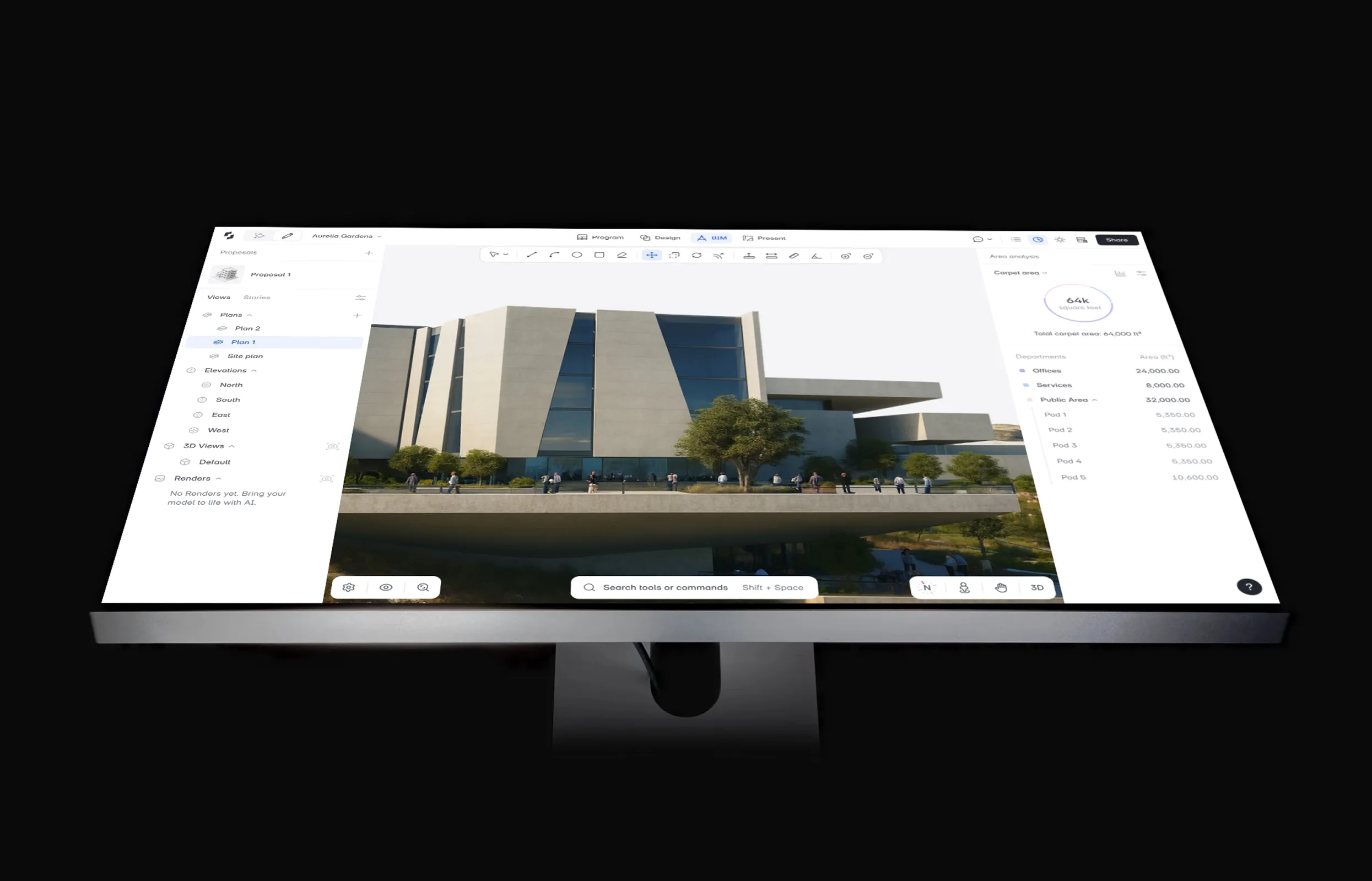
Curious what the free BIM route actually feels like in practice? Here's what the first hour in Snaptrude looks like.
Your Revit work comes with you: Snaptrude imports .rvt files up to 150 MB directly in the browser and exports native .rvt (with materials and custom parameters), IFC, and DWG, including on the free plan.
Yes, in two cases: students and educators get a free one-year educational license (renewable while enrolled) via the Autodesk Education Community, and anyone can run a 30-day trial. There is no free tier for professional use. After the trial it's $3,030/yr, and educational licenses can't be used for paid work.
Only one on this list. Snaptrude exports native .rvt files, with materials and custom parameters, on its free plan. FreeCAD and Blender's Bonsai add-on exchange data via IFC instead, which Revit can link or import, but expect some translation cleanup compared to a native .rvt handoff.
For modeling, yes: since version 1.0 the built-in BIM workbench handles parametric walls, windows, roofs, and stairs with IFC support, and firms do use it commercially. The honest limits are the steep interface, weaker 2D documentation than Revit, and no vendor support. You're trading learning time for the $3,030/yr you're not spending.
There's always one of three: usage limits (Snaptrude Free caps you at 3 projects), a steep learning curve with no support line (FreeCAD, Bonsai), or licensing restrictions (SketchUp Free is non-commercial). Free tools can also disappear: BricsCAD Shape, a staple of older roundups, was discontinued as a free standalone in late 2025.
Mostly yes, with one big exception. Snaptrude Free, FreeCAD, Blender with Bonsai, Sweet Home 3D, and usBIM's free tier all permit commercial use. SketchUp Free explicitly does not: its terms limit the web version to personal, non-commercial projects. Autodesk educational licenses are also barred from paid work.