Last updated:
BIM Interoperability Testing: A Practical Checklist for Architecture Firms
TL;DR
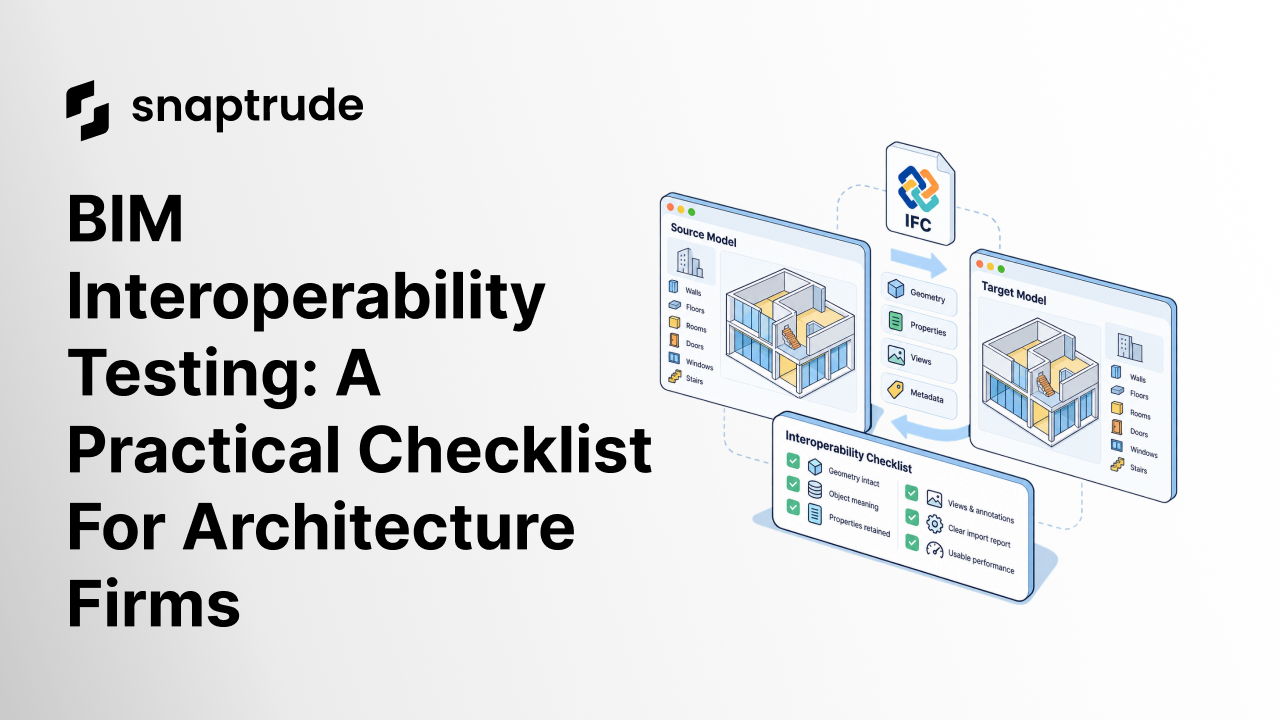
BIM interoperability testing should prove that geometry, object meaning, properties, views, performance, and round-trip edits survive a real workflow. A file opening successfully is only the first check. The real test is whether the project stays usable after your team imports it, edits it, coordinates it, presents it, and sends it back.
What is BIM interoperability testing?
BIM interoperability testing is a structured check of what survives when project information moves between tools. It tests much more than file compatibility. Geometry can look correct while room data disappears. A wall can arrive as a generic object. Dimensions can move. Families can lose identity. A view can open at the wrong scale. A model can technically import and still be too slow to use.
This distinction matters because BIM has matured beyond a 3D model. In the 2025 NBS survey, only 15% of professionals described BIM simply as "3D models with data". The model is now part of an information process that extends across teams and project stages.
Interoperability testing asks one practical question: Can the next person continue the work without rebuilding, guessing, or silently accepting lost information?
Why does BIM interoperability testing need a real project workflow?
BIM interoperability testing needs a real project workflow because clean sample files hide the problems that matter. Architecture projects include custom families, imported geometry, unusual story conditions, linked information, annotations, firm-specific naming, and views built for actual deliverables.
A controlled sample can show that an exchange exists. It cannot prove that the exchange works for your office.
That is why a software pilot should include one representative project slice. It does not need to be a live client project. It does need the messiness your team handles every week: a real program, a real import, a few custom objects, multiple views, one presentation output, and a return trip to the downstream BIM tool.
This workflow test complements the broader four-phase BIM software evaluation process. It gives the pilot team a technical gate before training, rollout, and procurement decisions build around an assumption that the data will travel.
Try Snaptrude on a real workflow.
What should BIM interoperability testing cover?
Use the same source model for every test, and record expected versus actual results. The checklist below moves from visible geometry to information that is easier to miss.
1. Does the geometry arrive intact?
Check walls, slabs, roofs, columns, openings, stairs, and custom forms. Look for flipped objects, missing pieces, unexpected triangulation, changed profiles, and small positional shifts. Test several levels of geometric complexity. A rectangular room proves very little about the workflow your team will use.
2. Do objects keep their meaning?
A successful import should preserve enough semantic identity for downstream work. Check whether walls remain walls, rooms remain usable spaces, and repeated elements retain the right relationship. If everything becomes generic geometry, the visual result may be acceptable while schedules, quantities, editing, and automation become weaker.
The current IFC standard exists to support a vendor-neutral description of built assets across tools and use cases. buildingSMART describes IFC as the open international standard ISO 16739-1:2024. Your test still needs to validate the particular exchange your team depends on.
3. Which properties survive the exchange?
Choose a small property set before the test. Include object type, material, level or story, room name, area, classification, and one firm-specific field. Track each field through import, edit, and export.
Do not judge the exchange by the number of fields visible in a panel. Judge it by whether the fields your workflow needs remain accurate and editable.
4. Do stories, views, and annotations stay coherent?
Test plan views, a 3D view, one section or elevation, dimensions, and presentation output. Look for changes in crop, scale, visibility, line weight, text size, and annotation placement.
Views reveal problems geometry checks miss. A model may be structurally correct while a drawing becomes unreliable. For architecture firms, that is not a cosmetic defect. It breaks communication.
5. Can users understand partial failures?
Every complex import will meet unsupported or unusual objects eventually. The question is how the software explains them.
A useful import report should provide:
Silent loss is the worst outcome. A transparent partial import lets a team make an informed decision.
6. Does the model remain usable at project scale?
Measure load time, navigation, selection, common edits, save time, and memory behavior with a representative model. Repeat the test after the import, not only on a native file.
Performance belongs in interoperability testing because a perfectly translated model that cannot be edited is not interoperable in practice. Record the device, browser or desktop environment, file size, object count if available, and the exact action that causes a slowdown.
7. Does the round trip preserve intent?
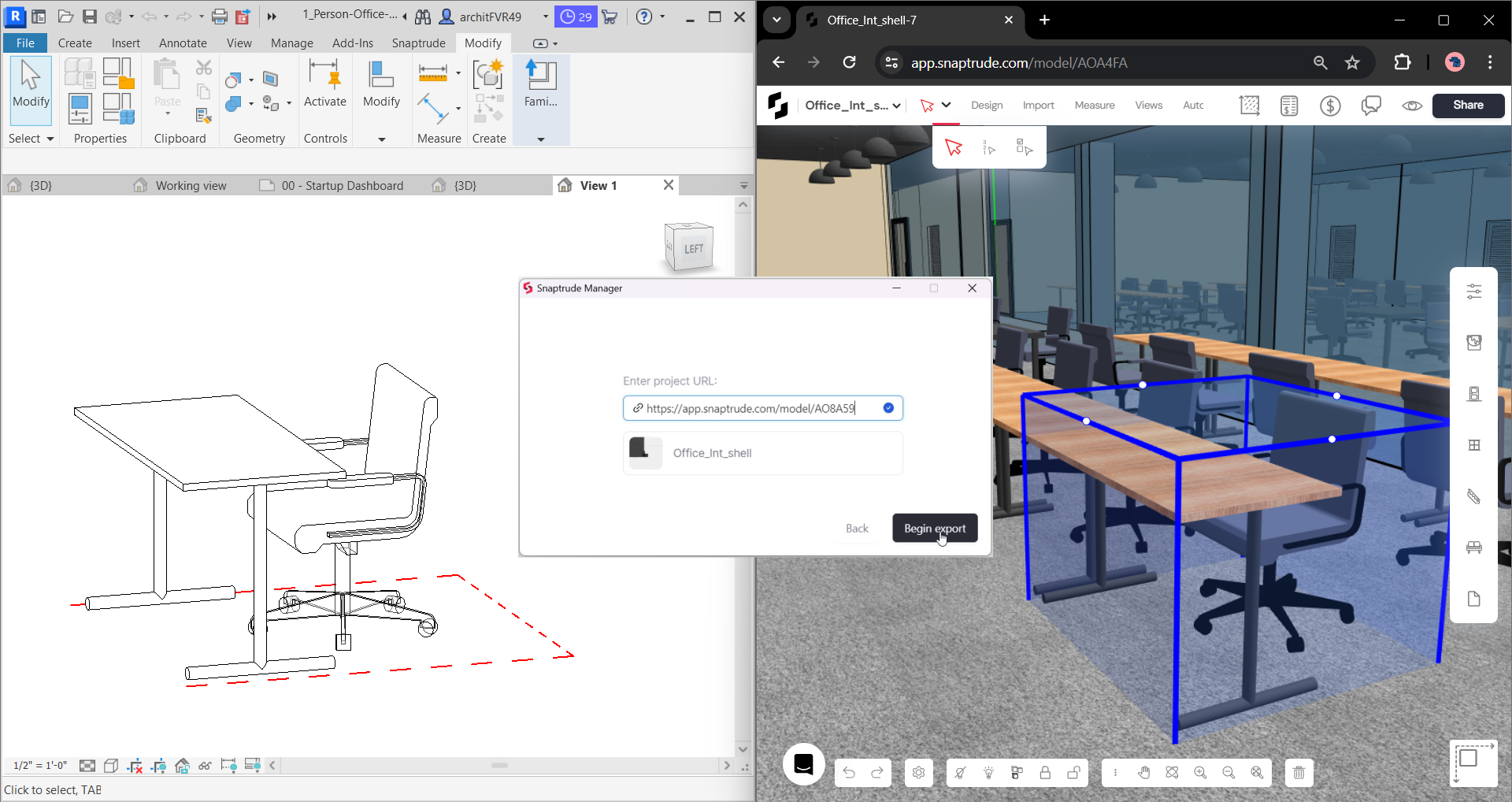
Import the model, make a small set of controlled changes, export it, and compare the result in the destination tool. Include a geometric edit, a data edit, a view-related edit, and a repeated object.
Snaptrude supports exports to Revit, Rhino, DWG, and IFC, plus a Grasshopper integration. Its Revit workflow is described in more detail in how the bidirectional Revit link was built. Regardless of the tool pair, the evaluation principle is the same: test the full path you intend to use.
How do file checks compare with workflow checks?
File checks confirm format support, while workflow checks prove that people can continue designing, coordinating, and delivering after the exchange.
The strongest pilot combines all four. Start with a file-open check, audit a known object set, run a controlled round trip, then complete one representative workflow.
How should an architecture firm score BIM interoperability testing?
Use a simple 0-to-2 score for each category:
Score geometry, semantics, properties, views, diagnostics, performance, collaboration, and round trip separately. Do not average away a hard failure. If room data is essential to programming, a zero in properties should block the pilot even when geometry scores well.
Record the workaround owner and time cost for every conditional result. Five minor workarounds repeated on every project can become a permanent coordination job.
How does Snaptrude address BIM interoperability?
Snaptrude is browser-based and supports real-time multiplayer collaboration, so teams can work in the same design environment without exchanging separate model copies for every review. Program data connects directly to 3D design, and Present Mode reflects changes in the live model.
For external workflows, Snaptrude supports Revit, Rhino, Grasshopper, DWG, and IFC exchange. The product also generates plans, sections, elevations, schedules, and presentation outputs from the building model. These capabilities do not remove the need for testing. They make it possible to test continuity from concept through BIM and presentation instead of evaluating isolated file operations.
If your current workflow spreads design, data, coordination, and presentation across several systems, also consider the platform proliferation tax. Every additional handoff is another place where meaning can drift.
Frequently Asked Questions
Q: What is the difference between file compatibility and BIM interoperability testing?
A: File compatibility confirms that one application can open or export a format. BIM interoperability testing checks whether the project remains useful after that exchange. It validates geometry, object meaning, properties, views, annotations, performance, and round-trip edits. A compatible file can still fail the workflow if rooms lose data, families become generic objects, dimensions move, or the imported model becomes too slow to edit.
Q: Which model should an architecture firm use for an interoperability pilot?
A: Use a representative project slice with the conditions your team handles regularly. Include standard and custom objects, multiple stories, a few real views, one annotation set, and firm-specific properties. Avoid both a pristine vendor sample and a high-risk live deadline. The goal is controlled realism: enough complexity to reveal workflow problems, with known expected results and no client delivery put at risk.
Q: What should be tested in an IFC exchange?
A: Test geometry, object classes, property sets, level assignments, spaces, materials, classifications, and the views or schedules your downstream process needs. Check both import and export, because each direction can map information differently. Record unsupported elements and confirm whether the software reports them clearly. An IFC certification is useful context, but your project-specific exchange requirements still need direct validation.
Q: How long should BIM interoperability testing take?
A: A focused first pass can take one to two working days when the expected results are prepared in advance. A production-style pilot should run long enough to complete a meaningful workflow milestone, including import, edits, a review output, and export. The important measure is not calendar length. It is whether the team tested every critical handoff and documented failures, workarounds, owners, and repeatable time costs.
Q: Who should participate in BIM interoperability testing?
A: Include a project architect or designer who knows the workflow, a BIM or digital practice lead who can inspect information quality, and one downstream user who receives the exported result. Add IT or security reviewers for cloud deployment and data requirements. Vendors can help explain expected behavior, but the firm should define the test, own the acceptance criteria, and keep the final decision independent.
Q: Does real-time collaboration replace interoperability testing?
A: No. Real-time collaboration reduces file duplication inside one platform, but projects still exchange information with consultants, clients, analysis tools, and delivery systems. Collaboration quality and interoperability quality reinforce each other. Test how users coordinate in the live model, then test what survives when information leaves it. A strong workflow needs both a reliable shared environment and predictable external handoffs.
Q: How can Snaptrude fit into a BIM software pilot?
A: A pilot can use Snaptrude to connect program data, 3D concept design, BIM development, collaboration, and presentation in a browser-based workflow. The team can then test the export paths it expects to use, including Revit, Rhino, DWG, or IFC. Define acceptance criteria before starting, use a representative model, and score results across geometry, data, views, performance, and round-trip continuity.



