Last updated:
10 AI Prompts for Architects, Taken From Real Projects

An AI prompt for architects is a plain-language instruction you give an AI agent, the way you’d brief a colleague: what you need, the numbers that matter and what to keep. The prompts that work carry the project’s real details, and an agent like Snaptrude Agent turns them into editable models, studies and drawings.
TL;DR
- You don’t need special syntax. Brief the agent the way you’d brief someone on your team.
- Good prompts name the outcome, the numbers and the constraint. When something is missing, the agent asks before it builds.
- The 10 prompts below come from real projects: an office campus in Seattle, an 8-floor hotel built from DWG plans, a hospital façade, a high-rise and a school after a budget cut.
- They cover massing, sun studies, materials, façades, MEP layouts, drawing sets, DWG to BIM, redlines and brief changes.
- Treat them as starting points. Your project will need its own.
What makes a good AI prompt for architects?
The most common question we’ve heard since launching Snaptrude Agent is “what do I type?” The honest answer is: roughly what you’d say to a colleague across the desk.
Here’s a prompt from the office campus project:
Prompt: “Can you make the profile of the curved floors more organic, and rotate them slightly on each floor to create a staggered geometry? Also let’s have 1 shorter tower (6 floors) and one taller one (10 floors).”
It has three parts, and most good prompts do:
- The change: make the curved floors more organic
- The move: rotate each floor for a staggered form
- The numbers: one tower at 6 floors, one at 10
What it leaves out matters too. It doesn’t say how much each floor should rotate, or whether the podium should change. The agent didn’t guess. It asked: how many degrees per floor (3°, 5° or 8°), whether the new outline should apply to the towers only or the podium as well, and whether floor plates should stay at 20,190 ft² so the total GFA held at 452,000 ft².
That’s the part people don’t expect. You don’t have to write a perfect prompt, because the agent asks for what it needs. For bigger tasks, it also shows you a plan and a task list and waits for you to press Run.
Brief the agent the way you’d brief a colleague, and let it ask about the rest.
What can you ask an AI agent to do in early design?
Early design is where a short prompt saves the most time, because every option you test without redrawing is one more you get to see.
1. Start from the brief
Prompt: “Create a massing for an office campus on this site, 452,000 sq ft GFA in total. Two rounded towers of 8 floors each, standing on a curved 2-floor podium.”
The full prompt went on with floor-to-floor heights and a setback from Aurora Avenue North. Before building, the agent checked the brief against the saved zoning for the Seattle site. The stack added up to 135'6", over the 85 ft height cap, so it asked how to handle it: build as briefed and flag it, fit under 85 ft, or fit under 85 ft and keep the GFA. Once it had built the massing, it reported FAR, height, open space and setback against the zoning.

If you want to see how site constraints get read in the first place, our post on the Site Analysis Agent across six cities goes through it.
2. Explore options
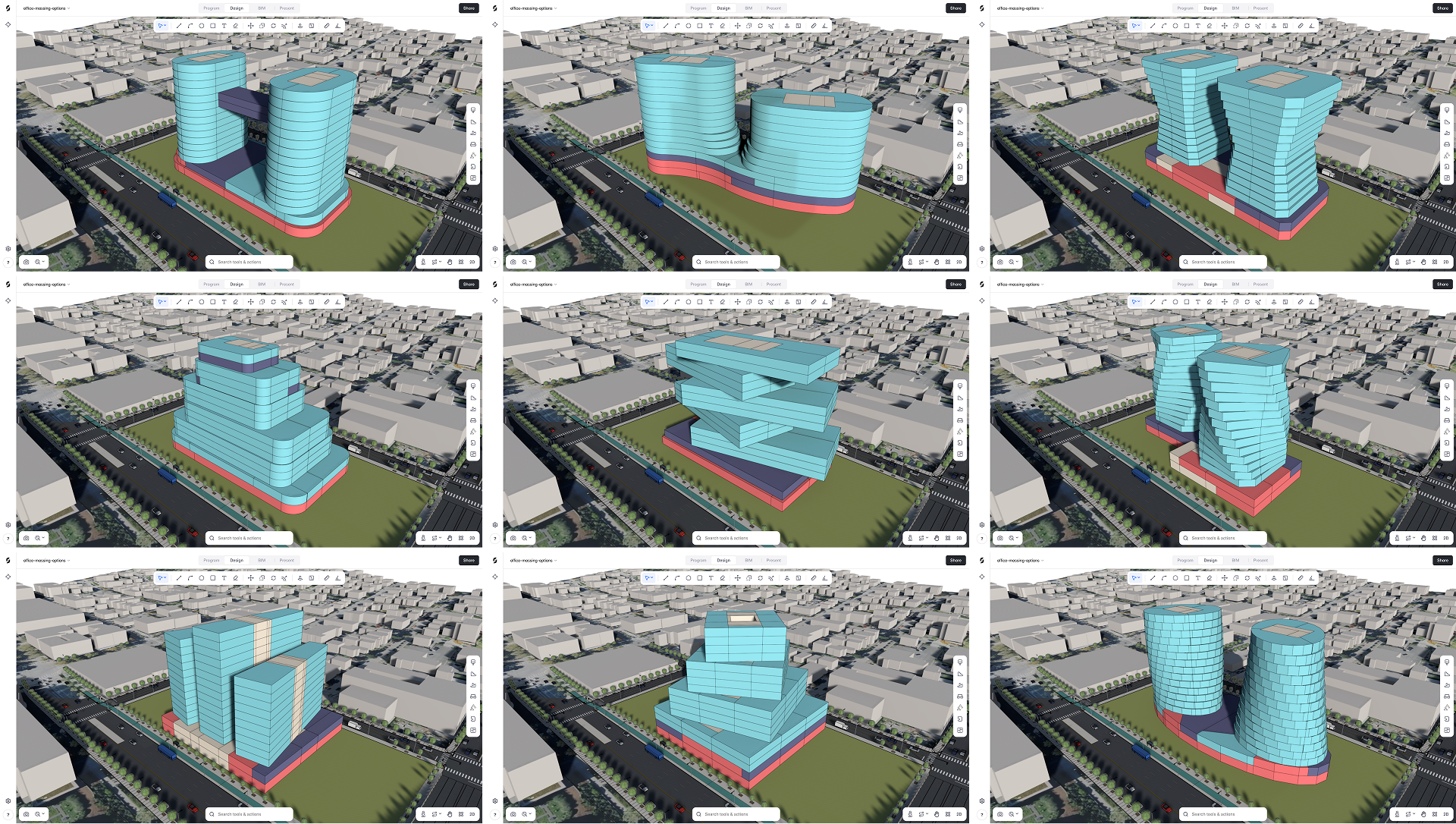
Prompt: “Create massing options for this project to explore different architectural ideas.”
This one is deliberately open. The agent filled the gaps with three questions: how many towers the options should use, how the base should meet the towers, and where the mass should sit on the site. Then it built each option in turn and reported its GFA and number of levels.
3. Read the sun
Prompt: “Run a sun hours study on this massing for a full year. Color every facade by annual direct sun hours (from low to high, in a heatmap).”
The result is a heatmap on every façade of both towers, with the figures listed by face. It’s the kind of study that usually waits until the form is fixed. Here it happens while the massing is still easy to change.

Open prompts are fine in early design, because the agent asks the questions a good colleague would.
How do you take a design from massing to a detailed model?
Once the form settles, prompts get more specific: palettes, components and building systems.
4. Finish the site
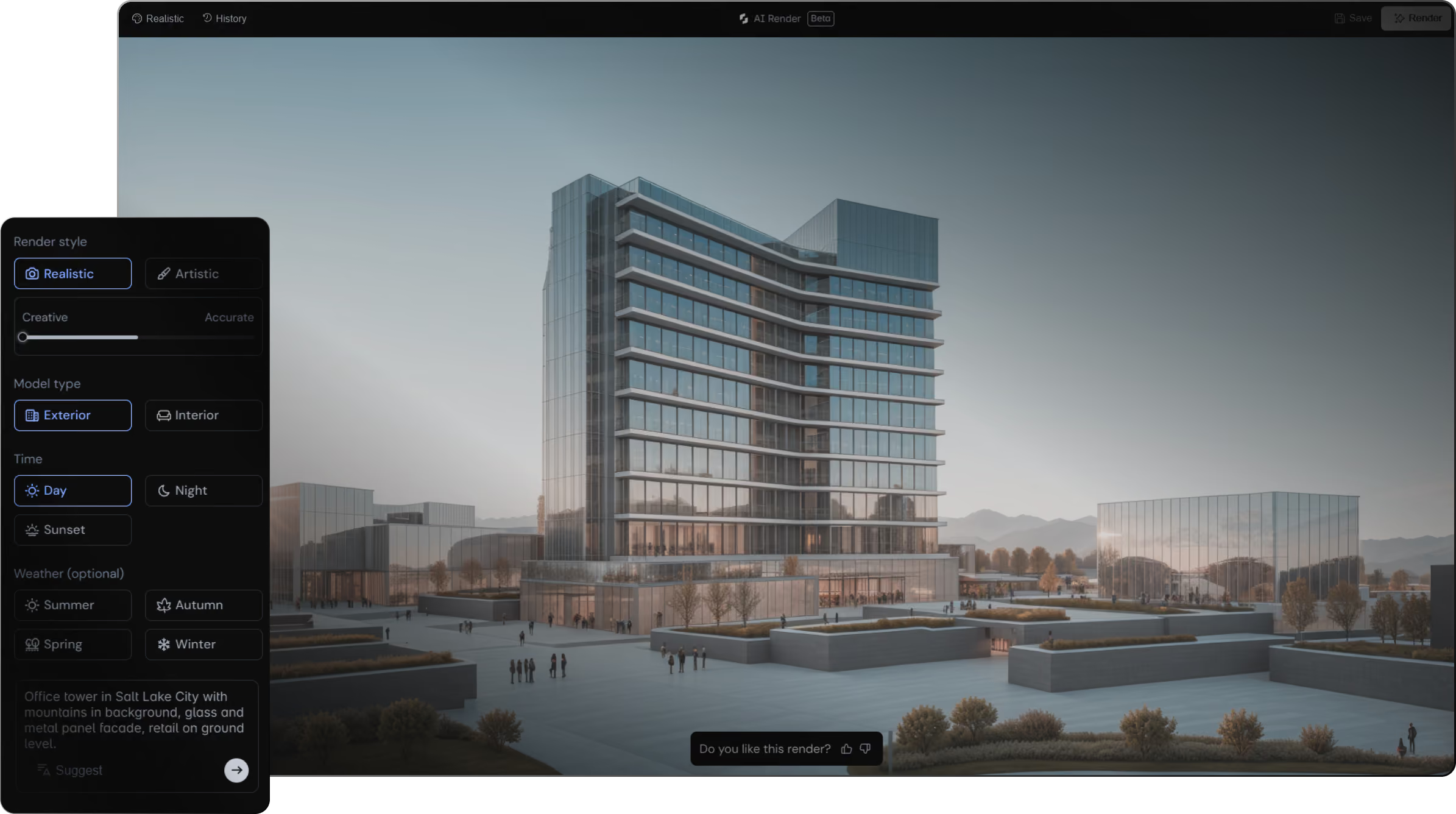
Prompt: “Add landscape and apply materials. Native planting on the plaza and terraces, street trees along Mercer St and Dexter Ave N, roof gardens on both towers, and the Stone Frame palette on the facade: cream sandstone, bronze fins, low-iron glass.”
One message covers the planting, the street trees, the roof gardens and the façade palette. Naming the streets and the materials is what makes it work. The agent places the trees where you said and uses the palette you named.

5. Build the façade system
Prompt: “To the facade, can you add in slanting fins to reduce the solar glare. These fins can be ceramic coated or something which would look visual.”
It’s a casual one-liner, typed mid-thought. The agent’s task list shows how it handled it: author a ceramic fin family, place fins around a test band of floors, check it, then carry the fins up the tower in groups of floors and rebuild the crown as a fin screen.

6. Lay out the services
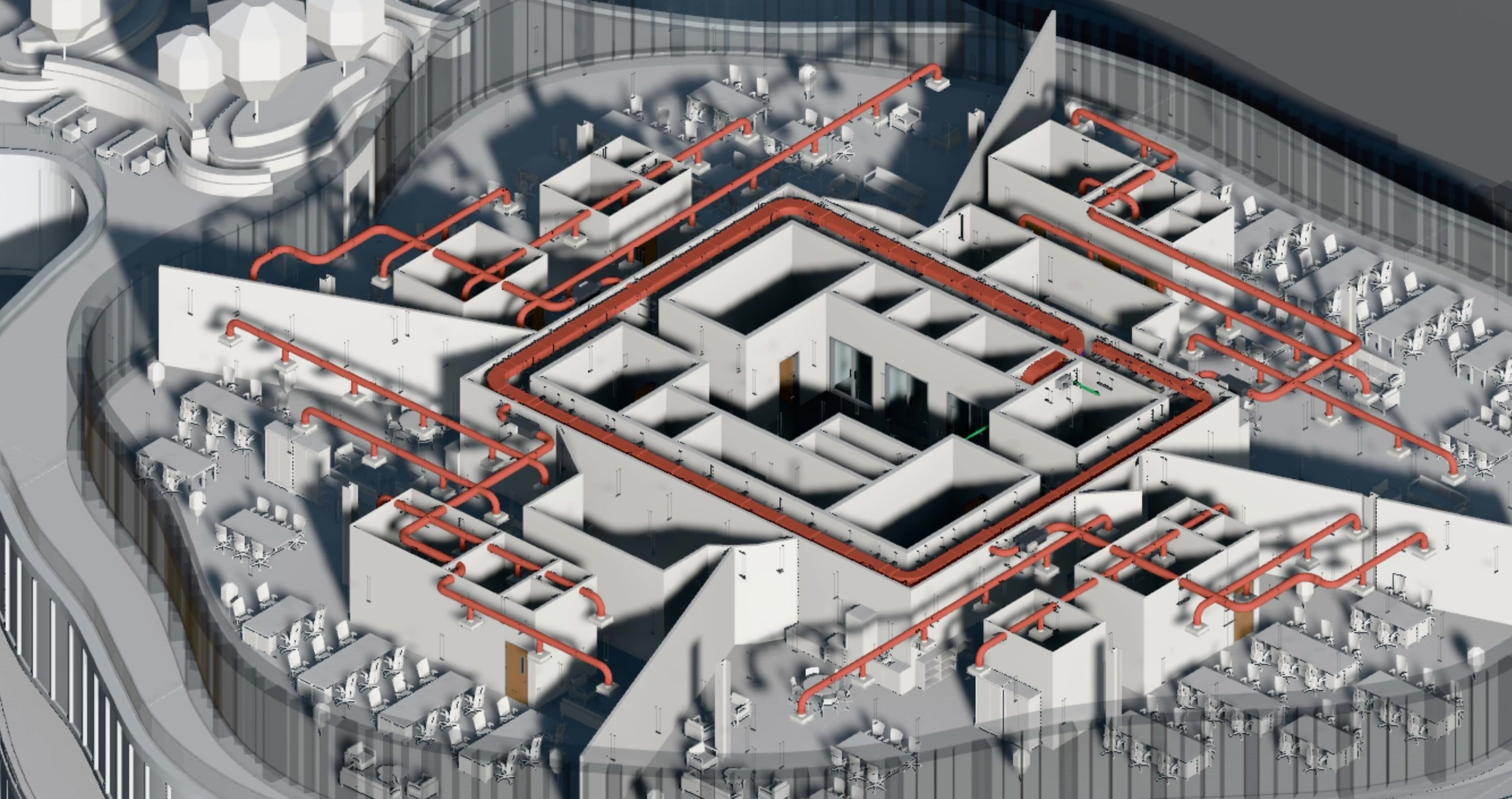
Prompt: “Lay out the MEP services on this floor: HVAC supply and return, domestic water, waste and vent, fire sprinklers, and electrical with lighting.”
Listing the systems tells the agent exactly what to lay out on the floor plate. The result is a coordinated layout you can review and edit, which gives the engineers on your team a starting point.
The more specific the prompt, the closer the first result. Name the streets, the materials and the systems.
Can an AI agent produce drawings and work from existing files?
A lot of real projects don’t start from a blank site. They start from an old set of plans, or from a model someone wants to change.
7. Get the drawing set
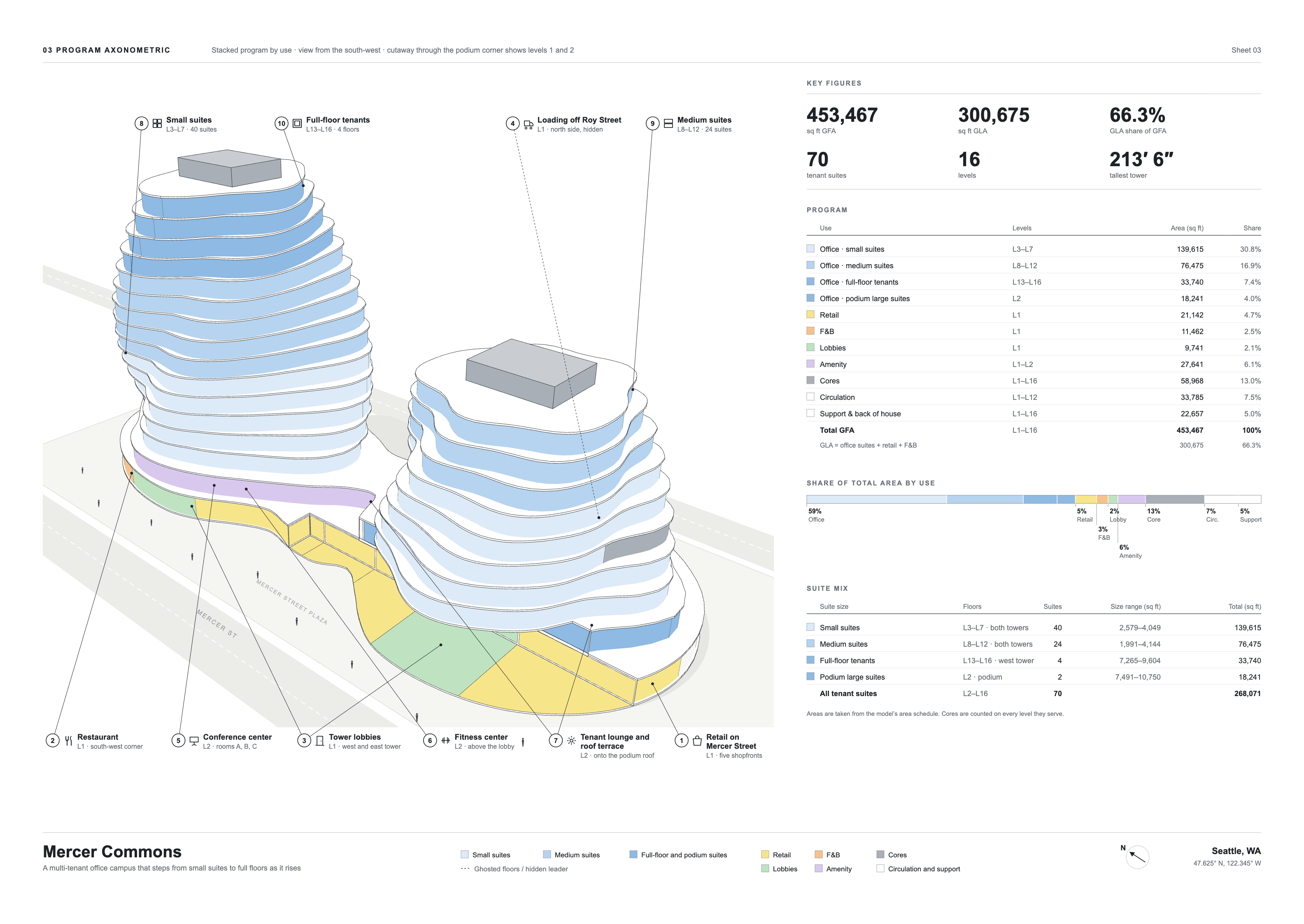
Prompt: “Create a concept set and a construction documentation set for this project.”
From the office campus model, the agent produced a concept set and a construction set: a cover sheet, general information, floor plans, a reflected ceiling plan, sections, wall sections and schedules. Both sets come from the same model, so they stay in step when the design changes.

8. Start from a DWG
Prompt: “Use the imported DWG and create a detailed model based on it.”
The DWG floor plans for an 8-floor hotel were imported onto the site first. The fuller prompt asked the agent to work in parts: scale check and floor mapping first, then each level, then the site layout. The agent asked two questions before building: how the circular lobby should relate vertically to the Level 2 executive lounge ring, and where the hotel should sit on the 40,731 m² site relative to the road.

9. Sketch what you mean
Prompt: “Remove the facade skin from the part shown in the image.”
This prompt was sent with a redline: a circle drawn directly on the hospital model. The agent removed the skin from both drums in one step, so a single undo would put it back. It also left the podium roof caps alone, because they weren’t part of the skin, and said so.

A second redline, with a note about convex spherical glass between diamond panels, led to the diamond diagrid façade.

When words get clumsy, draw on the model. A redline is a prompt too.
What happens when the brief changes?
This is where most of the rework on a project comes from, and where a prompt can save the most.
10. Rethink and redo
Prompt: “The budget has been cut by 30%. Update the building, show me your plan and the options before you change anything.”
The last clause is the important one. It tells the agent to propose before it acts, so you review the options before anything in the model moves. The follow-ups on this school project were just as plain: remove Level 3 from the west wing, drop the canopy, cut back the north windows and reduce the planting. Each change carries through the model and the drawings, so nobody redraws the set by hand.

Ask for the plan first. You stay in charge of every change.
How do you write your own prompts?
These 10 are examples, not a script. A few habits run through all of them:
- Start with the outcome. “Create a massing”, “Lay out the MEP services”, “Create a drawing set”.
- Add the numbers you’d give a colleague. GFA, floor counts, setbacks, percentages.
- Name real things. Streets, materials, systems, sheet types.
- Say what to keep. “Without losing classrooms”, “keep the cores where they are”.
- Ask for the plan when the change is big. “Show me your plan and the options before you change anything.”
- Draw when it’s faster. Attach a redline instead of describing a location.
- Follow up in plain words. “Make it more organic”, “add a canopy”, “try a taller tower”.
If you liked this format, our post on 15 questions you can ask the Research Agent does the same for building codes and standards.
The best prompt is the one you’d say out loud to someone on your team.
Frequently asked questions
Do I need to learn special prompt syntax to use Snaptrude Agent?
No. You type in plain language, the way you’d brief a colleague. Detailed briefs and one-line requests both work, and the agent asks when it needs more.
What happens if my prompt is missing information?
The agent asks before it builds. On these projects it asked how many towers to use, how far to set the podium back from the road, and how to handle a brief that went over the zoning height.
Can I attach drawings or images to a prompt?
Yes. You can attach a brief, a drawing or an image, import DWG plans to model from, and draw redlines directly on the model to point at what you want changed.
Is the output editable?
Yes. Everything the agent builds is made of native Snaptrude elements. You can take over at any point, edit by hand, then hand it back.
How do you know the results are any good?
Review what the agent builds the way you’d review a colleague’s work. We also tested the agent on real design briefs and published the results in AECBench: Measuring AI on real architectural work.
Try your own
These prompts came from real projects, but they’re only examples. The quickest way to see what the agent can do is to give it your own brief, on your own site, in your own words. If you’re new to Snaptrude, your first hour in Snaptrude is a good place to start.
Open a project, tell the agent what it needs, and see what comes back at snaptrude.com.