Last updated:
AECBench: measuring AI on real architectural work
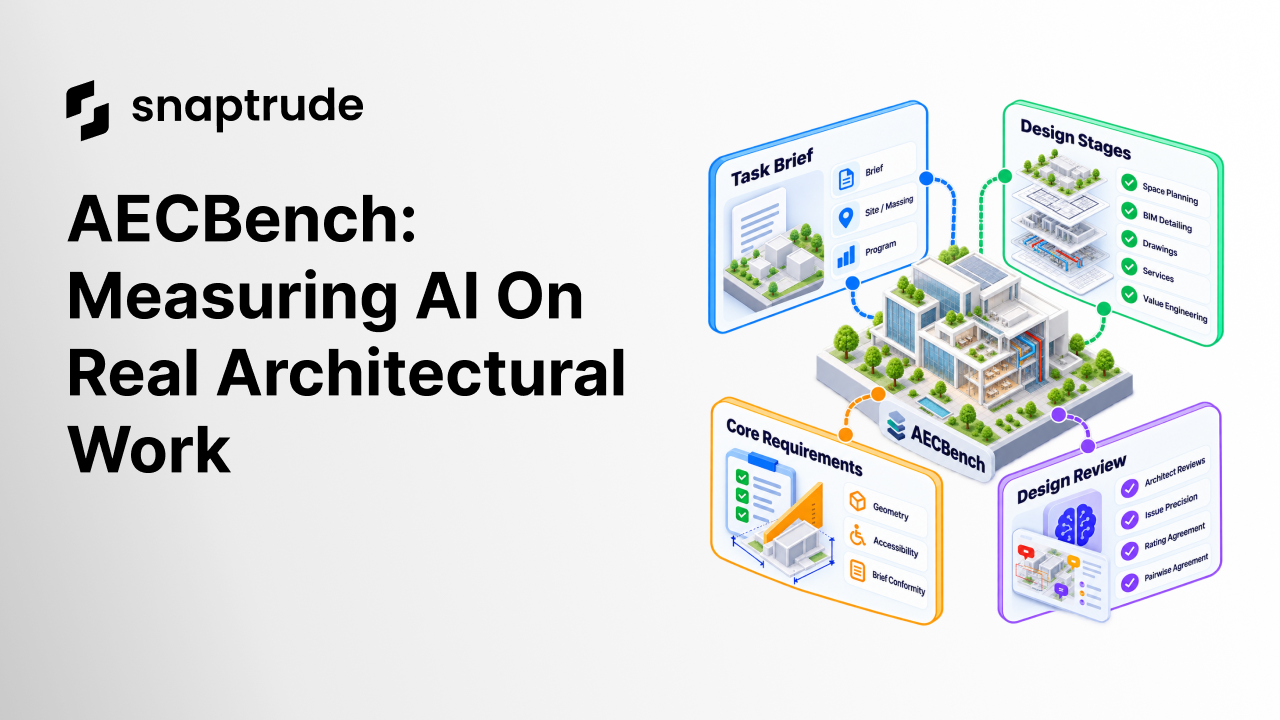
AECBench: measuring AI on real architectural work
AECBench is our benchmark for evaluating AI models on complex tasks in architecture, engineering and construction (AEC). Derived from Snaptrude’s internal evaluation suite, it provides a systematic method for assessing model performance on representative architectural work.
Overview
AECBench hands an AI the same brief an architect would get, has it design in a real BIM tool, and scores the result stage by stage: space planning, BIM detailing, drawings, services and value engineering.
Snaptrude’s agent designs directly inside a parametric building model. Every room, wall and opening it creates is a real building component, so designers can adjust the design by hand and then continue with targeted prompts. Generation and revision happen in one place, which keeps the editing loop short and controlled, and every change leaves the model ready for the next design decision.
Problem
AEC professionals have no reliable way to judge whether an AI model can do the work they do.
Current evaluations of large language models focus on general reasoning, coding and question answering. Work in the built environment, such as programming a building from a brief, space planning, detailing BIM elements, coordinating services and producing drawings, has no equivalent measure. Firms adopting AI tools therefore have no common basis for comparing them, and vendors’ claims cannot be checked against a shared standard.
Architectural work is also difficult to grade with the methods existing benchmarks rely on. A design task has no single correct answer, and multiple-choice or one-size-fits-all scoring cannot capture it. A useful assessment must check whether the building does what the brief asks: that it has the floors and areas required, that related spaces sit together, that people can reach every space, and that its systems serve the building. It must also judge design quality the way a practising professional would.
AECBench addresses this gap. It captures the everyday tasks of an architect and assesses them systematically across the stages of the design lifecycle.
How the benchmark is made
AECBench was designed around two principles of architectural practice.
- Design is iterative. The stages of the design lifecycle do not occur in a fixed sequence. A single task may draw on several stages at once, so what needs to be assessed differs from task to task.
- Certain qualities are constant. Regardless of the task, every building must satisfy a small set of fundamental requirements, such as sound geometry, accessible spaces and conformity to the brief.
Accordingly, assessment was not organised by lifecycle stage. What was assessed was divided into two tiers: core requirements, checked on every task, and design aspects, assessed only where a task involved them.
Tasks
Each task was chosen to represent an everyday piece of architectural work. Every task started from a design brief of the kind an architect receives from a client, and some tasks also included a starting setup, such as a site, existing massing or a building program. The system under test worked through the brief in a design tool, and a simulated client answered its questions using only the information in the brief.
What was assessed
Each task was assessed on two tiers, shown in Figure 2.
Figure 2. What each task was assessed on. ■ checked on every task ● assessed for this task — not involved. The example tasks are from the AECBench task set.
How each task was scored
Each tier was scored by the method that suited what it measured.
Core requirements: graders
Graders were deterministic checks that read the building model directly. Each grader worked in three steps:
- Read the model. The grader took measurements from the geometry, such as storey count, room areas and overlaps between spaces.
- Compared against the requirement. Each check that tested the brief quoted the exact line of the brief it came from and used only the numbers stated there.
- Recorded the result. Each check passed or failed, with the measured and expected values recorded side by side.
Design aspects: review LLM
Design quality has no single correct answer, so it was scored the way architects score it. The review LLM was built in four steps:
- Architects reviewed the outputs. Practising architects reviewed each output in open text, listing what worked and what did not, and rated each design aspect from 1 to 5.
- Reviews were split into points. Each comment became a single point, marked positive or negative.
- Points became criteria. Points that recurred across many tasks became shared criteria. Points specific to one brief became that task’s rubric.
- The review LLM applied the criteria. For each new output it wrote positives, negatives and a 1–5 rating per aspect, in the same form as the architects’ reviews.
Figure 3. Building and testing the review LLM. Reviews were split by task before anything was built, so the test set measured agreement on tasks the review LLM had never seen.
How the review LLM was validated
Architects’ reviews were split by task before the criteria or the review LLM were built. Between 60 and 70 percent were used to build them. The remaining 30 to 40 percent were never shown to the review LLM and were used only to measure how closely it agreed with the architects:
- Issue recall: the share of the architects’ negatives that the review LLM also found.
- Issue precision: the share of the review LLM’s negatives that were problems the architects confirmed.
- Rating agreement: how closely its 1–5 ratings matched the architects’ ratings.
- Pairwise agreement: how often it preferred the same output as the architects when shown two.
A subset of outputs was reviewed by two architects independently. Their agreement with each other set the ceiling against which the review LLM was judged.
Models compared
We compared Snaptrude’s agent, Claude Code and Codex on architectural tasks from AECBench. The comparison looked at how each agent translates a design brief into a model, including its space planning, BIM detailing and response to the task requirements.
Snaptrude’s agent works directly in the modelling environment, creating native parametric building components. Claude Code and Codex generate code for Three.js scenes that display their designs in a browser. We assessed the architectural content of these outputs while recognising the difference between a native building model and a code-generated 3D scene.
Results
Snaptrude’s agent, Claude Code and Codex
Snaptrude’s agent can author parametric components and BIM details at a much greater level of detail than Claude Code and Codex. Claude Code and Codex produce convincing Three.js scenes; Snaptrude’s agent gives architects a workable model to iterate on and develop the design in greater depth.
Comparison setup
The coding agents were run on our benchmark tasks.
The coding-agent instruction asked for:
“Build this building as a three.js scene: write an index.html in this folder that renders it in a browser.”
We scored each output on the core requirements and on the five design aspects: space planning, BIM detailing, drawings, services and value engineering.
BIM detailing
Snaptrude’s advantage is deeper than visual detail: rooms, walls and openings remain building components, not only shapes in a scene. Snaptrude’s agent can create more coherent, detailed modelled elements that reflect the function of each space. For example, it gives each wall construction layers suited to the room it encloses, thickens the concrete walls around the building core, swings interior doors into rooms so they don’t block corridors, and details lift doors.

Snaptrude’s agent can also keep a changelog, so design decisions stay traceable as the model develops. Beyond an editable model, this gives designers a record of what changed and why, so they can review the reasoning behind later revisions. It also helps the agent itself: it can build on earlier decisions and make targeted revisions without losing the design intent.
Space planning
Snaptrude’s agent reasons about the function of each space, rather than just drawing geometry. It considers acoustics, privacy and circulation when deciding which spaces should sit together, which need separation, and how people move between them. This supports better adjacency and zoning decisions and more coherent layouts.
The same reasoning helps the agent choose better room proportions and allocate area more effectively. It considers how each space will be used and how it connects to the rest of the building, rather than treating rooms as shapes that only need to fit within a boundary.
Release
AECBench has not been released yet. The results in this paper are our findings from Snaptrude’s internal runs. We plan to release AECBench in two parts.
What we plan to release
- Open-source tasks: each brief, its starting setup, its checks and which design aspects apply.
- Runs on the Snaptrude canvas: a way for labs to run AECBench on their own models inside Snaptrude, using the same agent setup and scoring as used in this paper.


