Last updated:
15 Questions You Can Ask Snaptrude's Research Agent (Instead of Opening a Browser Tab)

Snaptrude's Research Agent is an AI tool built into Snaptrude that answers building code, regulation, and design standards questions with specific numbers, source citations, and project-relevant context. This post shows 15 real questions it can handle, grouped by what architects actually need to look up during a project.
Why a list of use cases?
We wrote about why we built the Research Agent in an earlier post. The short version: architects spend real hours during every project looking up codes, standards, and regulations across multiple sources. The Research Agent puts that research inside the design tool.
But explaining what a tool does in the abstract only goes so far. The best way to understand the Research Agent is to see the kinds of questions it answers.
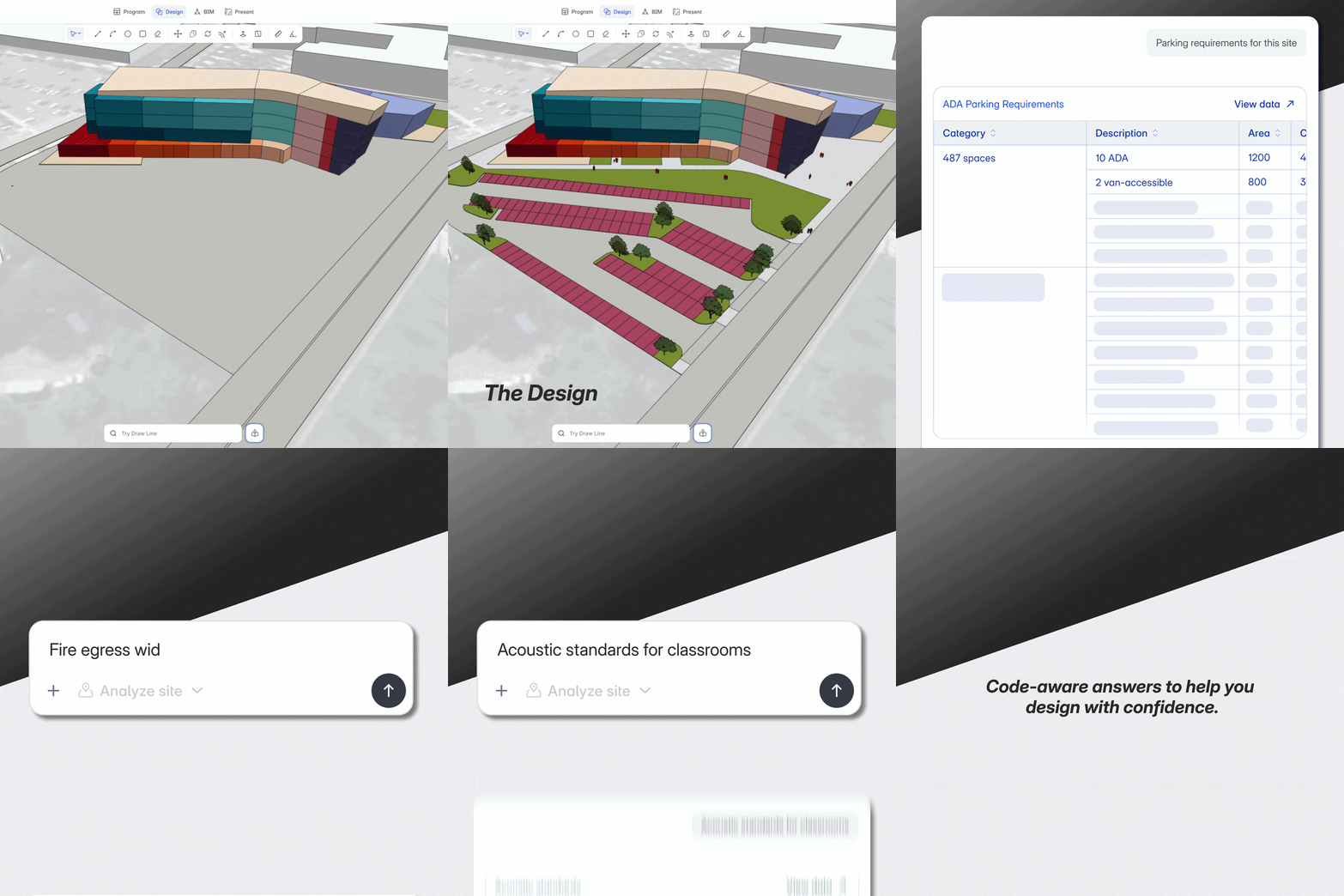
What follows are 15 questions, grouped by category. For each one, we describe the prompt, what the agent returns, and which sources it references. These aren't hypothetical. They're the kinds of questions that come up on real projects, sometimes multiple times a day.
Parking and transportation
1. "What are the ADA parking requirements for a 487-space surface lot in Seattle?"
The agent returns the calculation based on the 2010 ADA Standards for Accessible Design, Table 208.2: 10 accessible spaces required, 2 of which must be van-accessible (minimum, 1-in-6 rule). It notes that Seattle's local code often exceeds the federal minimum and recommends confirming with Washington State codes. The math is shown, the standard is cited, and the disclaimer is clear.
2. "Parking ratio for a mixed-use building with 120 residential units and 15,000 sqft of retail in Denver?"
The agent returns the residential and retail parking ratios separately, based on Denver's zoning code, and calculates the total. It flags whether shared parking reductions may apply for mixed-use and references the ULI Shared Parking methodology.
Zoning and land use
3. "Max FAR and height limit for this site?"
If your project has a site location set, the agent pulls the applicable zoning data and returns FAR, maximum building height, and lot coverage. For a commercial site in a typical mid-rise zone, the response might read: FAR 3.0, max height 85 ft, lot coverage 80%. It cites the local zoning ordinance and notes any overlay districts that might modify the base values.
4. "What are the allowed uses in a C-2 General Commercial zone?"
The agent returns the permitted and conditional uses for the zoning classification, referencing the local municipal code. Useful when you're evaluating a site for a new typology and need to quickly confirm what's allowed without digging through a PDF.
Fire and life safety
5. "Fire egress width for this occupancy type?"
For an assembly occupancy with a calculated occupant load of 500, the agent returns minimum corridor width (44 inches per IBC), stairway width calculation (0.2 inches per occupant for sprinklered buildings), and notes on dead-end corridor limits. It references IBC Chapter 10 and NFPA 101.
6. "Do I need a fire-rated corridor on this floor?"
The agent checks the occupancy classification and construction type against IBC Table 1020.1 and returns whether a rated corridor is required and at what rating. For example: Group B occupancy, Type IIA construction, occupant load over 30 per floor requires a 1-hour rated corridor.
Accessibility
7. "ADA requirements for hotel corridors in New York?"
The agent returns minimum corridor width (44 inches clear), turning space requirements for wheelchair access, accessible room ratio requirements, and references the 2010 ADA Standards. It flags that New York has adopted additional accessibility provisions through the NYC Building Code and recommends cross-referencing.
8. "How many accessible restrooms do I need for a 3-story office building?"
The agent calculates based on IBC plumbing fixture count requirements and ADA scoping provisions, returning the number of accessible stalls per floor, the required clearances, and the applicable code sections.
Sustainability and energy codes
9. "ASHRAE 90.1 envelope requirements for Climate Zone 4A?"
The agent returns the prescriptive requirements: roof insulation R-value, wall insulation minimums, maximum window-to-wall ratio, and fenestration U-factor limits. It references ASHRAE 90.1-2022 and notes which edition your jurisdiction has adopted if that information is available.
10. "What LEED v4.1 credits apply to daylighting in an office building?"
The agent identifies the relevant credits (Daylight credit under Indoor Environmental Quality), outlines the two compliance paths (spatial daylight autonomy simulation or prescriptive calculation), and provides the threshold values. It cites the LEED v4.1 BD+C reference guide.
Healthcare design standards
11. "Minimum operating room dimensions per FGI guidelines?"
The agent returns the FGI 2022 Guidelines requirement: minimum clear floor area of 400 sqft for general operating rooms, 600 sqft for cardiovascular or orthopedic rooms. It includes clearance requirements around the operating table and notes ventilation requirements per ASHRAE 170.
12. "Infection control zone separation requirements for an inpatient ward?"
The agent returns the FGI requirements for airborne infection isolation rooms, including negative pressure differentials, minimum air changes per hour (12 ACH), and anteroom requirements. It references both FGI and ASHRAE 170 standards.
Education facility standards
13. "Acoustic standards for classrooms?"
The agent returns the ANSI S12.60 standard: maximum background noise level of 35 dBA, maximum reverberation time of 0.6 seconds for classrooms under 10,000 cubic feet. It references the standard directly and notes that several states have adopted these values as code requirements.
14. "Classroom sizing for 30 students per Neufert?"
The agent returns the Neufert recommendation: approximately 65 sqm (7.2 x 9.0 m) for a standard classroom of 30 students. It includes preferred depth (7.5-8.5 m), minimum clear ceiling height (3.3 m), and notes on daylighting from one primary facade. If your project uses imperial units, the values convert automatically.
Benchmarking and program analysis
15. "Analyze this program and tell me if it meets ADA requirements."
When your project has program data loaded, the agent can read the spaces and departments and check them against accessibility standards. It identifies which spaces need accessible provisions, calculates whether the program includes enough accessible restrooms and parking, and flags potential shortfalls. This is especially useful for large, complex programs where manual checking is time-consuming.
Key Takeaway: These 15 questions represent the range of what the Research Agent can handle. Each answer comes with specific numbers, source citations, and notes about what to verify locally.
How answers work in practice
A few things to know about how the Research Agent returns information.
Answers are structured, not conversational. When you ask about parking requirements, you get a table with the calculation, not a paragraph summarizing what parking might look like. When you ask about egress, you get the specific width formula and the code section, not a general explanation of fire safety.
The agent reads your project context. If your project has a site location, the agent uses it to determine which jurisdiction's codes apply. If you have program data loaded, it references your actual spaces and area totals. If you've imported files (RFPs, code documents, program spreadsheets), the agent can search those too.
Citations are included. Every answer references the standard, code section, or guideline it's drawing from. When the agent isn't certain about a local amendment, it says so and recommends verification. If you're comparing this to how AI tools are used by architects today, this is one of the key differences: the Research Agent is built for regulatory precision, not general conversation.
It's not a substitute for code review. The agent gets you to the right starting point. It doesn't certify compliance, and it tells you when local verification is needed. That honesty is by design.
Where this fits in the design workflow
The Research Agent works inside Snaptrude 3.0's connected environment. You access it from Program Mode by selecting Research from the agent dropdown.
In practice, you use it throughout a project. Early on: "What's the max FAR here?" or "What are the zoning restrictions for this site?" Mid-design: "Do I need a rated corridor on this floor?" or "What are the acoustic requirements for these classrooms?" During documentation: "What's the ADA scoping for accessible parking at this count?"
The Site Analysis Agent handles automated zoning extraction for specific sites. The Research Agent handles everything else: the code questions, the standards lookups, the regulation checks that come up at every stage of design.
Related reading
- Why Architects Still Google Building Codes Mid-Design (And How We Fixed It)
- AI Agents for Architectural Programming: What They Do and Why We Built Them
- Top 18 AI Tools for Architects in 2026
- Announcing Snaptrude AI — an AI that designs with you
You can also upload PDFs (local code amendments, client RFPs, building program documents) and the agent will search them as part of its response. If your project has imported Excel data, the agent can analyze that too.
Ask the question, get the answer, keep designing
Every one of these 15 questions would normally mean leaving the design tool, opening a browser, finding the right document, locating the right table, and then going back to the model. That's 10 to 20 minutes per lookup. On a complex project, those lookups happen multiple times a day.
The Research Agent puts that research inside the tool where you're already working. You ask the question, get a cited answer, and keep designing. The time saved adds up across every project, every team member, every week.
The Research Agent is live in Snaptrude. Try it on your next project.


