Last updated:
Why Architects Still Google Building Codes Mid-Design (And How We Fixed It)
Why Architects Still Google Building Codes Mid-Design (And How We Fixed It)
An AI research agent for architecture is a tool that answers building code, standards, and regulation questions with structured, citation-backed responses, directly inside the design environment. Snaptrude's Research Agent does this by searching official sources, cross-referencing your project's location and typology, and returning specific figures with references you can verify.
Why is code research still one of the slowest parts of design?
Here's a scene that plays out in architecture firms every day. Someone on the team is mid-design on a hospital, a school, or an office tower. A question comes up: what's the minimum corridor width for this occupancy type? What are the ADA requirements for accessible parking in this jurisdiction? What's the maximum building height allowed under the local zoning overlay?
The answer exists somewhere. It's in the IBC. Or the local amendment to the IBC. Or a specific ADA standard with a table number. Or an ASHRAE guideline. Or all of the above, and they occasionally contradict each other.
So the architect opens a browser tab. Then another. Then three more. They find a code commentary that looks relevant, but it's from 2018 and they're not sure if the jurisdiction adopted the 2021 edition. They find a state amendment that changes the numbers. They copy the values into a spreadsheet or a note, go back to their model, and keep designing.
This happens multiple times a day on most projects. It happens more on complex typologies like healthcare, education, and mixed-use, where the regulatory stack is deep and the standards overlap.
Here's what we noticed: the time lost isn't in understanding codes. Most experienced architects know how to read and apply building codes. The time goes to finding the right section, confirming it applies to the specific jurisdiction and project type, and then tracking which source says what. This is one of the reasons we built Snaptrude as a connected design platform: we kept seeing workflows where the tool forced architects to leave the design environment just to gather information they needed to keep designing.
For firm principals, this cost is invisible but real. It's baked into every project as overhead. Your senior architects carry the answers in their heads, but they can't always be available. Your junior team members are capable, but they spend more time searching than applying.
Key Takeaway: Code research is slow not because the codes are hard, but because finding, confirming, and cross-referencing the right information across multiple sources takes time. That time adds up across every project.
What if code research happened inside the design tool?
We asked ourselves: what if the architect could type a question in plain language, inside Snaptrude, and get back a structured answer with the actual numbers, the applicable standard, the source citation, and a note about what to verify locally?
That's what the Research Agent does. It takes your question, considers your project's location and typology, searches official building codes, standards organizations, government regulations, and architectural references, and returns a specific, structured response. Not a generic overview. A project-relevant answer with citations.
It's one of the AI agents we introduced with Snaptrude AI, built to handle the research-heavy parts of design work so architects can stay focused on the design itself.
The agent prioritizes authoritative sources: IBC, ADA Standards for Accessible Design, ASHRAE, AIA guidelines, ICC, FGI Guidelines for Healthcare, Neufert, BOMA, and peer-reviewed architectural references. When it returns a value, it tells you where it came from. When it's uncertain about a local amendment, it says so and recommends verification.
Key Takeaway: The Research Agent answers code and standards questions in plain language, with citations, inside the design environment. You stay in context instead of switching to a browser.
What kinds of questions can the Research Agent answer?
This is where it's worth seeing the range. The agent isn't limited to one type of code lookup. It handles different categories of architectural research, each of which would normally require searching through different documents and standards.
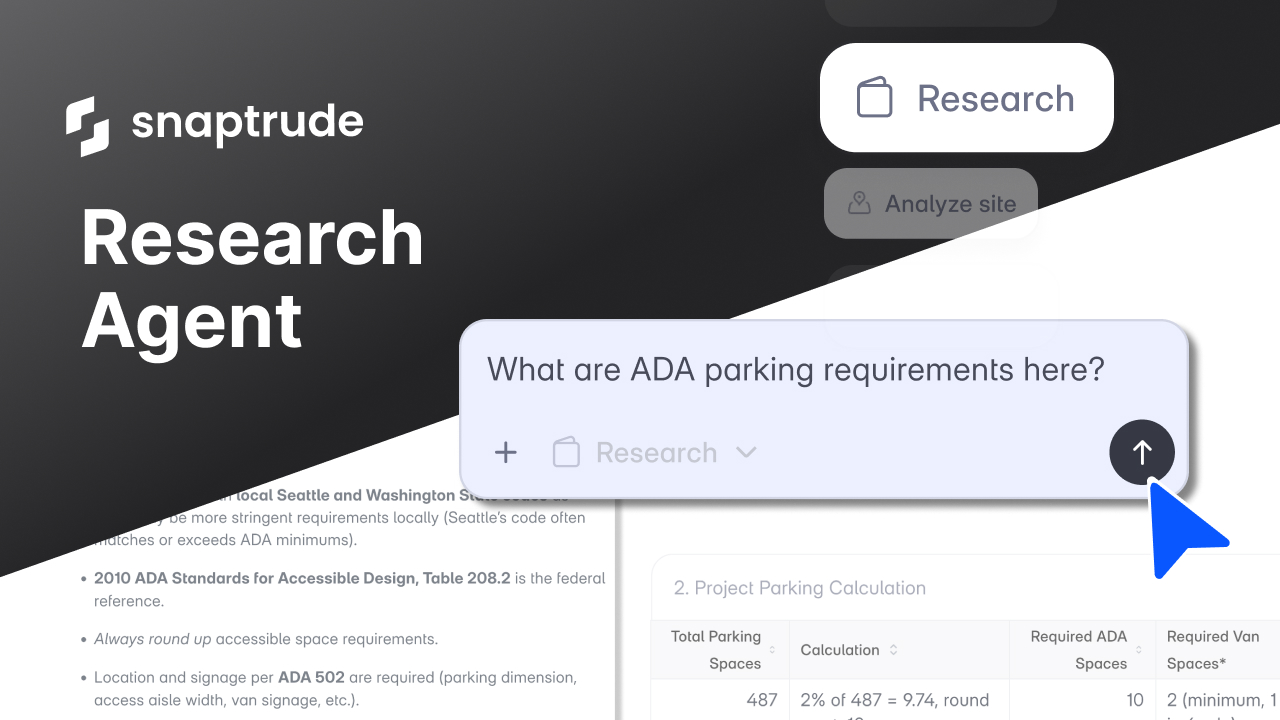
ADA and accessibility compliance. Ask it about ADA parking requirements for a 487-space surface lot in Seattle, and it returns the calculation based on the 2010 ADA Standards for Accessible Design (Table 208.2), the required number of van-accessible spaces, and a note that Seattle's local code may impose requirements beyond the federal minimum. The math is shown, not hidden.
Building code occupancy and egress. Ask about maximum occupant load for an assembly space, or minimum corridor widths for a specific occupancy classification, and it returns the IBC reference with the applicable table number. If your project is in a jurisdiction that has adopted amendments, the agent flags that you should confirm which edition is in effect locally.
Healthcare design standards. Working on a hospital? Ask about minimum operating room dimensions, patient room requirements, or infection control zone separation distances. The agent references FGI 2022 Guidelines for Design and Construction of Hospitals and returns specific metrics, not general advice.
Sustainability and energy codes. Ask about ASHRAE 90.1 envelope requirements for your climate zone, or daylighting requirements under LEED v4.1, and the agent returns the specific thresholds, R-values, or window-to-wall ratios that apply.
Educational facility standards. Designing a school? Ask about classroom sizing for 30 students, lab ventilation requirements, or site area per student benchmarks. The agent pulls from standards including A4LE guidelines and Neufert, providing the figures in the area units your project uses.
Fire and life safety. Questions about fire-rated corridor requirements, exit width calculations per occupant load, or sprinkler system thresholds are answered with the relevant IBC and NFPA 101 references. It returns the code section number so you can look it up yourself if needed.
Parking and transportation. Beyond ADA spaces, the agent handles questions about parking ratios by use type, loading dock requirements, and bicycle parking minimums for specific jurisdictions.
Structural and dimensional standards. Ask about typical structural bay sizes for a given typology, floor-to-floor heights for office buildings, or module dimensions that align with common ceiling grid sizes, and it returns data-backed ranges from Neufert, Time-Saver Standards, and BOMA benchmarks.
Zoning and land use regulations. While the Site Analysis Agent handles automated zoning data extraction for specific sites, the Research Agent answers broader regulatory questions. Things like: what are the allowed uses in a C-2 zone, or what's the typical FAR bonus for including affordable housing in this district?
Materials and construction methods. Ask about thermal performance of cross-laminated timber assemblies, or comparison of curtain wall systems for a high-rise in a coastal climate. The agent returns technical specifications from manufacturer data, industry reports, and standards organizations.
Key Takeaway: The Research Agent handles a wide range of building code, standards, and design research questions. Each answer includes specific figures, source citations, and notes about what to verify locally.
How does the agent know what applies to your specific project?
Context matters in code research. The same question about corridor width has a different answer for a hospital than for an office building. The same parking requirement changes between cities.
The Research Agent is aware of your project's context. It reads the location (coordinates or city), the typology, and the program data if available. When you ask a question, it factors in that context before searching for the answer.
If you're working on a healthcare project in Houston, it knows to reference Texas-specific amendments to the IBC and FGI guidelines relevant to hospital typologies. If you're working on an office building in London, it adjusts to UK Building Regulations and British Standards where applicable.
This isn't a generic chatbot answering architecture questions. It's a research tool that understands what you're building and where.
If you've worked with Snaptrude's real-time feasibility tools, you'll recognize the approach: the platform already tracks your project's area unit, FAR, and site constraints. The Research Agent taps into that same context layer so its answers are relevant to the project in front of you, not just architecturally correct in general.
Key Takeaway: The agent factors in your project's location, typology, and program data. Its answers are specific to what you're working on, not generic architectural knowledge.
What the Research Agent doesn't do (and why that matters)
We want to be direct about this. The Research Agent is not a substitute for a code official, a licensed reviewer, or your own professional judgment.
It doesn't certify compliance. It doesn't sign off on anything. It tells you clearly when a value is a federal baseline that may differ from local adoption. It includes disclaimers where appropriate, and it recommends verification with local authorities on jurisdiction-specific questions.
What it does do is get you to the right starting point faster. Instead of spending 20 minutes confirming that the ADA parking calculation is correct, you spend 20 seconds getting the answer and then verify the parts that need local confirmation. Instead of searching through three PDFs to find the right table for egress width, you ask the question and get the table reference back.
The agent is honest about what it can and can't confirm. That honesty is deliberate. In architecture, overconfident answers are worse than no answers.
Key Takeaway: The agent gets you to the right starting point faster. It doesn't replace professional judgment or local code verification. It shows its sources so you can verify what matters.
How does this fit into the broader design workflow?
The Research Agent works inside Snaptrude 3.0's connected workflow. It sits alongside the other agents: Site Analysis for zoning and site data, Program Generation for building programs, and the Envelope Agent for buildable massing.
In practice, the research agent is the one you come back to throughout a project. Early on, you might ask about zoning interpretations or typology benchmarks. Mid-design, you might check ADA requirements or fire code thresholds. During documentation, you might confirm specific code sections to reference in your drawings.
It's not a one-time tool. It's the one that stays useful at every stage.
For firms evaluating architecture design software, this is a capability that's easy to overlook in a feature comparison. But in practice, having code research available inside the design tool, with citations and project context, changes how much time your team spends searching and how confidently they move through early design.
What does this mean for how firms work?
We didn't build the Research Agent because architects can't do research. They can, and they do it every day. We built it because the time it takes doesn't match the value it produces.
Looking up a corridor width requirement isn't a design decision. It's a fact-finding task. But it takes 10, 15, 20 minutes depending on how deep the regulatory stack goes. Multiply that by every question, every project, every team member, and you have a significant portion of billable time going to information retrieval instead of design.
When your junior architects can get cited, structured answers to code questions in seconds instead of minutes, they move faster and they learn faster. When your senior architects don't have to be the firm's walking code reference for every question, they get to spend more time on the work that actually needs their experience.
That's the change. Not replacing anyone's expertise. Making the information that supports that expertise available faster, in context, with sources.
The Research Agent is live in Snaptrude. Try it on your next project.
The agents are live. The best is still ahead.
Related reading
- 15 Questions You Can Ask Snaptrude's Research Agent (Instead of Opening a Browser Tab)
- Top 18 AI Tools for Architects in 2026
- AI Agents for Architectural Programming: What They Do and Why We Built Them
- Why AI in Architecture Feels Like More Work, Not Less (And What We Did About It)


