Last updated:
The 6 Best Zoning and Code Compliance Software Tools for Architects in 2026
A plan reviewer circles a setback dimension on sheet A-101. It was measured from the wrong lot line, and the correction ripples through every floor above it.
Zoning and code errors rarely begin in documentation. They begin in the first massing, when height, setbacks and floor area ratio quietly shape every decision that follows. By the time a reviewer finds the problem, the cost is rework your firm absorbs.
This guide compares six tools that move zoning and code checks closer to the moment of design. We cover what each one checks, what it costs and where it stops. Use it to match a tool to the stage where your firm loses the most rework.
What are the best zoning and code compliance tools?
Six tools made the list. Snaptrude checks zoning and codes inside the design model, from blank site to constructability documents. CodeComply.ai reviews plans against building codes and works on both sides of the permit desk.
Archistar tests sites against planning rules, with its deepest data in Australia. UpCodes is a searchable code library with a citation-backed research assistant. PODIUM adds zoning checks to schematic feasibility, and Gridics supplies parcel-level zoning data and 3D development potential.
Why zoning and code checks belong in early design
Zoning tells you what you may build. Building code tells you how you must build it. Zoning controls height, setbacks, floor area ratio and permitted use, while code controls egress, accessibility, fire safety and structure.
Both rule sets change from place to place. The International Building Code is a model code, and jurisdictions adopt it under their own laws.
ICC's IBC adoption map shows the code in use or adopted across all 50 states and the District of Columbia. Many jurisdictions amend it, and ICC revises it on a three-year cycle.
Floor area ratio (FAR) looks simple but hides interpretation. APA's floor area ratio report defines it as floor area divided by lot area. It treats the ratio as a bulk control.
A volume can fit the envelope and still exceed the allowed floor area. That is why FAR needs its own check.
Accessibility adds a third layer. New construction and alterations covered by the ADA must follow the 2010 ADA Standards for Accessible Design. Those standards cover routes, parking, restrooms and elevators.
Software now attacks these problems from four angles:
- Design-integrated checks: Rules run against the model while you draw. Snaptrude and PODIUM sit here.
- Plan review and pre-check: AI reads drawings against code sections before and after submittal. CodeComply.ai sits here.
- Code research: Searchable libraries answer what a section requires in a given place. UpCodes sits here.
- Site and zoning data: Parcel-level rules and development potential come from a data layer. Archistar and Gridics sit here.
We judged each tool on five points: jurisdiction coverage, citations, workflow fit, human sign-off and published price. A tool with narrow coverage can still be right if it covers your market. Prices come from vendor pages and third-party listings checked in October 2026, so confirm them before you budget.
1. Snaptrude: Zoning and code checks inside the design model
Full transparency: We make Snaptrude, so we are not a neutral judge here. We have tried to hold it to the same standard as every other tool on this list.
Snaptrude is the design OS for the AEC industry. Humans and AI collaborate on one geometric model, which carries from a blank site to constructability documents. That matters for compliance, because the rules travel with the geometry instead of a PDF of last week's design.
What it does
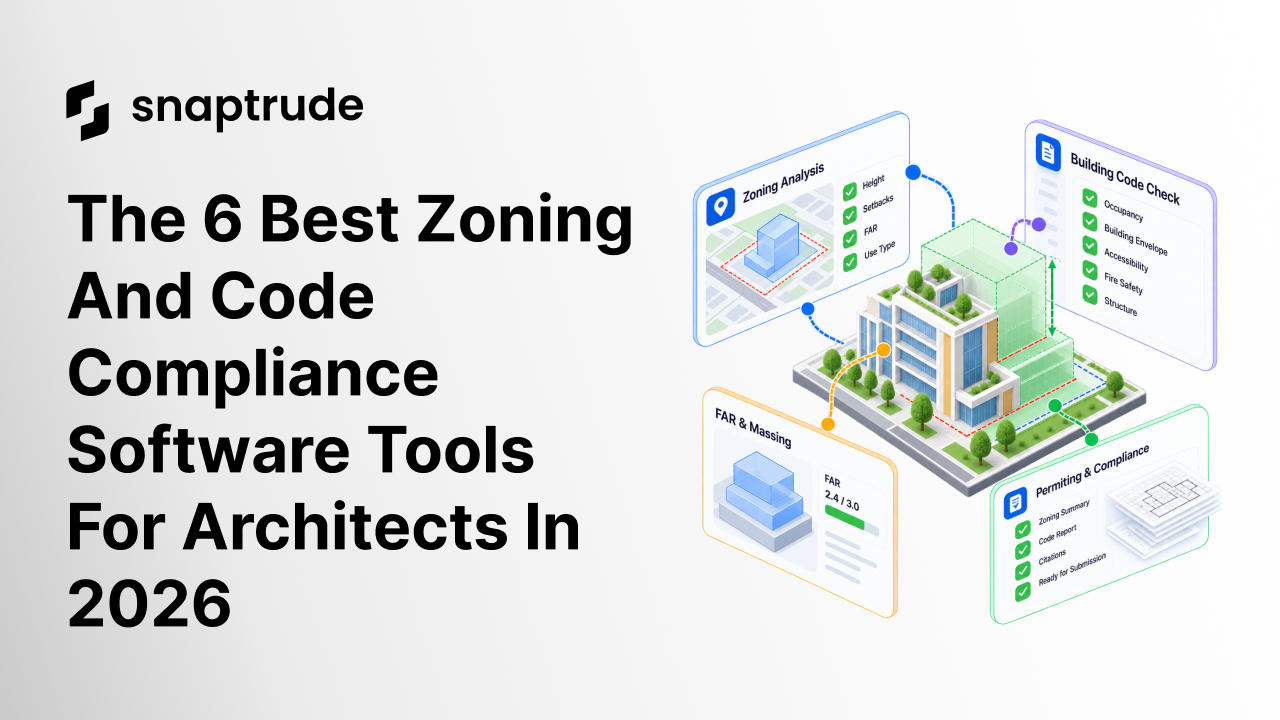
The zoning analysis feature checks a design against local rules for height, setbacks, floor area ratio and use types. Rules sit in three groups: Building Envelope, Use & Occupancy and Site Requirements. You start by uploading a program brief.
A parallel code check groups results into Occupancy, Building Envelope and Safety. Snaptrude describes this as validation against key international and local building codes. Treat it as a first pass, because its pages do not list code editions or jurisdictions.
For questions, the building code research agent returns cited answers. It gives section or table references and flags where a local amendment may apply. Snaptrude states that it does not certify compliance and recommends verification with local authorities.
For site rules, the buildable envelope work turns setbacks, height limits, FAR and overlay zones into a 3D maximum volume. That agent is in private beta. Snaptrude's own guidance is blunt: outdated inputs produce a wrong envelope, so verify each controlling rule.
Pricing
The Free plan costs $0 and includes three projects, basic BIM export and a single user. Individual costs $60 per month and adds unlimited projects and unlimited presentation outputs. Organization costs $100 per month, billed annually, and adds teams, a license management portal, custom roles and a BIM library.
Enterprise is custom-priced and billed annually. It adds unlimited licenses, SSO, SAML and MFA, directory sync and open API access. Check snaptrude.com/pricing before you budget, because plans change.
The good and the bad
Pros:
- Rules live in the same model you design, so a change to the geometry updates the check.
- Every output stays visible, editable and traceable, which helps it survive a code review and a seal.
- One environment covers all disciplines, including MEP, with real-time multi-user editing.
Cons:
- Snaptrude has no energy, carbon, CFD wind, noise or microclimate analysis. It offers sun hours and shadow studies only.
- Public pages do not list covered jurisdictions or code editions, so confirm yours in a demo.
- Results are advisory. Your team still verifies each rule with the local authority.
Who's using it
Named customers include Studio+, MHAWorks, Dekker, Cucor Consulting, SF Architect and GNA. Published case studies cover Square Yards and Brigade Group. A Dekker architect says Snaptrude "filled a gap that we had, in our Design process."
The position is simple. The AI does the checking work, and the architect keeps the judgment and the seal.
2. CodeComply.ai: AI plan review for building codes
CodeComply.ai is an AI permitting platform founded in 2022 in Miami. It has three products: AI Compliance & Design, AI Precheck and AI Plan Review. Together they cover design-time checks, applicant pre-submittal checks and city reviewer workflows.
Checks run against ICC codes, NFPA, ADA, FHA and local amendments. CivicPlus describes its version, CodeComply Advanced Plan Review, as covering IBC, IMC, IPC, IRC, ADA, FHA, UFC and NFPA standards.
What it does
Readiness Reports flag missing elements before you submit. VersionVue compares revisions and detects changed, added or removed pages. Reviewer comments stay in one place, which helps when a resubmittal returns with questions.
The platform serves both applicants and reviewers. A pre-check can therefore anticipate what a city reviewer will look for.
Pricing
CodeComply.ai does not publish prices. Access is demo-led, so budget time for a sales conversation.
The good and the bad
Pros:
- It works on both sides of the permit desk, which shortens the gap between submittal and approval.
- It names specific code sets, so you can test coverage against your project.
- A SOC 2 audit is complete, which helps with enterprise security reviews.
Cons:
- It sits beside your design tool as a compliance layer, not inside the model.
- Zoning is not its focus.
- CivicPlus notes that automated checks are informational and do not replace professional review.
Who's using it
Customers include Suffolk Construction, Mortenson and Princeton University. TXShare endorses it for Texas public procurement. It reaches local governments through CivicPlus, whose network spans more than 850 of them.
3. Archistar: Planning rules tested against any site
Archistar is a property-intelligence platform founded in Australia in 2018. It runs instant zoning and planning-rule checks, risk overlays and feasibility analysis. It also generates 3D concept designs for sites.
What it does
AI PreCheck assesses a plan against digitised zoning and building codes at the feasibility and design stages. You can drag a design onto a site and see whether it meets local standards. Then you revise, resolve the issues and share a report.
Its deepest planning data covers all eight Australian states and territories. Its pages also show municipal users in the US and Canada, so ask which of your jurisdictions are digitised. Archistar reports more than 1,000 professionals and 25 municipalities and governments on the platform.
Pricing
Prices are in Australian dollars, include GST and carry no contract. A free tier exists, and Basic costs AUD $95 per month, or $79.17 on annual billing. Professional costs AUD $345 per month ($287.50 annual), and National costs AUD $595 ($495.83 annual).
Government solutions are priced by demo.
The good and the bad
Pros:
- Instant checks against digitised rules help you catch problems before design hardens.
- Shareable reports give clients and consultants the same evidence.
- Plans carry no contract, which lowers the risk of a trial.
Cons:
- Planning data is Australia-first, so verify coverage for other markets.
- Output is concept design, not BIM documentation.
- Municipal logos on its pages do not prove coverage in your jurisdiction.
Who's using it
Archistar names architects, developers, builders, certifiers and valuers as users. Government logos include NSW Government, South Australia, City of Austin, County of Los Angeles and Edmonton. An $11M round led by NAB Ventures backs the company, which founder Ben Coorey started in 2018.
4. UpCodes: Searchable codes with a research assistant
UpCodes is a searchable platform for US building codes, founded in 2016. It covers local amendments, assemblies and building products across jurisdictions. It answers a different question than the other tools here: what does this section require in this place?
What it does
The vendor reports more than 80 state and city jurisdictions, 190,000 local amendments and over six million code sections. UpCodes Copilot is an AI research assistant. It answers jurisdiction-specific questions and cites the source code sections.
A programmatic API offers access to code, assembly and product data. Endpoint details and rate limits are not public.
Pricing
A free tier covers library search and project tracking, although the official pricing page did not confirm it. Third-party review sites report Essentials at $39 to $45 per month. They report Professional from $68 per month, which adds unlimited Copilot questions and SAML SSO.
Enterprise requires ten or more seats. Confirm current plans with the vendor.
The good and the bad
Pros:
- Local amendments sit beside the base code, which reduces guesswork.
- Answers cite source sections you can show a reviewer.
- Entry cost is low compared with the other paid tools here.
Cons:
- It does not read your model or drawings.
- Compliance support comes from research and Copilot, not automated checks on your design.
- The vendor publishes no customer list.
Who's using it
UpCodes is positioned for architects, engineers, contractors and code officials. It has raised about $11.3M across five rounds, according to Crunchbase-sourced coverage. Ask for references in your own state.
5. PODIUM: Schematic feasibility with zoning checks
PODIUM is a cloud-based design automation platform founded in Singapore, with offices in Sydney and Silicon Valley. It generates feasibility studies that go beyond massing. It builds spatial layouts, then coordinated structural and MEPF schematic models with element-level data.
What it does
The listing mentions zoning compliance checks for residential and mixed-use projects. It describes its logic as code-compliant. It also covers unit mix optimization, cost intelligence, supplier matching and capacity planning for data centers.
PODIUM integrates with common BIM and CAD tools. Its specs place it in pre-design and schematic design.
Pricing
No price points are listed. A free trial runs 7 to 30 days. Test it on a real site before you ask for a quote.
The good and the bad
Pros:
- It produces schematic detail, not just a block model.
- Zoning checks are built into the generation logic.
- A free trial lets you judge the output.
Cons:
- Zoning checks are listed for residential and mixed-use projects only.
- Pricing is hidden, and no named customers appear on the listing.
- Output stops at schematic design, so documentation happens elsewhere.
Who's using it
PODIUM targets developers, architects and contractors, from firms of 1 to 50 people to enterprises of 5,000 or more. No case studies appear on the page we reviewed. Ask for references from firms in your building type.
6. Gridics: Parcel-level zoning data and 3D development potential
Gridics builds zoning data and 3D mapping tools, mostly for cities and real estate firms. Its Zoning Data API offers hundreds of parcel-level data points. ZoneCheck shows allowed uses, setbacks, overlays and density for a parcel.
What it does
MuniMap adds 3D mapping and data visualization. ZoneIQ analyzes the development potential of a site in real-time 3D. Case studies cover development capacity and station-area studies.
For architects, the value is early certainty. You see what the zoning allows before you sketch.
Pricing
Gridics lists no prices. The site offers a demo request only.
The good and the bad
Pros:
- Parcel-level data gives you a clear starting envelope.
- 3D views make zoned potential easy to explain to clients.
- Named real estate users suggest the data holds up in site selection.
Cons:
- Coverage is limited to calibrated municipalities, such as Miami, Fort Lauderdale, Hollywood, Miami Beach and North Miami.
- The page we reviewed mentions no compliance or permit checks.
- Architects are not named as users.
Who's using it
Named real estate users include CBRE, KW Commercial, REMAX and Colliers. Cities and municipalities use the government products to share zoning data. Confirm that your project's municipality is calibrated before you buy.
Which tool fits your firm?
Match the tool to the check you need most:
- Checks inside the model: Choose Snaptrude, or PODIUM for schematic residential studies.
- Fewer permit comments: Choose CodeComply.ai to pre-check drawings before submittal.
- Australian projects: Choose Archistar for its digitised planning data.
- Daily code research: Choose UpCodes for cited answers with local amendments.
- Site selection and land use: Choose Gridics where your municipality is calibrated.
You can also combine them. A firm might research with UpCodes, design and check in Snaptrude, and pre-check drawings in CodeComply.ai. Keep one owner for each rule source so conflicts get resolved.
Questions to ask before you buy
A short vendor call can save a failed pilot. Ask these in writing and keep the answers:
- Jurisdictions: Which of our jurisdictions are covered, and how often is the data refreshed?
- Code editions: Which edition and local amendments apply to our project?
- Citations: Does every result link to a section, table or ordinance we can show a reviewer?
- Sign-off: Who confirms the result, and does the vendor call it advisory?
- Workflow: Does the check run on our model, a PDF or a separate site file?
- Security: Which attestations does the vendor hold, and can it share the reports?
Frequently asked questions
Can software certify code compliance?
No tool on this list claims to replace a code official. CivicPlus states that automated checks are informational, and Snaptrude's research agent does not certify compliance. Treat output as evidence for your own review.
What is the difference between zoning checks and code checks?
Zoning checks test what you may build on a site, such as height, setbacks and floor area ratio. Code checks test how you must build it, such as egress, accessibility and fire safety. Most projects need both, and few tools cover both well.
Should we run checks at massing or at documentation?
Run them at both stages. Early checks catch large issues, such as a volume that exceeds the allowed floor area. Later checks catch detail issues, such as a door clearance or a stair width.
Do these tools work outside the US?
It depends on the tool. Archistar is strongest in Australia, and UpCodes focuses on US codes. Snaptrude's parcel import is optimized for US addresses, so international sites need a manual CAD boundary.
How do we keep an audit trail?
Choose tools that cite their sources and keep outputs editable. Snaptrude keeps every output visible, editable and traceable. Save the cited section next to each design decision in your project record.
Is there a free way to test these tools?
Yes. Snaptrude has a Free plan at $0, and UpCodes and Archistar list free tiers. PODIUM offers a 7 to 30 day trial.
So which tool should you pick?
Pick Snaptrude if you want zoning and code checks inside one model that runs from site to documents. Pick CodeComply.ai if permit comments are your biggest source of rework. Pick Archistar for Australian sites and UpCodes for cited code research.
Pick PODIUM for schematic residential and mixed-use studies, and Gridics for parcel-level zoning data. Whichever you choose, keep a licensed reviewer in the loop.
Want to see how Snaptrude checks zoning against your own site? Book a demo, and the team will walk through your jurisdiction. Bring a real project brief.


