Last updated:
Snaptrude vs Autodesk Forma: Which Early-Stage Design Tool Fits Your Firm?
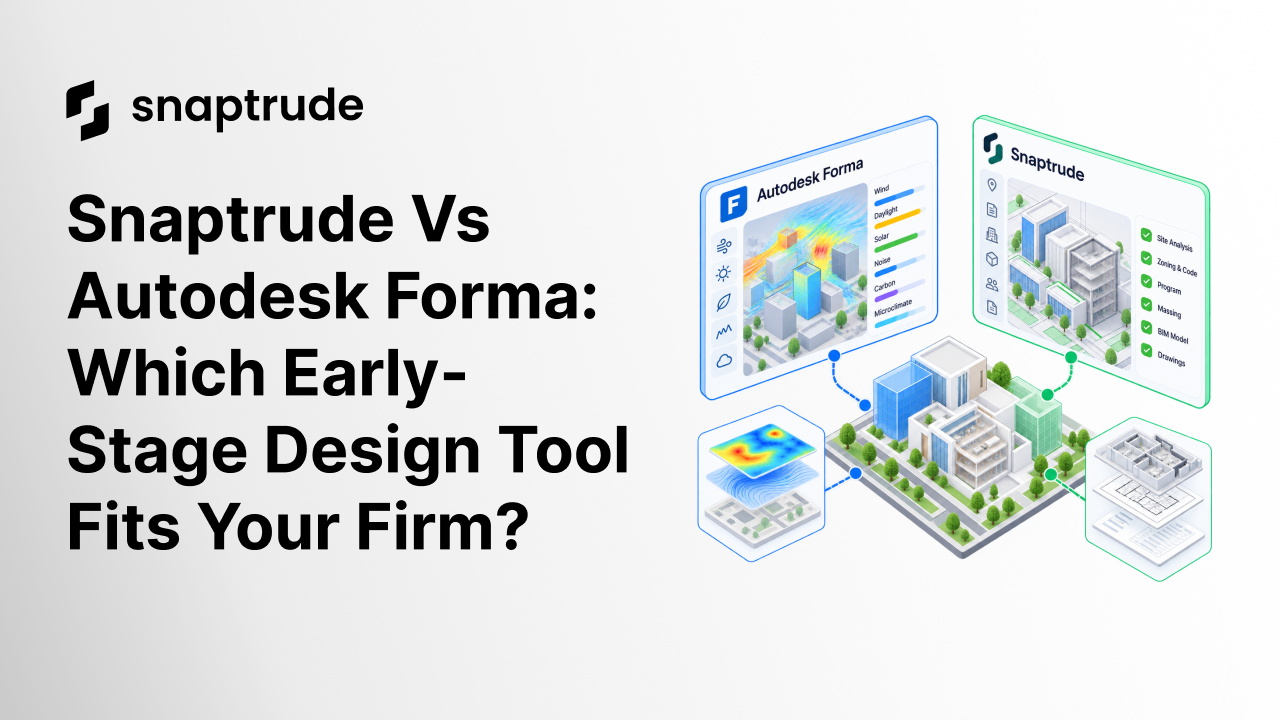
Two browser tabs sit open on a principal's screen on Monday morning. One shows wind flowing around a tower massing. The other shows a program table that has to survive contact with the building.
Those tabs describe a real choice in early-stage design. One kind of tool analyzes the environment around a design. Another kind carries a design from brief to constructability documents in a single model.
This comparison sets Snaptrude beside Autodesk Forma. We cover what each does best, where each stops and which firms should pick which. We name the limits of both tools plainly, including our own.
The short version
Choose Forma when your first question is environmental. That means wind comfort, noise, microclimate, daylight, solar energy or carbon on a site.
Choose Snaptrude when your first question is different. Do the program, the site and the rules add up to a building you can document?
The two overlap in early massing. They differ in how far the work goes afterward.
Forma is built for early design, and detailed modeling continues in Autodesk's BIM authoring tools. Snaptrude keeps one model from blank site to constructability documents.
Forma's environmental analysis is a real advantage. Snaptrude offers sun hours and shadow studies only. If environmental performance drives your site decisions, that gap matters.
Snaptrude vs Autodesk Forma at a glance
What Autodesk Forma does well
Forma Site Design is an analysis-first tool. Autodesk's product pages describe two levels of wind and noise analysis. Rapid machine-learning predictions run while you design, and detailed simulations come later.
Microclimate analysis combines sun, daylight and wind data with local weather to estimate perceived temperature outdoors. EPA's heat island guidance explains why that matters. Developed areas can run hotter than nearby rural land, and trees, green roofs and cool roofs help.
Daylight analysis produces a Sky Component score that highlights areas with limited daylight potential. Sun hours show exposure on facades and ground at chosen times of day and year. Solar energy analysis estimates the annual solar potential of a building, accounting for terrain, vegetation and climate.
Carbon analysis covers embodied, operational and total carbon. Autodesk limits total carbon to US hubs, so check coverage for your region. The stakes are high, because Architecture 2030 reports that buildings account for over 35% of annual global CO2 emissions.
Forma also automates layout options. Its AI-powered Site Automation tool generates and evaluates layouts against your targets. Forma Building Design then moves into schematic design and checks performance in real time as the design changes.
Autodesk says designs continue into its detailed modeling tools with native BIM geometry. Forma Board and Forma Data Management support sharing, review and version tracking. The export formats listed on the product page include OBJ, IFC (beta), PNG, SVG and CSV.
Forma has limits worth naming. It is built for early design, so documentation happens in other tools. Total carbon is limited to US hubs, and we found no public description of jurisdiction-specific zoning checks.
If clients ask for wind comfort or carbon studies at the massing stage, Forma is the stronger choice. We say so without hedging.
What Snaptrude does well
Quick note: We build Snaptrude, so weigh this section with that in mind. We have kept every claim to what our product pages and documentation support.
Snaptrude is the design OS for the AEC industry, where humans and AI collaborate to create a better built environment. Its core claim is any stage to any stage. You can start from a blank site, a massing study or a BIM model, and exit at any phase.
Four modes share one environment. Program mode handles AI-assisted space planning, area calculations and adjacency planning. Design mode covers site modeling, massing and parametric concept work.
BIM mode adds building elements, quantities, plans, sections and elevations. It also adds schedules and IFC export. Present mode serves client review.
Everything runs in the browser on Mac, Windows and Linux, with real-time multi-user editing. The model is a real geometric model, with AI on top and every phase built on the same data. That is what makes "design OS" a claim about scope, not a slogan.
The site tools start with the parcel. Snaptrude imports parcel boundaries from public county records for US addresses, with live floor area ratio tracking.
It builds terrain with cut and fill views and imports surrounding buildings. Sun hour and shadow studies run on that terrain.
The site analysis agents go a step further. Analyze Site reports sun path, wind direction, topography and access points. Buildable Envelope turns setbacks, height limits, FAR and overlay zones into a 3D maximum volume.
The rules matter as much as the climate. Zoning analysis checks height, setbacks, FAR and use types. A research agent answers code questions with cited references and does not certify compliance.
The same logic covers the architect's role. The AI does the work, and the architect keeps the judgment and the authorship. Every output stays visible, editable and traceable, which helps it survive a code review and a seal.
Now the honest limit. Snaptrude has no energy, carbon, CFD wind, noise or microclimate analysis. It offers sun hours and shadow studies only, and that is Forma's real advantage.
Other limits apply. Parcel import is optimized for US addresses, so international sites need a manual CAD boundary. The buildable envelope agent is in private beta, and public pages do not list every supported jurisdiction.
Named customers include Studio+, MHAWorks, Dekker, Cucor Consulting, SF Architect and GNA. Published case studies cover Square Yards and Brigade Group. A Dekker architect says Snaptrude "filled a gap that we had, in our Design process."
How they compare, area by area
Site analysis
Forma asks what the site will feel like. Wind, noise, daylight and microclimate layers answer that question with analysis you can see on the map.
Snaptrude asks what you may build on the site. Parcel boundaries, topography, sun path and zoning parameters feed a buildable envelope.
Neither question is wrong. They suit different first meetings with a client.
Massing and program
Snaptrude starts from the program. You can upload a brief or spreadsheet, and area calculations stay linked to the 3D model. When a target changes, the geometry and the area schedule move together.
Forma starts from the site. Its Site Automation generates layouts and evaluates them against targets, with area metrics tailored to regional context. The result suits urban design questions where environmental performance steers the massing.
Zoning and code checks
Snaptrude lists zoning checks for height, setbacks, FAR and use types. It also lists code checks for occupancy, building envelope and safety. Its public pages do not name every supported jurisdiction, so confirm yours in a demo.
Autodesk's public pages we reviewed do not describe jurisdiction-specific zoning checks in Forma. That may change, so ask Autodesk what applies in your market. Whichever tool you use, verify results with the local authority.
Environmental analysis
Forma wins this category. Early orientation, height and massing choices lock in much of a building's performance. The Department of Energy guidance says modeling matters most at the start, because major decisions are set at the outset.
Snaptrude gives you directional guidance. Its sun hours and shadow analysis maps solar exposure across surfaces and shows shadows across the site. Snaptrude states that it is designed for design decisions, not certification submissions.
For energy, carbon, wind, noise and microclimate, pair Snaptrude with a specialist tool. That is the honest answer.
BIM and handoff
Forma hands early designs into Autodesk's detailed modeling tools. Snaptrude keeps working in the same model. BIM mode adds quantities, schedules and drawings, and the model exports to IFC.
Snaptrude also imports .rvt files up to 150MB in the browser. On export, materials and custom parameters carry across through the Snaptrude Manager plugin. Your BIM manager should still test a real file before you commit.
The rebuild between phases has a cost. The double data entry tax describes firms that keep the same project information in more than one model. Fewer rebuilds mean fewer places for a program change to go missing.
Collaboration and review
Forma supports sharing and review through boards and data management. Version tracking helps teams see what changed. Snaptrude adds real-time multi-user editing, so several people can work in the same model at once.
For distributed teams, live editing reduces the emailing of files. It also keeps client feedback attached to the geometry.
AI and authorship
Both tools use AI, in different ways. Forma uses machine-learning predictions and Site Automation for layouts. Snaptrude runs a single universal agent that covers site analysis, zoning, massing, program and sketch-to-BIM.
Neither tool certifies compliance or replaces an architect. The work is delegated, but the authorship is not. Keep a licensed professional in every review loop.
Security and enterprise readiness
Enterprise buyers ask about security before they ask about features. Snaptrude lists SOC 2 Type II compliance and ISO 27001. Ask for the current certificate and its scope before you rely on either.
Snaptrude maintains a dedicated trust and compliance center, available on request. It publishes a Data Processing Agreement, Privacy Policy, Terms of Service and Acceptable Use Policy. The Enterprise plan adds SSO, SAML, MFA, directory sync and open API access.
Ask Autodesk for the security documentation that covers Forma specifically. Compliance reports often cover individual services, so confirm the product and not just the company. Ask each vendor in writing where your data is stored.
Pricing and access
We leave price out of this comparison. Forma's pricing is in flux, and scope is the better test of fit.
Snaptrude publishes four plans. Free costs $0, Individual costs $60 per month and Organization costs $100 per month billed annually. Enterprise is custom-priced.
Check snaptrude.com/pricing for current details, because plans change.
Which tool fits your firm?
Use these lists as a starting point, then test on a live project.
Choose Forma if:
- Your site decisions hinge on wind comfort, noise, microclimate or daylight.
- You report embodied or operational carbon at the massing stage.
- Your team works inside Autodesk's ecosystem and continues there for detailed modeling.
- You want rapid machine-learning predictions while you move a massing around.
Choose Snaptrude if:
- You want one model from blank site to constructability documents, with no rebuild between phases.
- You work across disciplines, including MEP, and want everyone in one environment.
- Zoning and code rules drive your early decisions, and you want them checked against the geometry.
- Your process starts from a brief or a program spreadsheet.
- You need browser access on Mac, Windows or Linux with real-time editing.
Use both if:
- You need rigorous environmental screening and a continuous model afterward.
- You can test the file handoff on a real project before you commit.
Project type changes the answer, so here is a quicker guide:
Can the two tools work together?
Some teams will want both. Forma can screen a site for wind, noise and daylight. Snaptrude can then test the program against the zoning envelope.
Do not assume a seamless pipeline. Forma lists OBJ, IFC (beta), PNG, SVG and CSV exports, so confirm what each side imports and exports. Test the handoff on a real project before you promise it to a client.
Record the decisions made in Forma in your project's decision log. That way the environmental findings survive the handoff even if the geometry does not.
How to run a pilot
A fair test uses one live project and the same questions for both tools. Follow these five steps:
- Pick a schematic-stage project. Choose one where the site, program and rules are all uncertain.
- Write three questions the project must answer. For example: does the program fit the envelope, and where is wind comfort weakest?
- Run each tool on the same questions. Record what each one can and cannot answer.
- Count rebuilt work. Note every time someone re-enters data or rebuilds geometry.
- Review the outputs with specialists. Ask a BIM manager and a code consultant to challenge the results.
The count in step four is your avoided rework. It shows how much capacity each tool gives back to the team.
Frequently asked questions
Does Snaptrude replace Autodesk Forma?
No. They overlap in early massing, but Forma leads on environmental analysis. Snaptrude leads on scope, because one model runs from site to constructability documents.
Does Snaptrude analyze wind, energy or carbon?
No. Snaptrude has no energy, carbon, CFD wind, noise or microclimate analysis. It offers sun hours and shadow studies, and specialist tools handle detailed performance modeling.
Which tool handles zoning better?
Snaptrude documents zoning checks for height, setbacks, FAR and use types. Autodesk's public pages we reviewed do not describe jurisdiction-specific checks in Forma. Ask both vendors about your jurisdiction.
Can I move from Forma into BIM without rebuilding?
Autodesk says designs continue into its detailed modeling tools with native BIM geometry. Snaptrude keeps the same model through BIM mode and exports IFC. Test a real project to see how each handoff behaves.
Can AI output be trusted for approvals?
Treat it as evidence, not certification. Snaptrude's research agent does not certify compliance, and it recommends verification with local authorities. A licensed professional should review every result.
What should we ask in a demo?
Ask each vendor to run your own project, not a sample. Request the exact jurisdictions covered, the export formats available and the security documents on file. Then count how often your team has to rebuild or re-enter data.
Which tool suits a small studio?
Small studios often need one tool that covers more of the project. A rebuild between phases hurts most when the team is small. Snaptrude's Free plan at $0 and Individual plan at $60 per month make a trial easy.
Forma suits a small studio whose clients demand environmental studies.
What if our clients ask for wind or carbon reports?
Use a tool built for it. Forma covers wind, noise, microclimate and carbon analysis. Snaptrude does not, so pair it with a specialist if those studies are in scope.
How do we judge the accuracy of each tool?
Neither vendor certifies results. Compare each tool's output against a project you already know well. Ask a specialist to review the differences, and record the assumptions behind every number.
Do both tools run in the browser?
Yes. Snaptrude runs in the browser on Mac, Windows and Linux with no install. Forma is also browser-based.
The bottom line
Pick Forma if environmental performance leads your early decisions and your detailed work already lives in Autodesk's tools. Pick Snaptrude if you want one model, from the first site sketch to constructability documents, across every discipline.
Want to see how Snaptrude handles your next site? Book a demo, and the team will map it to your workflow. Bring a live project brief.


