Last updated:
Deterministic Generative Design: Control What AI May Change
TL;DR
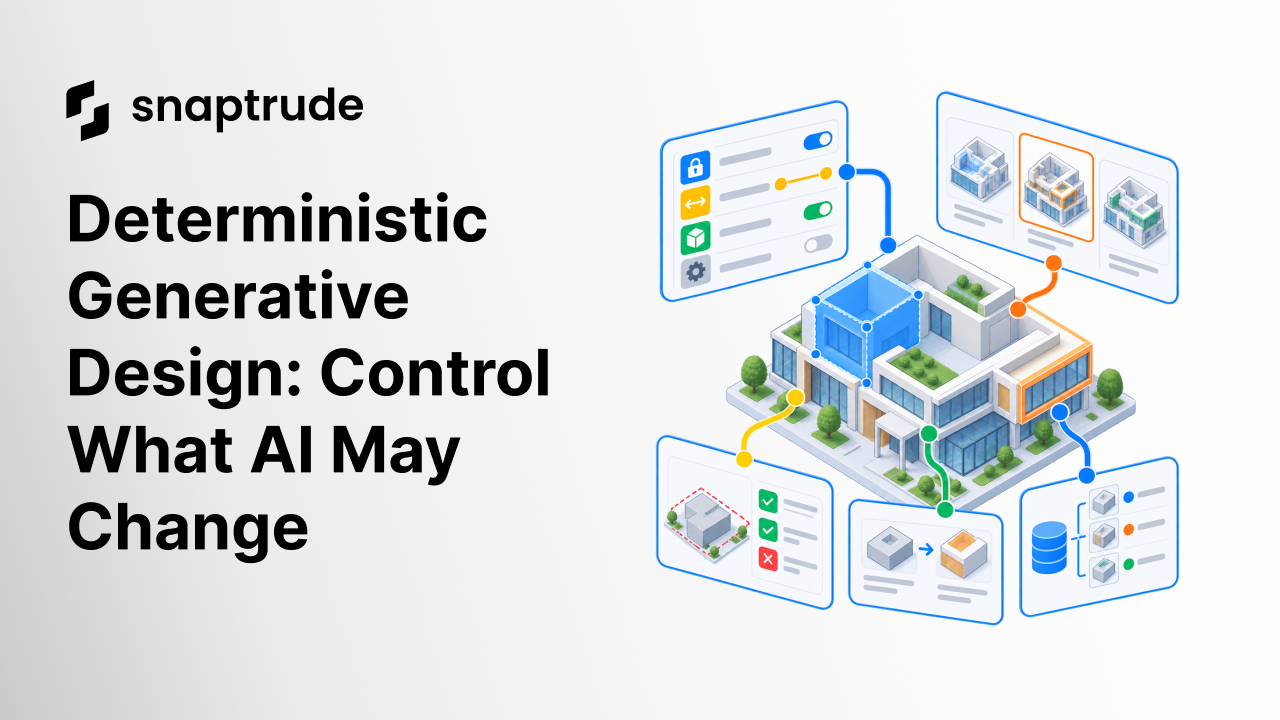
Deterministic generative design does not mean every run produces one identical building. It means the workflow handles the same approved inputs, locked constraints, random seed, model state, and rules predictably. Architects should know what the system may vary, what it must preserve, what it can only propose, and which evidence is required before a generated change becomes accepted work.
What is deterministic generative design?
Deterministic generative design is a controlled method for generating design options in which the inputs, constraints, permitted variables, system state, and acceptance rules are explicit. If a team reruns the same task with the same fixed conditions and seed, the workflow should reproduce the same result or explain why it cannot.
That does not remove creativity. It separates creative variation from accidental drift. The architect may invite variation in massing, circulation, façade rhythm, room arrangement, or program stacking while locking the site boundary, required areas, access points, structural zones, protected geometry, or approved decisions.
The system needs more than a prompt. It needs a control contract:
See why architecture AI must treat constraints as commitments.
Which control states should an AI design workflow use?
Use four states that a designer can see and change deliberately.
Do not encode state in prompt wording alone. “Keep the core” may be interpreted as a preference. A locked control should be a machine-readable rule tied to the actual object or value. If the request conflicts with it, the system should stop, ask for authority, or produce a clearly marked exception proposal.
Bounded variables need units and definitions. A target area without a measurement basis is not a dependable constraint. A circulation percentage without inclusions and exclusions can create false precision. Record the source and status of each value.
Free variables still need scope. “Explore the façade” should say which surfaces, stories, module families, structural interfaces, openings, and performance checks are in play. Freedom without scope makes comparison difficult.
How does state memory protect design decisions?
State memory records what the workflow knew and what the architect accepted at each step. Without it, a later generation can quietly undo an earlier decision.
A useful state record includes:
The record should distinguish proposal from acceptance. An AI system may suggest changing a target or moving a protected element, but that suggestion should not become the new baseline until the authorized user approves it.
Memory also supports feedback. “Make it better” is not a stable instruction. “Keep option B’s core and access points, reduce the east wing depth within the approved range, and preserve the department areas” is reviewable. The system can connect the request to objects, values, and an accepted prior state.
Keep architects as authors while AI handles bounded computational work.
How should architects review generated design options?
Review an option against the control contract before judging its appearance.
First verify invariants. Did locked geometry, targets, relationships, and classifications remain unchanged? Then verify bounded variables. Did every changed value remain within its permitted range and preserve the correct unit and definition? Next inspect free variation. Does the option satisfy the stated objective and remain editable?
Finally, review consequences:
Use side-by-side evidence. A thumbnail gallery is not enough when options differ in data or constraints. Include a change list, key metrics with definitions, unresolved conflicts, and the model revision. If a metric is AI-derived, label it and verify it against the responsible source before it influences a project decision.
Architecture remains a licensed professional activity shaped by public health, safety, welfare, contracts, and jurisdiction. AI output is a proposal until responsible professionals review it. The NIST framework is useful here because it treats governance as cross-cutting and risk management as continuous, not as one final check.
What makes generative results reproducible?
Reproducibility requires more than saving the final geometry. Preserve the input package, source versions, selected model scope, tool version, control states, objective, seed when supported, and evaluation method. Record any external research or calculation used in the generation.
Run a small repeat test. Use the same model revision and controls. If the output is meant to be deterministic, compare geometry, data, and option metrics. If the underlying service cannot guarantee identical output, require bounded equivalence: locked constraints must remain fixed, results must satisfy the same acceptance thresholds, and material differences must be disclosed.
Then change one variable. A controlled experiment should reveal which output changed and why. If unrelated decisions drift, the workflow lacks isolation or state handling.
Keep accepted options editable. A result that survives as an image but cannot be changed, scheduled, drawn, or transferred creates another handoff. See why early design needs flexible decisions and connected validation.
When should a generative workflow stop and ask?
Stop when the request conflicts with a lock, requires changing an approved brief, lacks a critical input, crosses the authorized model scope, depends on an unverified regulation, or creates a safety, privacy, or contractual risk.
The question should be specific. Instead of “I need more information,” state: “The required room count and locked floor plate cannot both fit within the permitted area range. Choose whether to revise the count, unlock the boundary, or keep the current option.” That preserves authorship and makes the tradeoff visible.
Also stop when outputs cannot be validated. A plausible arrangement is not enough if the workflow cannot report its sources, conflicts, or affected project data. The responsible user needs a safe next action, not false completion.
How does Snaptrude fit a controllable AI workflow?
Verified product facts state that Snaptrude provides AI agents across site analysis, research, programming, and building-design workflows, with human review in the process. Snaptrude also supports connected program data, parametric concept modeling, BIM objects, drawings, quantities, schedules, visualization, collaboration, and exports.
Those facts support a connected approach to AI-assisted design. They do not justify claiming that every operation is perfectly deterministic or that every output is automatically code-compliant. Confirm current controls in the product, verify external sources, test representative project workflows, and keep professional review at every material decision.
FAQ: Frequently Asked Questions
Does deterministic generative design produce only one answer?
No. It can produce many alternatives. Deterministic control means the team knows which conditions are fixed, which may vary, how variation is generated, and how an accepted result can be reproduced or explained. A fixed seed may repeat one option, while changing the seed can explore others within the same locked and bounded rules.
What is the difference between a constraint and a preference?
A constraint has an explicit rule and a defined response when a proposal conflicts with it. A preference influences ranking but may be traded against another objective. Labeling matters. If minimum access, a site boundary, or an approved count is mandatory, encode it as locked or bounded rather than describing it casually in a prompt.
Should architects lock every important decision?
No. Over-locking can prevent useful exploration and hide which tradeoffs are genuinely open. Lock approved or non-negotiable conditions, bound variables with acceptable ranges, leave intentional design questions free, and mark suggested requirement changes as proposals. Review the control states at each milestone because decisions and authority evolve as the project develops.
How can teams compare AI-generated design options fairly?
Use the same model revision, inputs, measurement definitions, locked constraints, bounded ranges, and evaluation method. Show differences in geometry, program, circulation, assumptions, conflicts, and affected outputs. Preserve the seed or generation record where possible. A fair comparison changes the intended variable and prevents unrelated model or metric drift.
What should happen when AI cannot satisfy all constraints?
The system should expose the conflict, identify the constraints involved, and ask an authorized person to choose a path. It may propose alternatives such as relaxing a bound, revising the brief, changing scope, or preserving the current option. It should not silently break a lock or rewrite an approved target to make the result appear complete.
Is Snaptrude deterministic for every generative operation?
The approved product facts describe AI agents, human review, connected program and model data, parametric modeling, and downstream BIM outputs. They do not state that every generative operation produces an identical result from repeated inputs. Treat determinism as a workflow requirement to verify for the specific task, controls, version, and project context.
Try Snaptrude with a controlled project brief and review each generated decision.



