Last updated:
BIM View Template Best Practices for Consistent Drawings
TL;DR
BIM view template best practices start with a small set of purpose-based presets, clear ownership, and visible local overrides. Standardize the normal case, document exceptions, and audit the final output. A template should reduce repeated decisions without hiding the reason a view looks different.
What are BIM view template best practices?
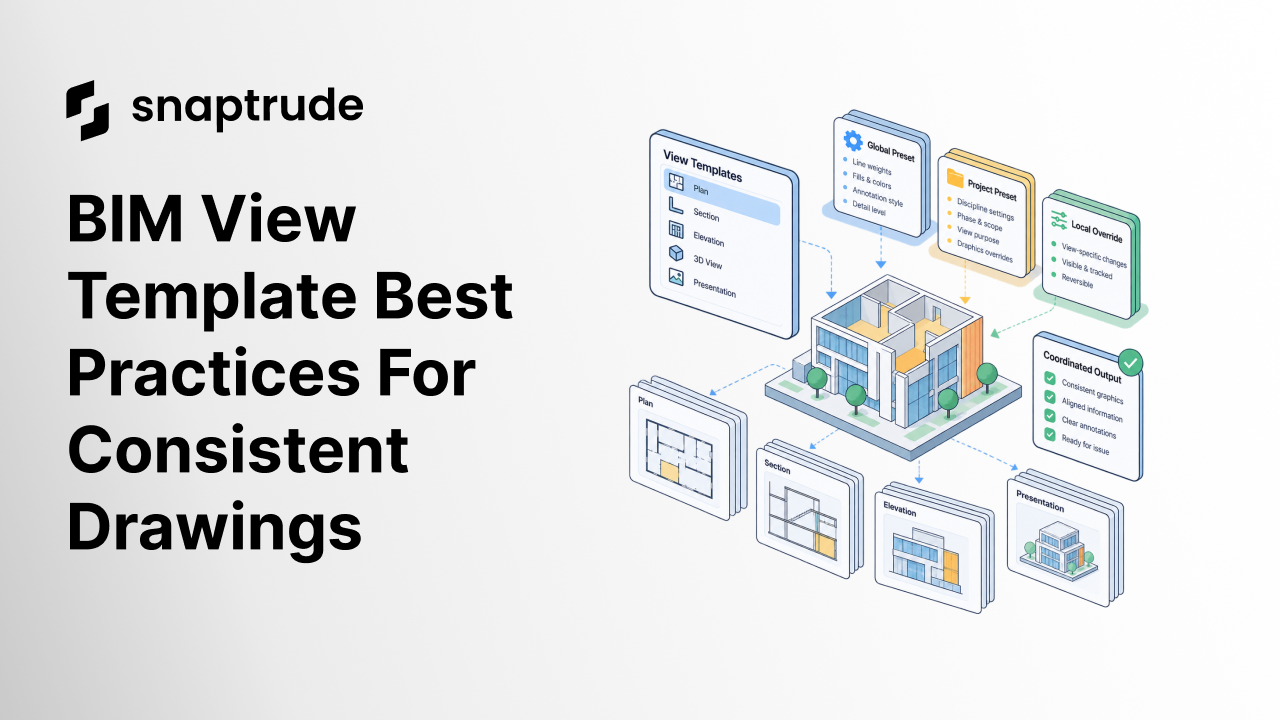
BIM view template best practices are the rules a team uses to create, name, apply, override, and audit reusable view settings. The strongest system has three layers: an office baseline, a project preset, and a controlled local exception.
The office baseline defines durable conventions such as line-weight hierarchy, annotation style, and naming. The project preset adapts those conventions to a typology, phase, or deliverable. The local exception handles a view-specific need. When those layers are explicit, a reviewer can understand whether a difference is intentional.
Templates fail when they become giant containers for every possible setting. A preset called “Plan Final 07 New” does not save time if nobody knows what it controls or which earlier version it replaced.
How many BIM view templates should a project use?
A project should use the smallest set that describes materially different reading jobs. Start with view purpose, not every room, story, or person.
A practical starter set might include:
Do not create another template because one view needs a hidden category. Record that as an override. Create another template only when a repeatable audience and task require a different control set.
Which settings belong in a view template?
Put settings in a view template when they should remain consistent across a class of views. Common candidates include category visibility, line weights, fills, transparency, color mode, label rules, detail level, and edge treatment.
Keep camera position, crop, and highly local object visibility outside the shared preset when they describe a specific view rather than a reusable standard. The exact boundary depends on the software, but the governance test is stable: Would changing this setting intentionally affect every view using the preset?
If the answer is no, it is probably a local property or override.
Try reusable views and live presentation in Snaptrude.
How should BIM teams govern local overrides?
BIM teams should govern local overrides by making them visible, reviewable, and reversible. An override is not a failure. Hidden overrides are the problem.
Use four rules:
Avoid locking every control merely to enforce consistency. That can force teams to duplicate views or templates for small design needs. A controlled override keeps the base standard intact while preserving architectural judgment.
The principle aligns with the broader template paradox in architecture software: people ask for consistency, then abandon rigid systems that cannot adapt to the work in front of them.
How do global presets compare with local overrides?
Global presets and local overrides solve different problems. Presets reduce repeated setup; overrides preserve specificity.
The hierarchy should be easy to explain: inherit first, override deliberately, promote repeated exceptions, and remove obsolete presets.
How should teams audit BIM view templates?
Audit BIM view templates in a representative sample before reviewing every drawing. Pick a plan, section, elevation, three-dimensional view, and presentation output. For each one, record the applied preset, local differences, and whether the output matches the view's reader job.
Check five failure patterns:
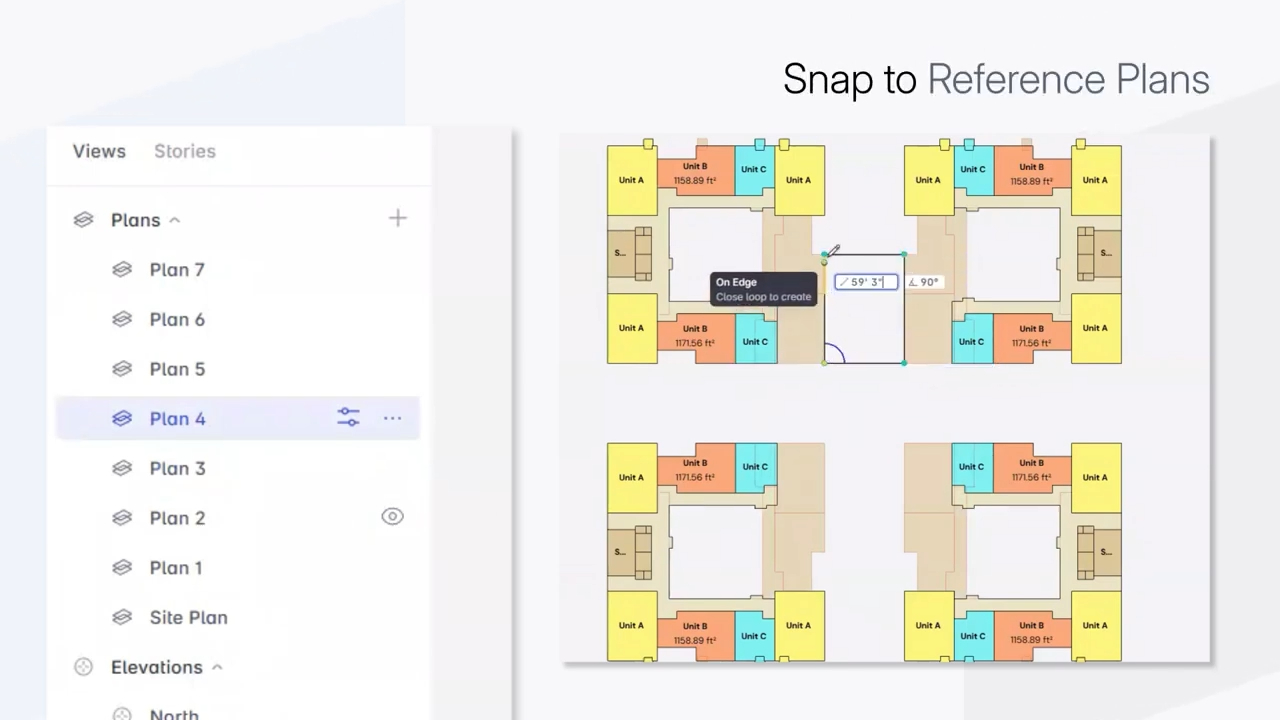
Use the storey visibility and plan-view guide as an example of a narrow view task that needs explicit source, style, and context rather than a generic “show more” toggle.
How does Snaptrude support BIM view standards?
Snaptrude supports automatic plans, sections, and elevations from the building model, plus Present Mode for client-ready presentations that reflect model changes. Multiple presentation styles and templates help teams prepare repeatable output.
Snaptrude is browser-based and supports real-time multiplayer collaboration. That lets a team inspect the same model and view context without trading separate file copies. For broader project context, see how campuses, towers, and mixed-use projects can stay in one model.
Templates still need an owner. Product controls can make standards reusable, but the office must decide what each preset means, when an override is acceptable, and what counts as a passing drawing.
What sources support this governance model?
The current relevance check is not a product roadmap claim. It is a response to widespread BIM use and an industry shift toward managed information processes.
Frequently Asked Questions
Q: What are BIM view template best practices?
A: BIM view template best practices are to organize presets by reader job, keep the set small, assign an owner, document what each preset controls, and make local overrides visible. Use an office baseline for durable conventions, project presets for repeatable deliverables, and view-local exceptions for specific communication needs. Audit representative views and final exports before applying a template system across the full drawing set.
Q: Should every plan view use the same template?
A: No. Plans should use the same template when they serve the same audience, phase, and communication purpose. A working plan, coordination plan, and presentation plan can require different visibility and graphic settings even when they show the same story. Consistency should mean repeatable intent, not identical appearance. When a difference repeats across several views, create a named preset instead of rebuilding the same local override.
Q: What is the difference between a view template and a view override?
A: A view template is a reusable collection of settings applied to a class of views. A view override is a deliberate exception for one view or object. Templates make the normal case predictable; overrides handle a specific communication need. Good governance shows which settings are inherited and which differ locally, so reviewers can distinguish an intentional exception from accidental drift or an obsolete configuration.
Q: How should BIM view templates be named?
A: Name templates by purpose, view type, phase, and audience only when each part changes behavior. “Review Plan | Schematic | Client” is more useful than a name based on the person who created it or its revision history. Avoid “final,” “new,” and unexplained numbers. Maintain a short description of controlled settings, owner, and last review date so the name does not have to carry the entire specification.
Q: How often should a BIM manager audit templates?
A: Audit the template set at project setup, before the first formal drawing package, and after a repeated exception appears. A quarterly office-level review can remove duplicates and promote proven project presets into the baseline. Do not wait for a full standard rewrite. Small, evidence-backed corrections keep the library understandable and prevent teams from creating private copies when the official system no longer matches real work.
Q: How does Snaptrude handle reusable presentation styles?
A: Snaptrude supports multiple presentation styles and templates, automatic plans, sections, and elevations, and client-ready presentations that reflect model changes. Teams can keep presentation content connected to the building model while collaborating in a browser. The office should still define naming, ownership, expected graphics, and acceptable local exceptions. Reusability comes from both the product controls and the team's governance decisions.
Q: Can a template system work across multiple buildings?
A: Yes, if the template separates visual standards from building-specific scope. Use shared rules for line hierarchy, fills, annotation, and presentation style, while each view clearly identifies its building, story, option, and contextual underlays. Test buildings with different story elevations and visibility needs. A multi-building project should not require a separate visual language for every tower, but it does require unambiguous view ownership.
How should BIM view template best practices end in a project standard?
BIM view template best practices should end in a short, living standard that a project team can actually follow. Define the minimum preset set, controlled settings, owner, override rule, audit sample, and retirement process. Then test the standard in final output. A template earns its place when it removes repeated setup and makes an exception easier to understand.



