Last updated:
BIM Model Integrity: A Geometry and Rollback Checklist
TL;DR
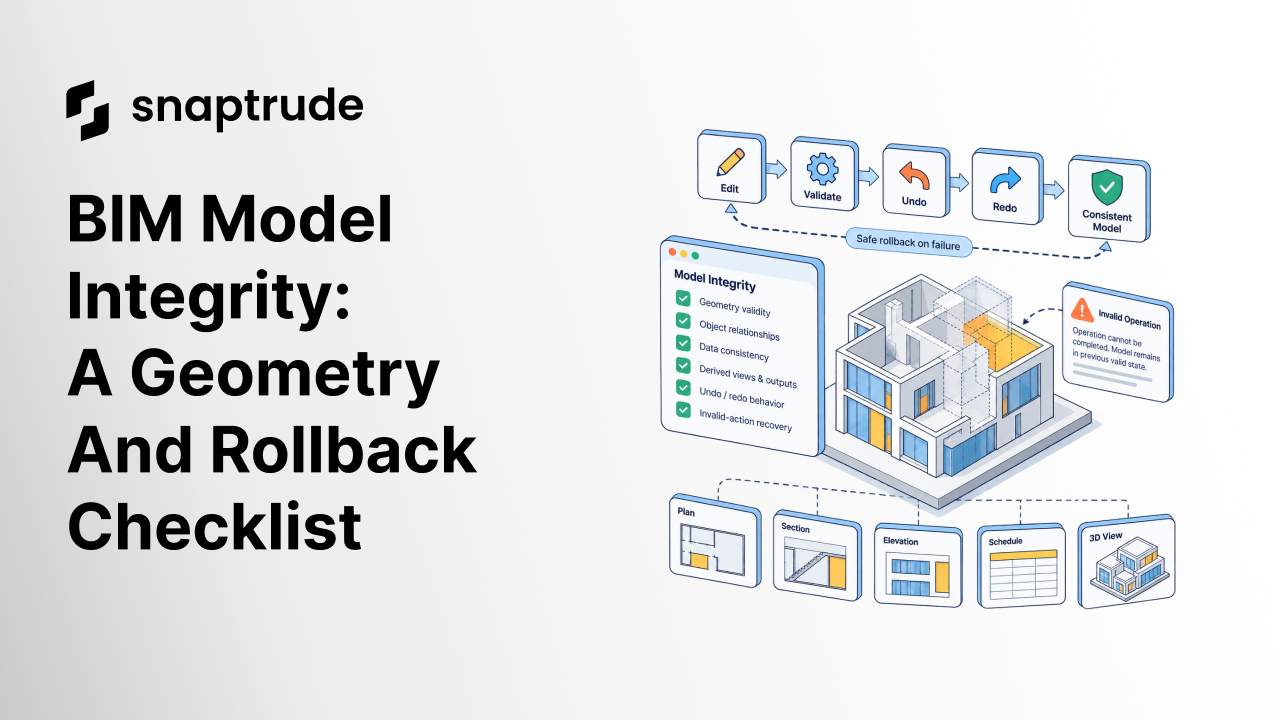
BIM model integrity means geometry, object relationships, properties, and visible output remain coherent after edits, failed actions, undo, redo, and retry. Test operation sequences, not isolated commands. A safe failure should leave the model in its previous valid state and give the team enough evidence to reproduce what happened.
What is BIM model integrity?
BIM model integrity is the condition in which geometry, object identity, relationships, properties, levels, and derived views remain internally coherent. An edit should create the intended result, update dependent information, and leave no hidden contradiction.
A model can look fine while integrity has already failed. A wall may display but lose its relationship to an opening. A floor may overlap a changed boundary. An undo may restore visible geometry but leave a stale object reference. The next operation then exposes the defect, often far from its cause.
Integrity testing therefore asks more than “Did the command finish?” It asks:
What should a BIM model integrity checklist cover?
A BIM model integrity checklist should cover geometry, topology or relationships, data, derived output, history behavior, and recovery. Use simple test geometry first, then repeat on representative project conditions.
1. Geometry validity
Check for overlaps, gaps, inverted or missing faces, zero-length elements, broken junctions, unexpected splits, and changes in position. Compare the visible result in more than one view.
2. Object relationships
Confirm that hosted elements, boundaries, levels, parent-child relationships, and repeated components still point to valid objects. A visually restored component should not depend on a deleted or stale reference.
3. Data consistency
Verify object type, story, building, material, classification, area, and other required properties. Confirm that a geometry edit does not silently reset information.
4. Derived views and outputs
Review a plan, section, three-dimensional view, schedule, or presentation output affected by the edit. Derived output often reveals a contradiction that the active modeling view hides.
5. Undo, redo, and retry
Run the edit, undo it, redo it, and perform it again. Check the state after every step. Sequence-dependent defects are common precisely because a single successful action looks safe.
6. Invalid-action recovery
Trigger a controlled invalid case. The operation should fail clearly, leave the model in its previous valid state, and produce enough diagnostic context for review.
Try a connected BIM workflow in Snaptrude.
Why does BIM model integrity require sequence testing?
BIM model integrity requires sequence testing because authoring tools maintain state across many related operations. A move changes geometry and relationships. An undo reverses those changes. A redo may recreate objects. A second move then acts on the recreated state. Any missed reference or partial update may remain invisible until later.
Build a small sequence library for high-risk operations:
The expected state should be explicit at every point. Screenshots help, but structured assertions are stronger: object count, type, relationship, position, property values, and visibility.
What should rollback mean in BIM software?
Rollback should mean that a failed operation leaves no partial model change. The user returns to the last valid state, understands that the action did not complete, and can continue safely.
A safe rollback has four properties:
Avoid using “undo” and “rollback” as synonyms. Undo reverses a completed user action. Rollback protects the model when an operation cannot complete validly.
How do BIM integrity checks compare?
Each test layer catches a different class of failure.
Use the BIM software due-diligence framework to decide which failures should block a pilot. Integrity is one gate, not a score to average away.
How should teams report a model integrity failure?
Report the smallest reproducible sequence, expected state, actual state, model class, view, software version, environment, and recovery result. Remove client names and private project detail. If the issue requires a project file, use an approved sanitized copy and follow the firm's security process.
Separate observation from diagnosis. “The floor overlaps the wall after redo” is an observation. “The geometry engine failed to update a reference” is a hypothesis until verified. Clear separation helps engineering teams investigate root cause without treating a guess as evidence.
For failures that cross tools, pair this checklist with the Revit and Snaptrude interoperability workflow. Model integrity inside one authoring environment and interoperability between environments are related, but they are not the same test.
How does Snaptrude relate to BIM model integrity?
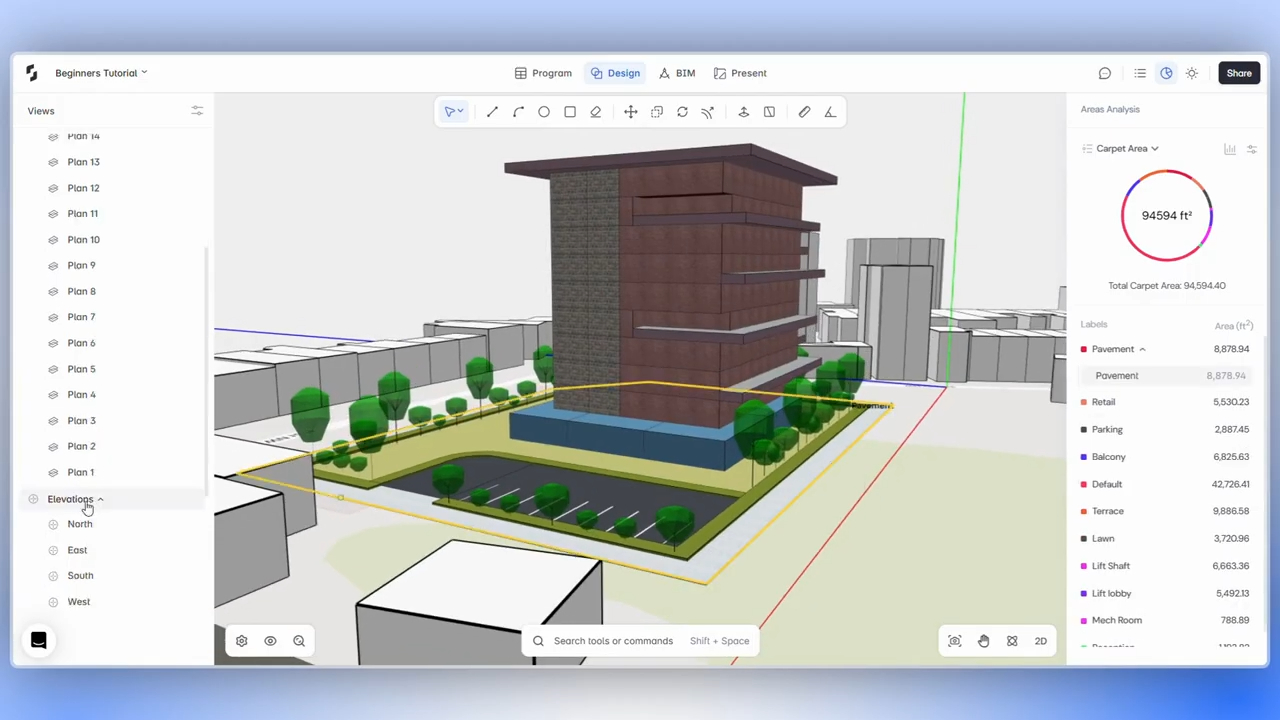
Snaptrude provides a proprietary browser-based geometry kernel, parametric design tools, intelligent snapping and alignment, full BIM objects, and automatic plans, sections, elevations, and schedules. It also supports real-time multiplayer collaboration and model-connected presentation.
Those verified capabilities create several observable integrity checks: geometry edits should remain coherent, object data should stay attached, derived views should reflect the intended state, and collaborators should see the same design result. Teams should validate those outcomes with representative workflows. No architecture platform should be trusted solely because a feature exists on a list.
The general BIM software evaluation guide can place integrity results alongside security, collaboration, interoperability, and adoption requirements.
Which sources support the current relevance check?
The evidence supports a durable reliability theme, while public sources establish widespread BIM use and the material consequence of poor information continuity.
Frequently Asked Questions
Q: What is BIM model integrity?
A: BIM model integrity means geometry, object identity, relationships, properties, levels, and derived views remain coherent after project actions. A valid model should produce the expected result, update dependent information, survive undo and redo, and return safely to its previous state when an operation fails. Integrity is not just visual cleanliness. It includes hidden relationships and data that later views, schedules, exports, or edits depend on.
Q: What are common signs of BIM model corruption?
A: Warning signs include unexplained overlaps or gaps, objects that cannot be selected, missing or duplicated elements, broken hosts, incorrect levels, properties that reset, views that disagree, repeated crashes, and defects that appear only after undo or redo. One symptom does not prove corruption, but it should trigger a controlled reproduction test. Save a sanitized copy, record the sequence, and avoid continuing high-risk edits until the state is understood.
Q: What is the difference between undo and rollback?
A: Undo reverses a user action that completed. Rollback protects the model when an operation cannot complete validly. A safe rollback should remove every partial change and restore the last coherent state. The user should receive clear feedback and be able to continue. Test both behaviors because a tool may undo normal edits correctly while leaving inconsistent state after an exception, interruption, or failed geometry calculation.
Q: How do you test model integrity after a geometry edit?
A: Define the expected geometry, relationships, properties, and derived views before the edit. Perform the action, inspect those states, undo, inspect again, redo, and repeat the action. Check at least one plan and three-dimensional view, plus any affected schedule or output. Record object counts and key properties when possible. The test passes only if every stage is coherent and the sequence is reproducible.
Q: Should a BIM pilot include invalid-operation tests?
A: Yes, when the tests are controlled and use a safe model. Professional design work inevitably encounters impossible constraints, unsupported conditions, interruptions, and user mistakes. A pilot should confirm that invalid actions fail clearly and preserve the previous valid state. Do not attempt destructive edge cases on a live project. Use a sanitized copy, define expected recovery, and document whether the user can continue without specialist intervention.
Q: How can Snaptrude fit into a model integrity review?
A: Use Snaptrude's browser-based BIM environment with a representative test model and a predefined action sequence. Verify geometry, snapping, object data, plans, sections, elevations, schedules, collaboration, and presentation output after edits. Repeat high-risk actions through undo, redo, and retry. Snaptrude's geometry kernel and connected views are relevant capabilities, but the integrity verdict should come from observed, reproducible results in the firm's workflow.
Q: Is BIM model integrity the same as interoperability?
A: No. Model integrity asks whether one project state remains internally coherent during authoring and recovery. Interoperability asks what survives when information moves between tools. The tests overlap because a bad exchange can damage integrity, but acceptance criteria differ. Run integrity checks before export, interoperability checks across the exchange, and integrity checks again after import. This sequence helps isolate whether a defect started inside the model or at the handoff.
How should BIM model integrity testing end?
BIM model integrity testing should end with a clear gate: passed, conditional with an owned workaround, or failed for the affected workflow. Preserve the sanitized test, sequence, expected states, evidence, and correction. The goal is not to prove that software never fails. It is to ensure that failure is detectable, recoverable, and unable to hide inside the next project decision.



