Last updated:
AI Agent Feedback Loop: Turn Corrections Into Better Design Workflows
TL;DR
An AI agent feedback loop improves a workflow only when every correction stays connected to the state, tool choice, and result that caused it. Capture that context, convert recurring problems into evaluation cases, and change one part of the system at a time so progress is measurable instead of anecdotal.
What is an AI agent feedback loop?
An AI agent feedback loop is a repeatable process for collecting what happened during an agent run, understanding why the result succeeded or failed, and using that evidence to improve future behavior. The loop is more than a thumbs-up or a comment box. It connects human feedback to the precise conditions under which the agent made a decision.
That distinction matters in design work. A user may say that an output is wrong, but the visible result is only the last link in a chain. The cause might be an incomplete brief, the wrong tool, a bad tool argument, an outdated intermediate state, or a weak acceptance check. If feedback records only the final complaint, the team is forced to guess which part to change.
NIST's AI Risk Management Framework treats feedback as an operating input, not an afterthought. Its Measure 3.3 calls for feedback processes to be integrated into evaluation metrics, while Measure 4 connects measurement to domain experts, end users, and documented improvement or decline. The framework also says AI systems should be tested before deployment and regularly in operation. That is a useful baseline for design software because context changes from project to project. (NIST AI RMF 1.0)
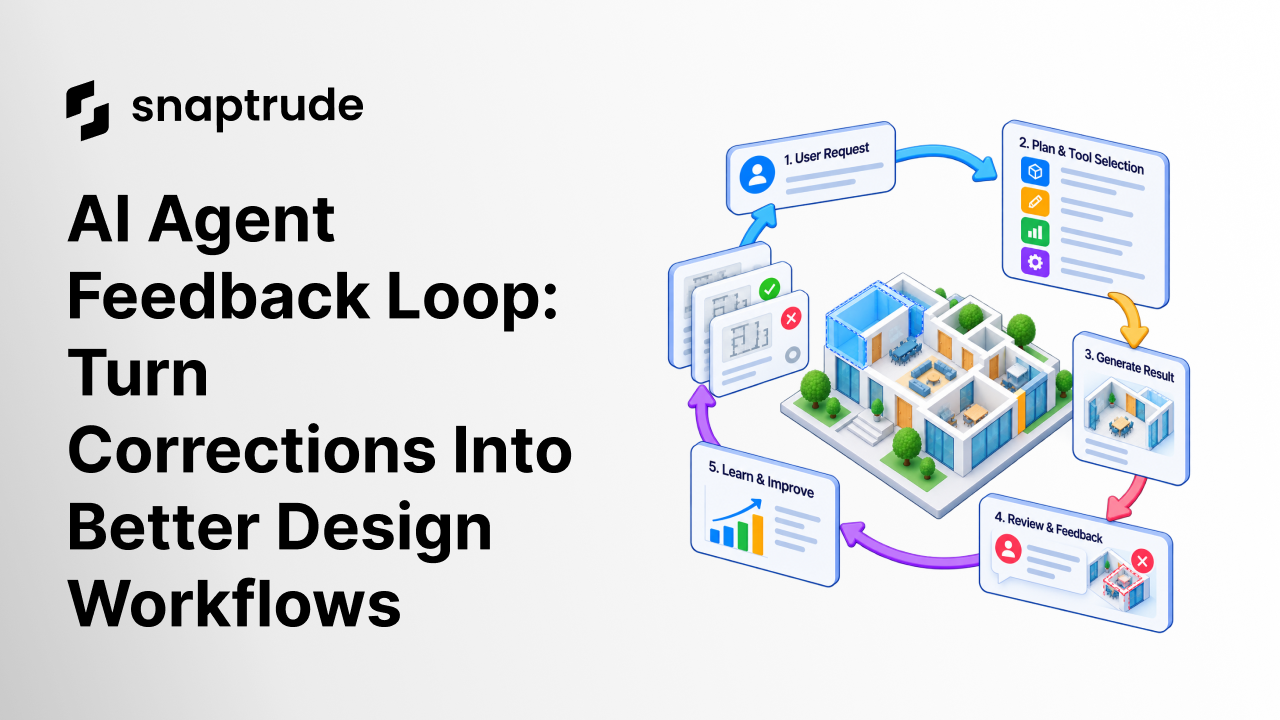
The practical loop has five steps:
1. Preserve the run context.
2. Capture the user's correction in their own task terms.
3. Diagnose the failed decision or missing check.
4. Turn the case into a replayable evaluation.
5. Ship a bounded change and compare the new result.
Without the fifth step, feedback becomes a backlog. Without the first four, changes become guesswork.
Why does an AI agent feedback loop need full context?
Full context separates symptoms from causes. A design agent can produce the same visible error through several different paths. It might misunderstand the objective, select the wrong operation, use valid geometry on the wrong object, or finish before checking a constraint. Each failure demands a different fix.
Record enough information to replay the decision:
• The user's objective and the accepted source inputs
• The constraints the agent was expected to preserve
• The plan or next action the agent chose
• The tools offered to the agent and the tool it selected
• Tool arguments, results, errors, retries, and intermediate state
• The final output and the user's correction
• The acceptance rule that passed, failed, or was missing
This is not an argument for storing every private project detail forever. The record should be scoped, permissioned, and minimized. Sensitive names and raw project data can be redacted or replaced with durable test fixtures. The important part is retaining the relationship between intent, action, result, and judgment.
OpenAI's current model guidance recommends putting tool behavior, required inputs, side effects, retry safety, and common error modes in tool descriptions. It also recommends loading only the relevant subset when a catalog is large. Those practices make the trace easier to interpret because the team can see what the agent was told about each option at decision time. (OpenAI model guidance)
See how AI agents fit into an architectural design workflow before deciding where a feedback loop should start and stop.
Explore Snaptrude to see how an editable design environment keeps human judgment inside the workflow.
What should the feedback record contain?
A useful feedback record is compact enough to review and complete enough to reproduce. It should distinguish observations from decisions. “The room is wrong” is an observation. “The room violated the minimum clear width, so the run should fail its circulation check” is a decision that can become an evaluation.
The failure class is especially useful. It prevents a prompt rewrite from becoming the default response to every problem. If the correct tool was unavailable, fix the tool set. If the tool returned ambiguous state, improve its contract. If the agent ignored a valid result, update the decision policy. If the result was acceptable but poorly explained, fix the communication layer.
How do you turn corrections into evaluations?
Start with the user's job, not the model's wording. A good evaluation describes the input condition, the required behavior, the prohibited behavior, and the evidence that proves the outcome. It should survive changes to prompts, models, and orchestration.
For example, suppose a reviewer corrects a generated layout because a repeated element changed when it should have remained independent. The evaluation should not require one exact natural-language answer. It should check that the agent identifies the instance rule, chooses an operation that preserves independence, and verifies that other instances did not change.
Use four layers of evaluation:
1. Decision evaluation: Did the agent choose an appropriate next step?
2. Tool evaluation: Did it select and call the correct operation with valid arguments?
3. State evaluation: Did the model reach the expected editable state without collateral changes?
4. Communication evaluation: Did the agent clearly explain what changed, what remains uncertain, and where review is required?
NIST's AI RMF Core places measurement between mapping context and managing risk. It recommends quantitative, qualitative, or mixed methods and says measurement should be informed by deployment context. A design-agent evaluation set should therefore include ordinary cases, edge conditions, and situations where the correct response is to stop and ask for a decision. (NIST AI RMF Core)
Do not add every correction to the permanent suite. First remove duplicates, redact private details, and ask whether the case represents a durable failure mode. Then assign an owner and a review date. A large suite that nobody curates can hide regression risk as easily as a small suite can miss it.
How should teams prioritize feedback?
Prioritize by consequence and recurrence, not by volume alone. A frequently reported cosmetic problem may be less urgent than a rare action that changes accepted model state without a clear warning. A simple scoring method can combine user impact, reversibility, frequency, detection difficulty, and reach across workflows.
Use these questions during triage:
• Did the agent change accepted work?
• Could the user see and reverse the change?
• Did an existing check miss the problem?
• Does the failure appear across different projects or tasks?
• Does the fix require a prompt, tool, policy, interface, or data change?
• Can a safe evaluation reproduce the issue?
The result should be one explicit disposition: fix now, add monitoring, collect more examples, redesign the tool contract, or accept with a documented limitation. Feedback without a disposition creates the appearance of learning while leaving the workflow unchanged.
How do you know the AI agent feedback loop is working?
Measure the loop itself, not just the model. Track whether high-impact feedback becomes a reproducible case, whether owners close the case, whether the same failure recurs, and whether a fix causes regressions elsewhere. Pair outcome measures with process measures so teams cannot improve a dashboard by ignoring difficult feedback.
Useful measures include:
• Share of actionable feedback linked to a complete run record
• Time from accepted feedback to a replayable evaluation
• Pass rate for representative tasks and known edge cases
• Recurrence rate by failure class
• Rate of unintended changes to accepted state
• Reviewer effort required before an output becomes usable
• Number of changes with a named owner, rationale, and rollback plan
The final measure is often overlooked. An agent can complete more tasks while creating more review work. For design teams, the real test is whether the output becomes a useful, editable starting point with less corrective effort.
Use a structured BIM software evaluation to connect agent measures with the workflows your team actually needs to complete.
How does Snaptrude support a human-controlled feedback loop?
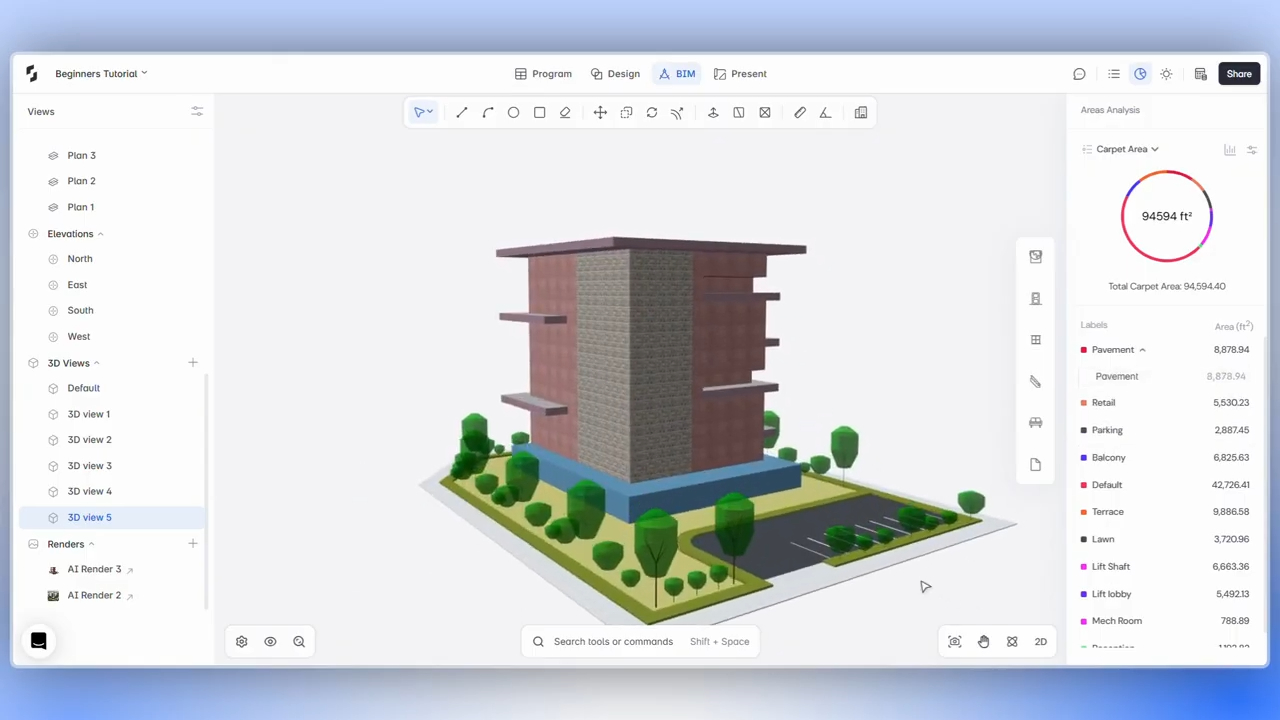
Snaptrude is a web-based architectural design platform with real-time multiplayer collaboration. Its Program Mode connects architectural programming and area information to design, Design Mode supports concept modeling and real-time 3D visualization, BIM Mode supports building elements, quantities, drawings, schedules, and IFC export, and Present Mode creates client-ready views from the live model.
These verified capabilities matter because useful feedback should refer to inspectable design state, not just an agent's prose. In an editable environment, a reviewer can examine the program, geometry, building elements, quantities, or views affected by a change. The feedback record can then describe a concrete design decision and the evidence required for acceptance.
Snaptrude AI remains a private-beta capability. It has been demonstrated with an architect in the loop and with user control over design decisions. That framing is important: an AI agent feedback loop should improve assistance while keeping approval, exceptions, and authorship with the people responsible for the project.
References
Artificial Intelligence Risk Management Framework 1.0: NIST, January 2023. Measure 3.3 and Measure 4 support integrating user feedback into evaluation, documenting context, and tracking improvement or decline.
AI RMF Core: NIST AI Resource Center. The Govern, Map, Measure, and Manage functions support contextual testing, ongoing monitoring, documentation, and feedback-informed risk management.
Model guidance: OpenAI developer documentation, accessed September 2026. The guidance supports explicit tool contracts and loading a relevant subset of a large tool catalog.
FAQ: Frequently Asked Questions
Q: What is the simplest AI agent feedback loop?
A: The simplest loop records the user's objective, the agent's action, the resulting state, the correction, and one replayable acceptance test. A team then makes a bounded change and reruns that test alongside representative existing cases. This is more useful than storing a rating alone because it preserves why the result was rejected and how future behavior will be judged.
Q: Who should review feedback from a design agent?
A: Review should include the domain expert responsible for the design decision and the product or engineering owner responsible for the system behavior. The domain expert defines whether the outcome is usable. The system owner identifies the layer that failed and proposes a change. High-impact cases may also need privacy, security, or project-governance review before they become durable test fixtures.
Q: Should every user correction become a new evaluation?
A: No. First decide whether the correction represents a recurring or consequential failure mode. Remove duplicates, redact project-specific details, and confirm that the expected outcome is stable across similar tasks. One-off taste preferences may remain local settings. Durable cases should enter the evaluation set only when the input, expected behavior, prohibited behavior, and acceptance evidence can be stated clearly.
Q: How often should teams run agent evaluations?
A: Run the smallest critical set whenever prompts, tools, models, policies, or orchestration change. Run broader representative and edge-case suites before a release, then monitor selected outcomes in operation. The cadence should reflect risk and reversibility. A workflow that can change accepted model state deserves tighter checks than one that only summarizes information for a reviewer.
Q: How does an AI agent feedback loop protect design intent?
A: It makes accepted decisions part of the evaluation context. Tests can verify that the agent preserves locked constraints, changes only the intended objects, and stops when authority is unclear. The feedback record also explains why a reviewer rejected a result. That creates a durable link between design intent and system behavior instead of relying on a prompt that may be interpreted differently later.
Q: How can Snaptrude fit into an AI agent feedback loop?
A: Snaptrude provides an editable, cloud-native BIM environment where teams can inspect program data, geometry, building elements, quantities, views, and collaborative changes. Those artifacts can ground a feedback record in observable design state. Any AI-assisted workflow should still define review points, accepted state, and approval authority. Private-beta AI capabilities should be evaluated as assisted workflows, not treated as guaranteed autonomous outcomes.
Try Snaptrude with one representative project workflow, then judge every assisted step by the quality and editability of the resulting design state.



