Last updated:
Parametric vs Non-Parametric BIM: When Should Geometry Stay Linked?
TL;DR
Parametric vs non-parametric BIM is not a contest between smart and simple geometry. Use parametric relationships when several elements must keep responding to a shared design rule; use non-parametric or independent geometry when a deliberate exception should stop propagating, then record the reason and preserve a safe path back to the governing intent.
What does parametric vs non-parametric BIM mean?
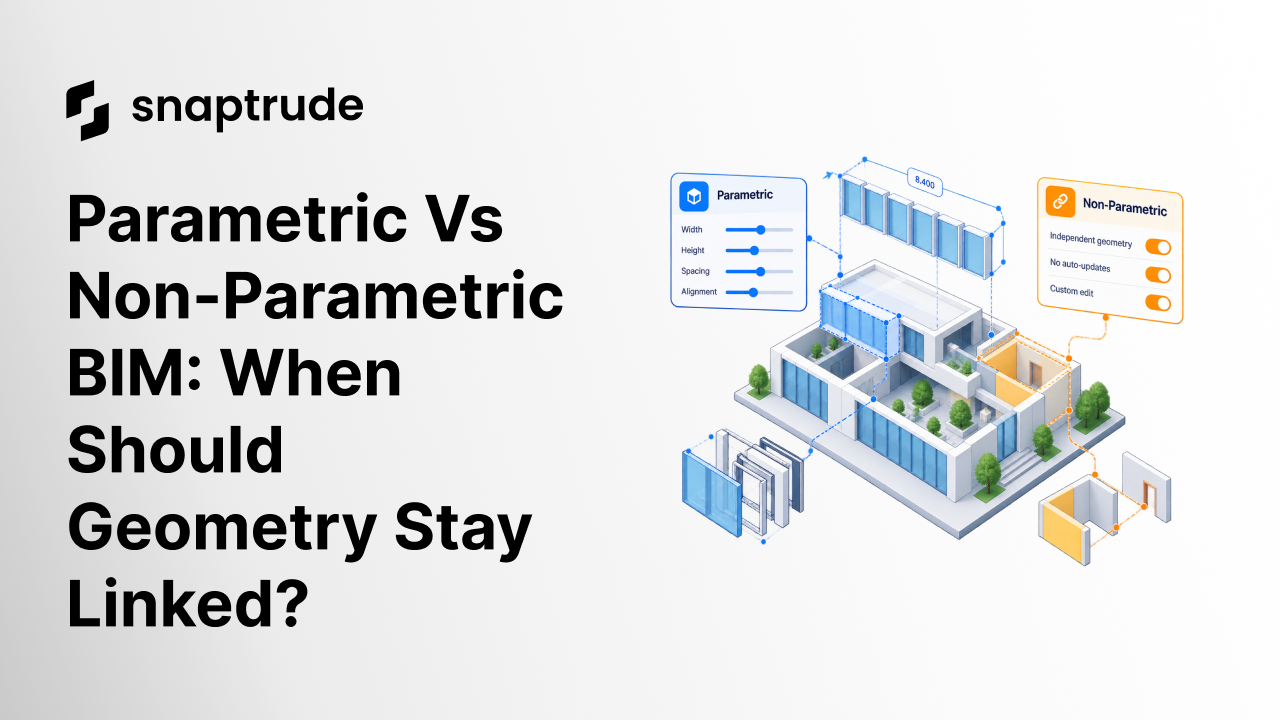
Parametric BIM represents geometry through rules and relationships. Change a governing value or reference, and connected elements respond. Non-parametric BIM represents an element more independently. The geometry can still be edited, but it does not automatically inherit every change from a shared rule.
The boundary is not always absolute. A model may use parametric behavior for a common arrangement, then allow one instance to detach for a site condition, accessibility requirement, structural conflict, or design choice. The key is making that transition deliberate.
Autodesk's Revit documentation describes constraints as elements that can govern references across views and notes several ways elements can reference one another. Its family guidance recommends constraining geometry to a planned framework of reference planes or lines, labeling dimensions, and testing that the framework flexes correctly. It also warns that direct constraints between geometry can behave unpredictably when parameters change. (Autodesk: About Constraints, Autodesk: Constrain Family Geometry)
That advice captures the principle: parametric behavior is useful when its reference system is intentional and tested. A web of accidental constraints is not intelligence. It is hidden coupling.
.jpg)
When should parametric vs non-parametric BIM favor shared rules?
Favor parametric linkage when the elements express one durable design decision. Repeated rooms, facade bays, structural grids, standard clearances, aligned openings, and office modules may need to respond together. The shared rule reduces repeated work and keeps coordinated intent visible.
Ask these questions:
• Do the elements serve the same functional purpose?
• Will a change to one governing dimension normally apply to every instance?
• Is the reference system stable enough to name and test?
• Can a user predict which elements will change before committing?
• Will dependent information, documentation, or quantities remain consistent?
• Is there a controlled way to create an exception?
If the answers are yes, a parametric rule can turn a repeated edit into one design decision. If the reference is unclear or the elements only look similar, linkage may create surprising changes later.
The strongest parametric models expose their hierarchy. A user should be able to identify the governing reference, the adjustable parameter, the constrained geometry, and the downstream effects. Hidden relationships make every edit feel risky.
See how a sketch can become parametric BIM geometry without forcing a redraw at the transition.
Explore Snaptrude to compare freeform concept editing with connected BIM information in one browser-based workflow.
When should geometry become non-parametric or independent?
Use independent geometry when an element must intentionally stop responding to a shared rule. The exception should reflect a real design difference, not a workaround for a broken parameter system.
Common reasons include:
• A room or module has a unique boundary condition.
• A local code, access, structure, or site constraint overrides the typical rule.
• The design team wants to explore one instance without changing accepted peers.
• Imported geometry lacks a reliable reference system.
• The relationship would be harder to understand than the independent edit.
• A performance strategy changes representation while preserving the accepted intent.
Independence creates freedom and responsibility. Once an element detaches, shared updates no longer protect it. The model should record the exception, notify the user when the parent rule changes, or include the instance in a review report.
Autodesk's documentation on groups illustrates the broader tradeoff. Groups make it easier to replicate element clusters, while restrictions and distinctions between model and view-specific content still apply. Reuse mechanisms work best when teams understand what belongs together and what must remain separate. (Autodesk: Groups of Elements)
What decision matrix helps choose parametric vs non-parametric BIM?
Use design intent, change frequency, variation, consequence, and ownership as the main criteria.
The matrix should be part of a model standard, not a private mental rule. When several people collaborate, the next editor needs to know whether a change is supposed to propagate.
How should teams manage exceptions?
An exception workflow prevents independence from becoming silent drift. It should make the choice reversible where practical and reviewable where not.
Use this sequence:
1. Identify the shared rule and affected instances.
2. State why the target instance differs.
3. Preview what will stop propagating.
4. Detach only the required scope.
5. Apply the independent edit.
6. Validate geometry, data, views, quantities, and exports affected by the change.
7. Record the exception owner and review trigger.
A review trigger might be a change to the parent module, a new design phase, an export milestone, or a coordination issue. The trigger ensures the independent instance is reconsidered when its context changes.
Do not copy geometry simply because detaching is hard. Untracked copies are difficult to reconcile. A clear independent state is safer than an accidental duplicate that still appears related.
Read how architectural AI constraints preserve authorship when generated or assisted geometry must respect shared and local decisions.
How do you test parametric behavior?
Flex testing changes valid inputs across their intended range and checks whether geometry and dependent information remain correct. Autodesk's family guidance explicitly recommends testing and verifying that reference planes and lines flex correctly before constraining geometry to that skeleton. (Autodesk: Constrain Family Geometry)
Build test cases for:
• Minimum, typical, and maximum valid values
• Changes in more than one parameter and in different orders
• Rotated, mirrored, or irregular placement conditions
• Added and removed repeated instances
• Local exceptions beside linked peers
• Undo, redo, save, reopen, and collaboration
• Drawings, quantities, schedules, and exports
• Invalid combinations and understandable failure behavior
Check both the target and the untouched model. A parameter can produce the expected new geometry while moving an unrelated element. The acceptance result should name what changed and what stayed the same.
For independent geometry, test the inverse: changing the parent rule should not silently change the exception. The system should make the independence visible and include the instance in relevant coordination checks.
How does parametric choice affect AI-assisted design?
AI can recognize patterns and propose geometry, but the operation that commits a design decision needs explicit rules. A probabilistic suggestion may identify that several rooms look similar. It should not silently decide that they must remain linked forever.
Separate three stages:
1. Recognition: The system proposes which elements may share intent.
2. Decision: The user or policy accepts the shared rule and its scope.
3. Execution: Deterministic operations create, edit, detach, and validate geometry.
This separation keeps authorship clear. It also makes feedback useful. If recognition grouped the wrong elements, improve the recognition case. If the right group was created but edits propagated incorrectly, fix the deterministic operation or rule model. If the change was correct but the user could not predict it, improve the interface and preview.
How does Snaptrude approach parametric and freeform work?
Snaptrude's verified Design Mode combines concept modeling, massing, real-time 3D visualization, snapping, alignment, and parametric intelligence. BIM Mode supports walls, floors, roofs, columns, beams, doors, windows, materials, quantities, drawings, schedules, and IFC export. The platform is cloud-native and supports real-time multiplayer collaboration.
Those capabilities support a workflow where freeform design and structured BIM are not separate endpoints. The choice between linked and independent behavior should still be governed by the project's design intent, reuse rules, and review process.
Snaptrude AI is in private beta and has been demonstrated with user control over design decisions. This article does not claim a specific template-detachment feature or automatic behavior. Teams should verify current product behavior on their own representative cases and keep an architect responsible for acceptance.
References
About Constraints: Autodesk Revit 2025 documentation. Describes constraints as model relationships and explains that constraint elements can exist independently of view-specific dimensions.
Constrain Family Geometry: Autodesk Revit 2025 documentation. Recommends a reference framework, labeled dimensions, flex testing, and careful geometry constraints.
Groups of Elements: Autodesk Revit LT 2024 documentation. Describes grouped element reuse and restrictions between model and view-specific content.
FAQ: Frequently Asked Questions
Q: Is parametric BIM always better than non-parametric BIM?
A: No. Parametric BIM is better when a stable rule should govern repeated change. Independent geometry is better when an instance has a legitimate unique condition or when a reliable rule cannot be expressed clearly. Quality depends on whether the behavior matches design intent, remains understandable to collaborators, and can be tested without creating unexpected changes elsewhere.
Q: What is the main risk of too many BIM constraints?
A: Excess constraints create hidden coupling. A small edit can trigger conflicts, unexpected movement, or a model that is hard to flex and diagnose. Use a clear reference hierarchy, constrain only relationships that express durable intent, and test combinations of inputs. A model is not more intelligent because it contains more rules. Its rules should make change predictable.
Q: When should a BIM element be detached from a shared rule?
A: Detach an element when a real design condition requires behavior different from its peers and that difference should persist. State the reason, preview what will stop propagating, limit the scope, validate downstream effects, and record a review trigger. Do not detach merely to bypass a poorly designed constraint. Repair the shared rule when the condition is actually common.
Q: How do you test parametric vs non-parametric BIM behavior?
A: Flex linked geometry across minimum, typical, maximum, combined, and invalid inputs, then inspect target and untouched elements. Test local exceptions beside linked peers, along with undo, save, reopen, collaboration, documentation, quantities, and export. For independent geometry, confirm that parent changes do not propagate silently and that the exception remains visible in coordination and review workflows.
Q: Does non-parametric BIM mean the geometry has no information?
A: No. Non-parametric or independent geometry can still carry BIM properties, materials, classifications, quantities, and documentation relationships. The term describes how geometry responds to governing rules, not whether it contains information. Teams should define which data and downstream outputs remain connected after detachment, then verify them rather than assuming independence affects only visible shape.
Q: How can teams evaluate parametric behavior in Snaptrude?
A: Choose a repeated design condition and define the rule, valid range, expected instances, and one deliberate exception. Test common changes, local editing, collaboration, save and reopen, and relevant BIM outputs. Snaptrude combines freeform design with parametric intelligence, but teams should verify the exact current behavior they plan to use and retain human approval for assisted or private-beta workflows.
Try Snaptrude with one repeated design condition and judge the workflow by how clearly it handles both the rule and the exception.



