Last updated:
Multi-Building BIM QA Checklist for Reliable Coordination
TL;DR
A multi-building BIM QA checklist verifies that every building keeps a stable identity, local editing context, coordinated site position, correct views, scoped analysis, and traceable exchange behavior. It must cover lifecycle changes, not only a clean initial setup, because switching, renaming, deleting, restoring, and relinking expose state leakage.
What should a multi-building BIM QA checklist test?
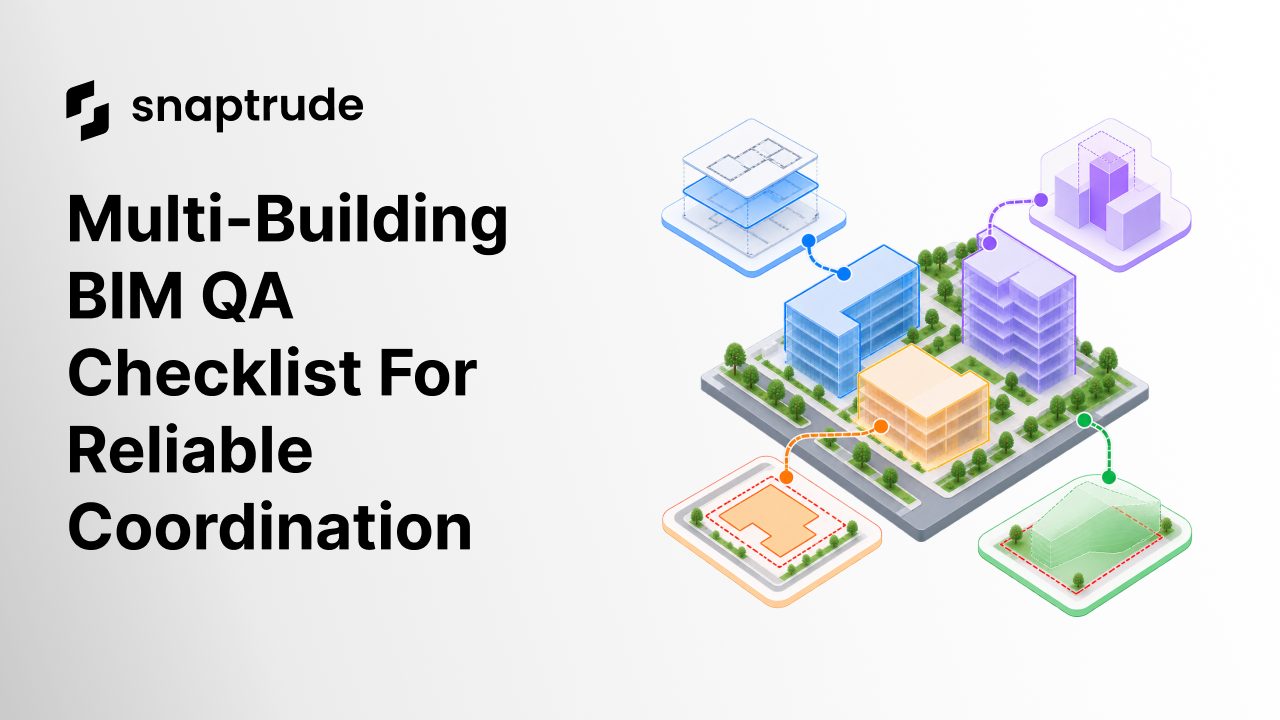
A multi-building BIM QA checklist should test six connected layers: identity, spatial structure, coordinates, editing context, derived outputs, and exchange. Passing one layer cannot compensate for failure in another. Correct coordinates do not help if a schedule includes objects from the wrong building. A clean plan view does not help if an export loses building identity.
Start with a plain-language model of the project:
• The site provides shared geographic and coordination context.
• Each building has a stable identity and local model scope.
• Each storey belongs to the intended building.
• Elements are contained in the correct spatial structure.
• Cross-building references are visible by choice, not editable by accident.
• Views, schedules, analyses, quantities, and exports declare their scope.
buildingSMART's IFC model implementation guide describes a spatial hierarchy in which storeys, buildings, and sites declare object coordinate systems relative to the next higher level. This provides a useful exchange principle, but project teams still need explicit tests for authoring state, view scope, and derived results. (buildingSMART IFC Model Implementation Guide)
The key question is not whether several buildings can appear together. It is whether a reviewer can always tell which information belongs to which building and which shared references are intentionally active.
How should building identity and coordinates be verified?
Building identity and coordinates should be verified independently. Identity answers what the model object is and where it belongs in the project structure. Coordinates answer where the building sits relative to the site, survey, and other buildings. Conflating them makes repairs dangerous.
Autodesk describes shared coordinates as a way to establish the relative positions of linked models so their relationship is maintained. Its positioning guidance also distinguishes origin-to-origin, internal-origin, center-to-center, and shared-coordinate placement. The safe practice is to document which method established the relationship and test it after relinking, rather than judging alignment from one view. (Autodesk Shared Coordinates)
Verify one known control point, one elevation, and one rotation for every building. Then test a round trip or fresh link in a clean container. If alignment depends on manual nudging after each link, the coordinate relationship is not controlled.
Review the fundamentals of connected BIM information and project structure.
Run the checklist on the smallest two-building case first, then repeat it with the largest real coordination set.
How do you test context isolation when switching buildings?
Test context isolation by defining the expected state before and after every switch. The active building should control editable stories, selection, creation, schedules, analyses, and view defaults. Shared site or neighboring-building references should remain deliberately visible and clearly subordinate.
Use this switch test:
1. Activate Building A and open a known storey.
2. Select, create, edit, and schedule a controlled test object.
3. Record visible shared context and hidden local context.
4. Switch to Building B without closing the project.
5. Repeat the same operations using Building B's known storey.
6. Return to Building A and confirm its state persists.
7. Reopen the project and repeat the inspection.
Fail the test if Building A's story remains editable under Building B, if new objects inherit the wrong building, if selection crosses the active scope without a deliberate command, or if a schedule silently retains the previous building filter. Also fail it when the screen looks correct but persistence changes after reopen.
Context isolation should be evaluated across more than geometry. Check active level, current selection, hidden objects, temporary overrides, section boxes, analysis boundaries, schedule filters, quantity totals, presentation views, and export selection. These are all forms of state.
Which lifecycle events belong in a multi-building BIM QA checklist?
The multi-building BIM QA checklist must include lifecycle events because defects often appear after the original identifiers, links, or caches change. A pristine two-building demo is necessary but insufficient.
For destructive events, use a disposable validation copy and record the intended recovery path. QA should prove that warnings identify the actual consequence and that an authorized user can distinguish a building delete from a link removal or view cleanup.
NIBS's National BIM Guide for Owners describes quality assurance procedures and quality-control testing as ways to verify that BIM deliverables meet defined requirements. Apply that principle here by turning every coordination expectation into observable evidence, an owner, and a pass or fail result. (NIBS National BIM Guide for Owners)
How should views, schedules, and analysis be scoped?
Views, schedules, and analysis should declare whether they are local to one building, combined across selected buildings, or site-wide. Do not infer scope only from a view name. Store it as a governed property where the platform allows, then validate the actual contents.
For a local building plan, confirm that visible neighboring buildings are references rather than active geometry. For a combined schedule, confirm that building identity is a displayed field and that totals can be reconciled back to each source. For site analysis, confirm which buildings contribute and how an inactive or hidden building affects the result.
Run three paired tests:
• Local versus combined view: the combined view adds intended context without changing local editability.
• Local versus combined schedule: the sum of building totals equals the project total, with no duplicate linked objects.
• One-building versus all-building analysis: changing the scope changes only the intended inputs and produces a new traceable result.
When a view is copied, verify that its building scope and references copy intentionally. When a building is renamed, confirm that view titles can change without breaking stable filters. When a building is deleted, identify which outputs become invalid instead of allowing stale reports to persist.
See how real-time BIM collaboration can keep feedback closer to the shared model.
How do you validate multi-building exchange?
Validate multi-building exchange with both automated checks and human inspection. An export can be structurally valid while grouping buildings incorrectly, and a visually correct import can conceal lost identity or elevation.
Export a controlled subset and verify:
1. Project, site, building, storey, and space structure
2. Stable names and identifiers
3. Coordinate reference, position, rotation, and elevation
4. Element containment, including known spanning elements
5. Quantity and property mappings used by downstream teams
6. Separation of local content from shared site references
7. Reimport or validation-service results
buildingSMART describes its IFC Validation Service as a way to assess whether a file complies with the IFC schema and specification. An Information Delivery Specification can define machine-readable information requirements for model objects and properties. Use formal checks alongside inspection in the authoring and receiving applications for project meaning that a schema test cannot fully judge. (buildingSMART IFC Validation Service report)
Keep the exported artifact, validation result, source revision, settings, and reviewer together. A later pass should be comparable with the earlier one.
How does Snaptrude support multi-building BIM QA?
Snaptrude provides browser-based architectural design, real-time multiplayer collaboration, BIM elements, automatically generated plans, sections and elevations, schedules, quantities, and IFC export. These verified capabilities support model review, documentation, and exchange in one design environment.
Teams should still define their own acceptance criteria for building identity, coordinates, editable scope, view behavior, analysis inputs, schedules, and exchange. The QA checklist proves that a particular project configuration behaves as intended without turning a general product capability into a project-specific guarantee.
Explore the connected BIM workflow across modeling, documentation, and exchange.
References
IFC Model Implementation Guide: buildingSMART guidance describing coordinate systems and relative placement across storey, building, and site spatial structure.
Shared Positioning: Autodesk guidance on maintaining relative positions among linked models with shared coordinates.
Positioning for Imports and Links: Autodesk documentation distinguishing positioning methods for imported and linked geometry.
National BIM Guide for Owners: National Institute of Building Sciences guidance connecting defined BIM requirements with quality assurance and control testing.
IFC Validation Service: buildingSMART International's report describing its service for assessing IFC schema and specification compliance.
Frequently Asked Questions About the Multi-Building BIM QA Checklist
Q: What is a multi-building BIM QA checklist?
A: A multi-building BIM QA checklist is a set of acceptance tests for projects containing several buildings. It verifies stable identity, spatial containment, coordinates, local editing context, shared references, views, schedules, analysis, lifecycle changes, persistence, and exchange. The checklist turns coordination expectations into observable evidence so a clean visual alignment is not mistaken for a reliable project configuration.
Q: Should multiple buildings share one coordinate system?
A: They should share a documented coordination basis while preserving intentional local origins and building identities. The exact setup depends on the authoring and exchange environment. Verify a known point, rotation, and elevation for every building, then relink in a clean file. Avoid moving local building geometry informally to repair site alignment because that can break internal references and downstream exchange.
Q: What is context leakage in multi-building BIM?
A: Context leakage occurs when state from one building affects another without an explicit choice. Examples include editing the wrong story after a switch, creating an object under the wrong building, retaining a schedule filter from the previous context, including hidden buildings in analysis, or carrying temporary graphics into another view. Test selection, creation, views, schedules, analysis, persistence, and export together.
Q: Why test rename, delete, and restore operations?
A: These operations reveal whether the system relies on a visible name, list position, or stale reference instead of a stable identity. Renaming should preserve relationships. Deletion should show a scoped impact and avoid unrelated cascades. Undo or restore should recover the building and its dependent state coherently. Run destructive cases in a disposable copy with a documented recovery expectation.
Q: How do you QA an IFC export with several buildings?
A: Check project, site, building, storey, and space structure; element containment; identifiers; coordinates; elevation; properties; and quantities. Use formal validation for schema and information requirements, then inspect the file in the receiving workflow. Reconcile a known element and total back to the source. A technically valid file can still group or position buildings in a way that fails the project brief.
Q: How can Snaptrude be used in a multi-building BIM QA workflow?
A: Snaptrude provides browser-based design, real-time multiplayer collaboration, BIM elements, plans, sections, elevations, quantities, schedules, and IFC export. Teams can apply their own multi-building checklist while reviewing model information and exchange outputs. They remain responsible for defining and testing project-specific identity, coordinates, editable scope, visibility, analysis, and exchange requirements before treating any configuration as approved.
Use this multi-building BIM QA checklist on a controlled two-building model, save the evidence, and rerun it whenever project structure or exchange settings change.



