Last updated:
Design Option Comparison Matrix: Make the Review Fair
TL;DR
A design option comparison matrix makes alternatives comparable by using the same brief, scope, measurement definitions, and review conditions. Record each option's evidence, unresolved assumptions, and revision beside the criteria. Use the matrix to explain a design decision, while keeping required conditions separate from preferences and preserving the reasoning behind the chosen direction.
What should a design option comparison matrix answer?
It should answer a particular design question using alternatives prepared on a common basis. Start with the decision the team needs to make, then choose the criteria and evidence required to make it.
For example, a concept review might compare how two arrangements meet the program and organize circulation. A later review may consider a different set of issues. Combining every possible measure in one table can create the appearance of rigor while obscuring the actual choice.
Write the decision at the top of the matrix. Identify the brief revision, the area being studied, and the person responsible for resolving the choice. A reviewer should be able to understand why the options exist before looking at their images.
This guide proposes a review method for manually or digitally developed alternatives, including AI-assisted work. It does not assume that generating more options improves the outcome. The useful result is an explainable decision supported by information the team has actually checked.
How do you establish a common baseline?
List the assumptions that every option must share. These can include the approved program, site extent, coordinate convention, existing elements, and the definitions used to calculate the quantities under review.
Separate common assumptions from option-specific choices. If one alternative uses a revised brief and the other uses an older brief, the matrix is comparing two problems. Either update both or make the difference explicit and postpone conclusions that depend on it.
Check shared model elements deliberately. A common core, site feature, or other shared object may affect several alternatives when it changes. An independent copy may need to be updated separately. The review record should describe the relationship that matters without assuming that every modeling system manages it the same way.
Visibility is also a potential source of confusion. What a designer hides to work comfortably may differ from the scope a quantity report should include. Define report scope independently, then verify that the numbers reflect it.
Our article on organizing architectural design options addresses the management of alternatives. The matrix adds the review layer: consistent inputs, traceable measurements, and a clear decision.
Which criteria belong in a design option comparison matrix?
Use criteria that can change the decision and that the team can assess at the current stage. Keep required conditions separate from preferences, and distinguish checked information from unresolved assumptions.
A required condition might be the presence of an essential programmed space. A preference might concern the character of an arrival sequence. Both matter, but treating them as interchangeable numbers can allow a strong visual preference to hide an unmet requirement.
Define each quantitative measure before filling the table. For area, state the unit, included scope, and relevant area convention. For a count, state what counts as one item. For a ratio, record both numerator and denominator so a reviewer can reconstruct it.
Qualitative criteria need evidence too. A note that an option has clearer circulation should point to the plan or sequence being reviewed and explain the judgment. The purpose is not to turn design into arithmetic. It is to make disagreement specific enough to discuss.
Use an explicit unresolved status when evidence is missing. A blank cell invites readers to assume either that a condition passed or that it does not matter. Naming the missing check makes the next action visible.
Try Snaptrude with a clearly framed design comparison.
How should the comparison table be structured?
Give each criterion a definition, a result for every alternative, and a reference to the supporting evidence. Keep the table compact enough to use during the discussion.
The example below is illustrative. It describes two hypothetical alternatives, not a customer project, measured performance, or a product-generated report.
Attach the actual values when they have been verified. Avoid inventing a composite score simply because the table has several rows. Sometimes the useful answer is that one unresolved requirement must be investigated before either option can be selected.
If the team uses weights, agree on them before reviewing the results. Keep required conditions outside a preference score and retain the individual measures. A weighted total is a summary of chosen priorities, not an objective verdict about the quality of a building.
How do you make the visual comparison fair?
Use matched views for the part of the review that asks people to compare form, scope, or spatial relationships. Record camera position, projection, crop, visibility, and display settings that could change the apparent result.
One option shown close up and another shown from a distant perspective can appear different in scale or emphasis even when the underlying geometry is comparable. Similarly, a richly developed image can draw attention away from an unresolved program issue. Match the evidence needed for the decision before adding presentation treatments that serve another purpose.
Retain both the model reference and the review artifact. An exported image can help explain what people saw at the meeting. A live model lets the team investigate the design. Each should identify the option and revision it represents so the record remains understandable after subsequent edits.
Do not infer measurement validity from a persuasive view. Check quantities in their own defined scope. A hidden element can remain relevant to a total, and a visible combination of alternatives may not represent any single buildable scheme.
In particular, do not add the quantities of mutually exclusive alternatives and present the sum as the selected project's scope. Compare alternatives side by side. Aggregate only components that belong together in the scenario being evaluated.
What happens when an option changes during review?
Record the change, identify the criteria it affects, and refresh the relevant evidence before closing the decision. A live edit can be helpful, but the comparison must remain traceable.
If a shared assumption changes, check every affected option. If the change is local to one alternative, record that scope. A revision note should explain what changed and why the earlier evidence is no longer sufficient.
Separate a proposed hybrid from its parents. A reviewer may want the arrival sequence from one option and the building arrangement from another. That creates a new scenario requiring its own checked information. Adding together selected benefits from two alternatives does not establish that the combined scheme works.
At the end of the review, record the chosen direction, the reasons, the unresolved issues, and the person responsible for each next action. Preserve the rejected alternatives at the relevant revision so the team can revisit the decision without reconstructing what everyone saw.
Write down the tradeoffs the team accepted and the questions still open. That record becomes especially useful when someone later asks why the chosen direction changed.
How can Snaptrude support the review material?
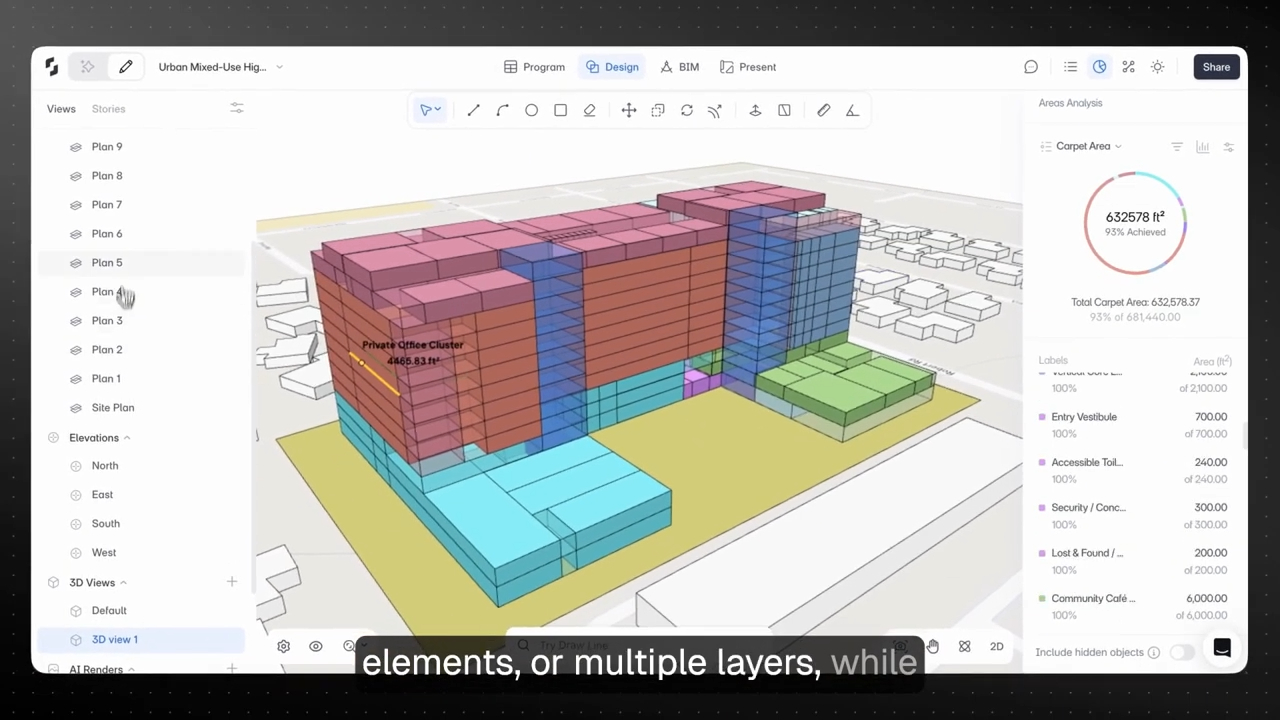
Snaptrude connects program data with 3D design and supports area calculations, adjacency planning, concept modeling, and real-time collaboration. A team can use those capabilities to develop and inspect the information needed for a comparison.
Present Mode supports presentations from the live model, including presentation styles, link sharing, and PDF export. When preserving a review record, identify the source revision and check the exported material. A presentation that reflects ongoing model changes serves a different purpose from a fixed record of an earlier decision.
The matrix in this article is a proposed team practice, not a claim of an automatic scoring feature. Keep the criteria and decision record wherever reviewers can maintain them reliably. For related modeling organization, see our guide to layers and master-plan alternatives, then verify the scope of the actual review outputs.
Frequently Asked Questions
Q: What is a design option comparison matrix?
A: It is a structured record that compares alternatives against defined criteria using a common brief and review basis. Each option should include checked information, evidence references, and unresolved assumptions. The matrix helps a team explain a decision and its tradeoffs. It does not replace architectural judgment or make a weighted score an objective measure of overall design quality.
Q: Which criteria should an architecture team compare?
A: Select criteria that can affect the current decision and can be assessed at the project's present stage. These may include program fit, area, circulation, shared assumptions, and qualitative spatial judgments. Define each measure and distinguish required conditions from preferences. If evidence is missing, record an unresolved check instead of leaving a blank that readers may mistake for acceptance.
Q: Should design options receive a weighted score?
A: Use weights only when they help the team express agreed priorities. Set them before reviewing results, keep required conditions separate, and retain the individual measures and evidence. A total can summarize a preference framework, but it cannot validate missing information or resolve every design tradeoff. Some decisions are better explained through a short rationale supported by the comparison record.
Q: How should a hybrid option be evaluated?
A: Treat the hybrid as a new scenario with its own revision and checked information. Combining preferred features from two alternatives can change areas, relationships, and other assumptions. Update the model and relevant comparison criteria before claiming the combined result works. Preserve references to the parent options so the team can understand the idea's origin and the tradeoffs introduced.
Q: Can Snaptrude provide material for an option comparison?
A: Yes. Its connected program data, area calculations, adjacency planning, concept modeling, and collaboration can support the information a design team reviews. Define a common scope and verify the relevant outputs. The comparison matrix described here is a team method rather than a claim of automatic option scoring. Reviewers still choose criteria, check evidence, and explain the resulting decision.
Q: How should Snaptrude presentations be preserved for a review?
A: Identify the option and source revision associated with the reviewed material, then inspect the presentation or PDF that participants receive. Snaptrude supports live-model presentations, link sharing, and PDF export. A live view can reflect later changes, so retain an appropriate fixed record when documenting an earlier decision. Keep the record linked to the criteria and unresolved issues discussed.



