Last updated:
AI Pilot for Architecture Firms: Test a Completed Project
TL;DR
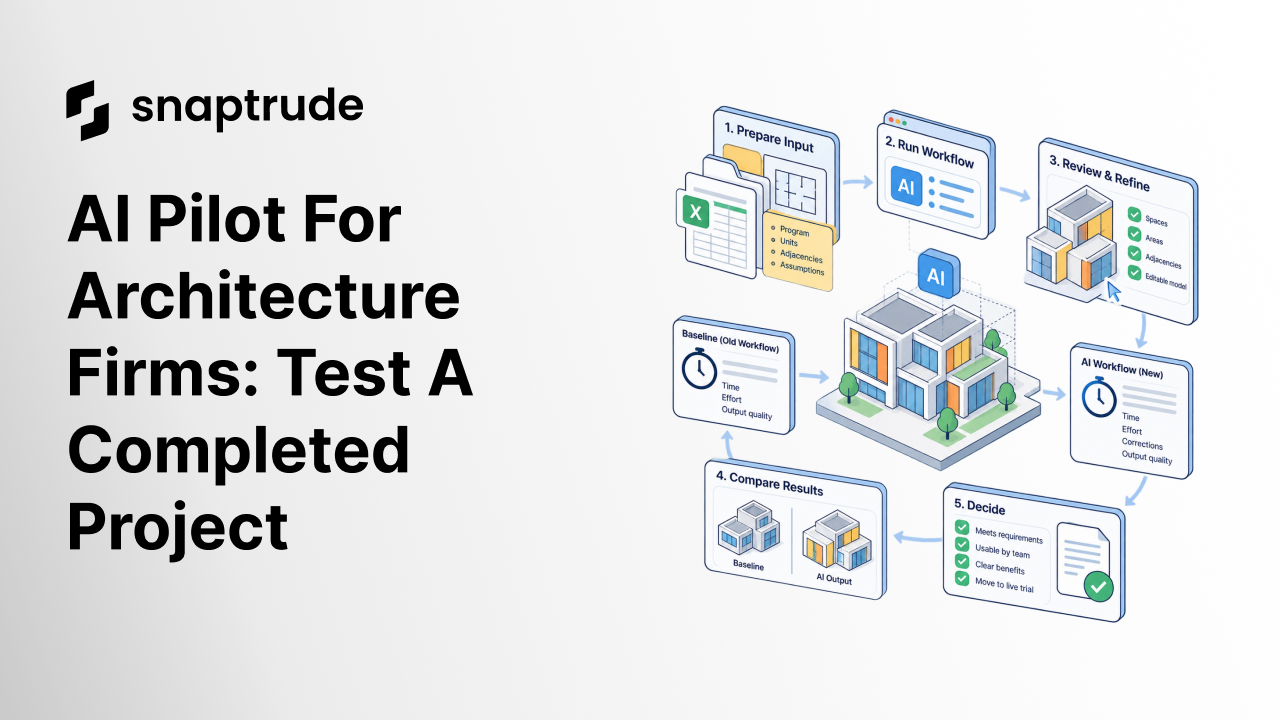
An AI pilot for architecture firms can start by replaying one task from a completed project, using only the information available at that stage. Compare the result with a clearly documented baseline, including setup, review, corrections, and handoff. Advance to a limited live trial only when another team member can use the accepted output.
RIBA surveyed over 1,100 self-selecting respondents in March-April 2026; question response counts varied. These are adoption descriptions, not measured productivity results.
Where should an AI pilot for architecture firms begin?
Begin with a completed project and one bounded task whose inputs and accepted output are still available. That gives the team something concrete to inspect without placing an unfamiliar workflow on a current delivery deadline.
Choose a task such as translating a verified space program into an editable concept model. Define where the task starts and ends. Preparing the input spreadsheet belongs inside the experiment if someone must do that work every time. So does correcting the output before another designer can use it.
The completed project supplies context, not a perfect answer the software must copy. Architecture allows several good responses to a brief. Judge whether the new result meets the requirements and supports the next decision. Matching the old building's shape is usually the wrong success condition.
This article proposes a practical experiment, not an industry standard or a promise of improved performance. A broader purchase decision also involves training, access, and rollout. Our guide to evaluating BIM software addresses that larger adoption process. Here, the immediate decision is smaller: does this workflow merit a supervised live trial?
How do you reconstruct a fair starting point?
Make a dated input package containing only what the original team knew when it performed the task. Keep later answers in a separate review package.
Suppose the original team developed a concept from an initial room schedule. The final schedule may include corrections made during design development. Giving the new workflow that final schedule would quietly remove work from its side of the comparison. Freeze the earlier input, record known ambiguities, and let both approaches face the same problem.
Include units, coordinate assumptions, program definitions, required adjacencies, and the intended level of detail. If a drawing supplies input data, check the extracted values against the drawing before treating them as instructions. A mislabeled room should become a visible input issue, not an unexplained difference in the final model.
Use only material approved for the systems being tested. An older project can still contain confidential information. Where approved project data is unavailable, build a synthetic task with the same workflow demands and label it accordingly.
Keep the package small enough that a reviewer can understand it. A whole project with undocumented changes is a poor first experiment because every disagreement becomes a debate about what happened months ago.
What should you measure before running the new workflow?
Write the acceptance conditions and baseline first. Otherwise the team can unconsciously move the target toward whatever the new tool happens to do well.
Define an accepted deliverable in operational terms. For a concept model, that might mean the required spaces are present, areas use the agreed definition, important relationships can be inspected, and a colleague can make a representative edit. These are proposed checks; the project team must choose the tolerances appropriate to its task.
Historical time records are useful when they cover the same scope. If they do not, label them as estimates. A fresh baseline run can be more defensible, provided its operator knows the existing workflow and receives the same input package. Record that the exercise is a replay rather than claiming it measures original project performance.
Separate active effort from elapsed time. Waiting for a process to finish affects turnaround, while manual preparation and correction consume staff attention. Both matter, but combining them into one unexplained duration makes the result difficult to interpret.
Track assistance too. A vendor specialist operating the tool beside an expert user may demonstrate capability. It does not yet show how an ordinary project team will perform independently.
How should an AI pilot for architecture firms be scored?
Use a short scorecard that records evidence, exceptions, and the reviewer for each acceptance condition. Avoid a single average that allows fast execution to cancel out an unusable deliverable.
Keep required checks separate from preferences. A missing required room cannot be offset by a persuasive render. Conversely, a different massing approach should not fail just because it differs from the completed project when it satisfies the same brief.
Try Snaptrude with one clearly defined design task.
What should repeat runs and edge cases reveal?
Repeat the task using the same frozen inputs, then test a small number of deliberate variations. Record every attempt so an attractive result does not hide several unusable ones.
The unchanged-input runs test consistency. Variations test the boundary of the proposed workflow. A mirrored room, a changed orientation, or a differently proportioned space can reveal whether the process depends on one favorable example. Choose variations because they occur in the firm's work, and state the expected behavior before running them.
Keep these checks separate from a full delivery replay. A small geometry test can establish that one operation behaves as expected. It cannot establish that input preparation, review, export, and receiving-team edits work together. You need both kinds of evidence when both kinds of risk are present.
After the operator finishes, give the output and its context to someone who did not produce it. Ask that person to locate an unresolved issue, make a change, and explain which information they trust. Their questions often expose gaps the operator has learned to work around.
Document learning between attempts. If the team changes a setting or rewrites an instruction, that is a useful improvement, but it also changes the experiment. Preserve the earlier run and explain the revision instead of replacing it with the successful result.
How do you decide what happens after the replay?
Finish with one of three decisions: proceed to a limited live trial, revise the workflow and repeat the experiment, or stop testing this use case. Attach the decision to the evidence.
A successful replay supports only the scope tested. It does not prove readiness for every project type, office, or deliverable. Choose the next live task deliberately, name the reviewer, and keep a recovery route using the team's established process.
If the result needs substantial correction, identify where that effort occurs. Better input preparation may help one workflow. Another may produce output that cannot be edited efficiently. Those require different responses. A general verdict that the tool is promising gives the next team little to act on.
The final record should include the input package, acceptance conditions, baseline limitations, attempt log, reviewed output, and next decision. That is enough to let a colleague challenge the conclusion without sitting through the original demonstration.
How can Snaptrude fit into the experiment?
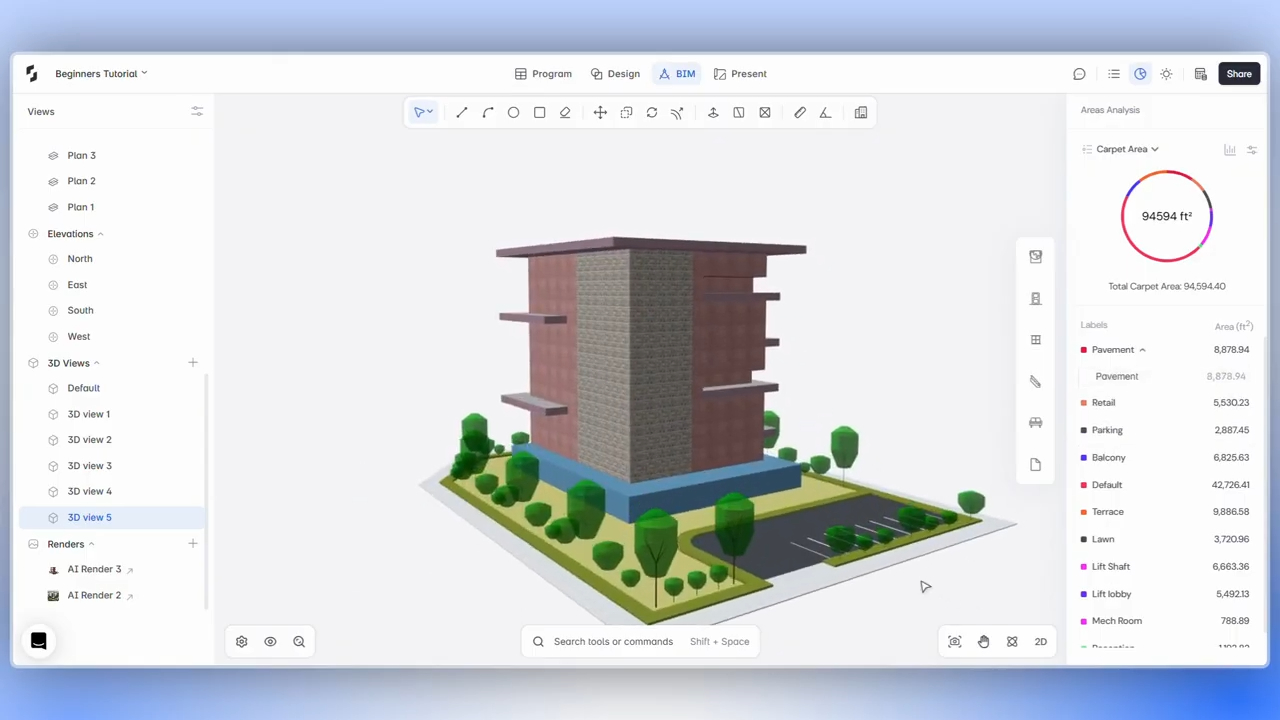
Snaptrude connects program data to 3D design and supports area calculations, adjacency planning, concept modeling, and BIM elements. These capabilities provide concrete tasks for a pilot team to evaluate. Browser access and real-time multiplayer collaboration also let another designer inspect and continue work in the model.
Define the exact output you need before selecting the task. If the receiving workflow uses Revit, Rhino, DWG, or IFC, test the relevant supported export and inspect the result there. The existence of an export format does not establish that every project-specific requirement survives it.
The idea behind Apps and App Builder is to make software fit a defined design workflow. The same discipline belongs in evaluation: specify the work, inspect the result, and let evidence determine the next step.
Frequently Asked Questions
Q: What is an AI pilot for architecture firms?
A: It is a bounded evaluation of an AI-assisted workflow against a defined architectural task. A useful pilot records the starting information, required output, operator effort, review, and corrections. A completed-project replay can provide an early test before live delivery. The decision should depend on whether the accepted result supports continued work, with limitations clearly documented.
Q: Why use a completed project for a pilot?
A: A completed project gives reviewers a familiar brief and an accepted reference outcome. It also allows the team to investigate problems outside a current delivery deadline. Reconstruct the information available at the original decision point, because later corrections can make the test artificially easy. Treat the old design as context while allowing other valid responses to the same requirements.
Q: How many repeat runs should a team perform?
A: Choose enough runs to investigate the variability that matters for the proposed task. There is no universal number that proves readiness. Include unchanged inputs and a few representative variations, then preserve unsuccessful attempts as well as useful ones. If the results remain inconsistent, keep testing or narrow the scope before using the workflow on a live deliverable.
Q: Does time saved prove a pilot succeeded?
A: Time is one measure, alongside output quality, review effort, editability, and handoff. A fast first result may need substantial correction before it becomes usable. Compare equivalent accepted deliverables and disclose estimated baseline data. Record freed capacity separately from cash savings, because reduced effort does not automatically change payroll, project revenue, or the firm's actual expenditure on delivery.
Q: What can a team test in Snaptrude?
A: A team can evaluate connected program data and 3D design, area calculations, adjacency planning, concept modeling, BIM elements, and collaboration against a specific task. Select the capabilities relevant to the required deliverable and set acceptance conditions first. For AI functionality beyond the verified general workflow, confirm current availability and scope before including it in the pilot's expected result.
Q: How should a Snaptrude export be reviewed?
A: Open the relevant supported export in the actual receiving application and ask the next team member to continue a representative task. Check the geometry, information, and edits that matter to that handoff. Snaptrude supports Revit, Rhino, DWG, and IFC exports, but each project has its own acceptance requirements. Record any correction needed before calling the handoff successful.
Start a Snaptrude pilot with a documented acceptance target.



