Last updated:
AI Design Review Checkpoints: From Input to Accepted Work
TL;DR
AI design review checkpoints separate input verification, authorization of a proposed change, inspection of the completed result, and approval for its next use. Give each checkpoint an owner, evidence, and an explicit unresolved state. A process that has finished running still needs the checks required for the architectural task before its output becomes accepted work.
Why are AI design review checkpoints needed?
They make the difference between processing and acceptance explicit. A finished operation tells the team that a system has returned a result. It does not establish that the inputs were correct, the permitted scope was respected, or the result is ready for another person to use.
Consider a hypothetical workflow that turns a drawing-derived room list into concept spaces. The process can complete successfully while starting from an incorrectly extracted value. A reviewer looking only at the final geometry may miss the source of the problem. Checking the input earlier makes the question easier to resolve.
The same distinction applies when a model responds to an edit while dependent outputs are still being prepared. The ability to keep working is useful, but the team needs a reliable indication of which result is ready to inspect. That indication may come from the software or from a manual review record.
The four checkpoints below are a proposed operating method, not an industry certification or a description of built-in product controls. They put the right question at the stage where a person can answer it most clearly.
What should be checked before the input is accepted?
Confirm the source, revision, units, meaning, and intended scope of the information that will drive the task. Assign a person who can resolve uncertainty before it becomes a modeled assumption.
For extracted information, compare the relevant fields with the source material. A room identifier, count, or area should not become authoritative merely because it appears in a clean table. Record any corrections and retain a reference that allows the next reviewer to investigate them.
Define the relationship between the visible model and the requested task. If the operation concerns one department, record that boundary. If a quantity includes hidden elements, make the inclusion rule explicit. The person approving the input needs to understand what the task covers.
Keep unresolved information visible. When a required value is missing, the next action may be a question to the project architect rather than a generated guess. State who can answer and which part of the task can proceed while waiting.
The checkpoint record can remain short: approved input revision, checked scope, unresolved questions, reviewer, and decision. Its purpose is to prevent ambiguity from becoming invisible downstream work.
How should a proposed change be authorized?
Describe the intended action before execution when it can materially change the design or information used by others. The reviewer should understand what may change, what must remain fixed, and where the result will be written.
An instruction to update the program is incomplete if it could replace every space when the designer intended to modify one group. State the affected objects or scope, the allowed variables, and the expected output. The proposal should make the size of the change understandable.
Distinguish permission to try an operation from acceptance of its outcome. Approving a proposed layout adjustment means the task may run within the agreed scope. The resulting design still needs review. A pre-action confirmation cannot certify information that does not yet exist.
For a repeated, bounded task, a team may define standing authorization within explicit limits. Changes outside those limits return for review. The important point is that the scope and decision owner remain clear; the method need not demand a new approval for every small interaction.
Our article on architects as authors of AI-assisted design discusses the broader principle of creative control. A proposal checkpoint applies that principle to a particular action.
Try Snaptrude with a clearly reviewed design task.
What should AI design review checkpoints record after execution?
Record whether the operation finished, which outputs belong to that run, and whether the required checks passed. Keep completion and acceptance as separate fields so one cannot be mistaken for the other.
The role names are illustrative. A small team may assign several roles to one person; another may require an independent reviewer for important work. Assign them according to the task rather than copying the table as a universal policy.
Check the result against the accepted input and proposed action. Inspect required geometry, information, relationships, and any follow-on edit that establishes usability. Preserve the exceptions alongside the output so a receiving person does not need to discover them again.
Where several outputs must agree, wait for the relevant processing to finish before reviewing the set. A completed model with an earlier area summary can create a misleading package. Identify the shared source revision and verify the specific outputs used for the decision.
How do you handle partial completion or a failed check?
Name what succeeded, what remains unresolved, and what may safely continue. Avoid a single green status that conceals a missing output or an unreviewed change.
For example, a concept model may be available while its handoff package is incomplete. Record those states separately. The team might continue internal exploration while postponing the external handoff, provided that boundary is clear to everyone relying on the work.
When a check fails, retain the input and result involved. Identify whether the correction belongs in the source information, the proposed action, or the output. This helps the team choose a response instead of repeatedly rerunning the same unclear task.
If a correction changes the input, revisit the affected downstream checks. If it changes only a presentation view, the necessary review may be narrower. Document the scope of the correction and the basis for reusing earlier checks.
Give a stopped task a next action and an owner. The designer should be able to request the missing information, revise the scope, or continue through an established manual workflow without guessing what went wrong.
What does approval for the next use mean?
It means the named person has checked the output for a stated purpose and recorded any limitations that travel with it. A concept-review approval is different from authorization to use the same information for another project stage.
Keep the approved artifact identifiable. Record its revision, the source information it used, and the checks completed. When the model changes later, the earlier approval should continue to refer to the earlier reviewed state.
Ask the receiving person to perform the task that matters. They may need to edit a space, understand an area summary, or open an exported model. A file that opens provides some evidence, but the next use may require more.
AIA's responsible AI guidance, updated in October 2025, calls for qualified professionals to review and validate AI-generated outputs and for firms to assign oversight responsibility. The checkpoint method here is one way to organize that work; it does not replace firm policies or project-specific professional judgment.
How can Snaptrude fit into this review process?
Snaptrude connects program data and 3D design, supports area calculations and BIM elements, and enables real-time multiplayer collaboration. Those capabilities give designers shared material to inspect as they develop and review work.
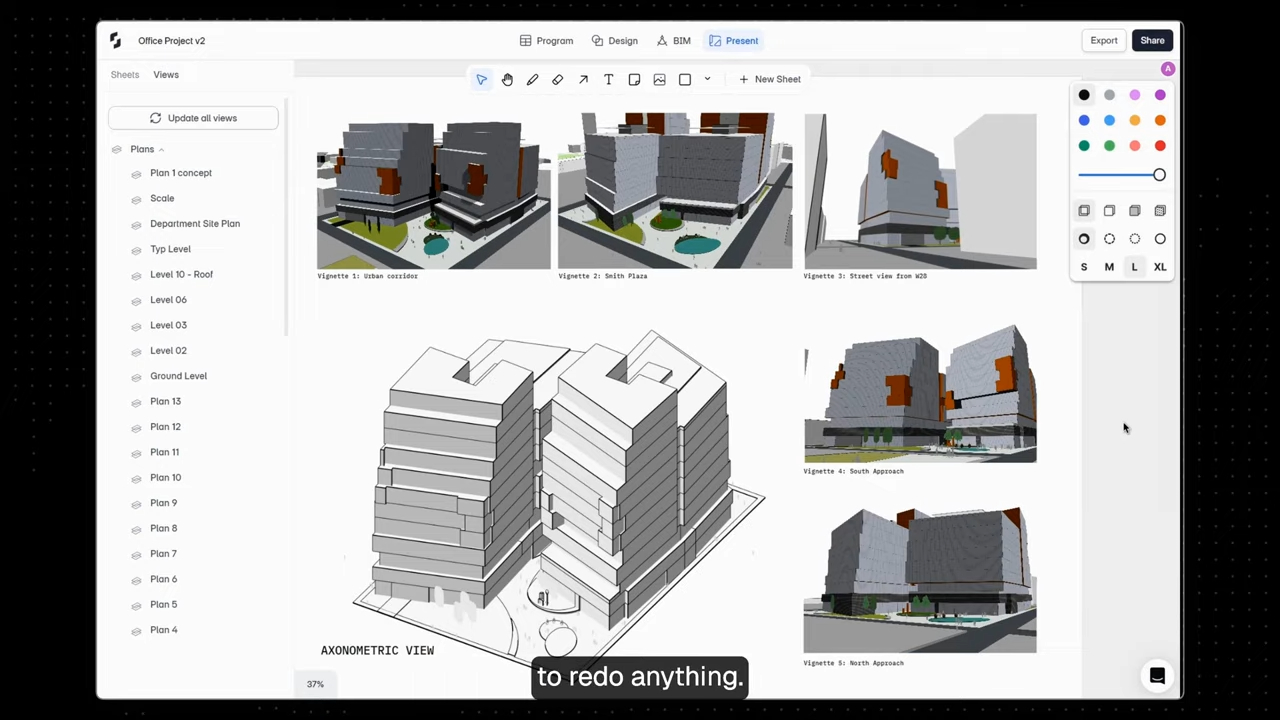
Present Mode supports presentations from the live model and PDF export. The team should still identify which state was reviewed and check the final artifact needed for the next use. Similarly, supported Revit, Rhino, DWG, and IFC exports provide handoff routes whose project-specific requirements need review.
The four checkpoints are a proposed team workflow. They do not assert that Snaptrude automatically supplies every approval control, completion signal, or audit record described here. Confirm current product behavior and maintain a clear manual record where necessary. Our discussion of design constraints gives related context for why input intent matters.
Frequently Asked Questions
Q: What are AI design review checkpoints?
A: They are explicit review moments for the input, intended action, completed result, and proposed next use of AI-assisted work. Each should identify the responsible person, evidence, decision, and unresolved issues. The aim is to keep processing status separate from architectural acceptance so the team understands what has actually been checked before relying on the result for another task.
Q: Is a completed AI operation ready for use?
A: Completion means the operation returned a result, while readiness depends on the requirements of the intended task. Check the input revision, permitted scope, required output information, and any dependent artifacts. A finished model may still need correction or a reviewed handoff. Record completion and acceptance separately so a successful process status cannot silently become approval of the design.
Q: Does every small change require a separate approval?
A: A team can define standing authorization for repeated tasks within clear limits. State what may change, which inputs are accepted, and when the task must return to a person for a decision. Important or out-of-scope changes may need individual review. Keep the boundaries and responsible owner visible instead of relying on an unlimited approval that reviewers cannot interpret.
Q: What should happen after an output fails review?
A: Preserve the relevant input and result, explain the failed requirement, and assign the next action. Determine whether the source information, proposed action, or output needs correction. Repeat the checks affected by that correction and record what earlier evidence remains valid. Partial success can stay visible, but it should not be presented as acceptance of the whole intended task.
Q: Does Snaptrude automatically enforce these checkpoints?
A: This article describes a team review method, not a claim that every checkpoint exists as a native Snaptrude control. Use verified product capabilities for the modeling and collaboration involved, and confirm current behavior before relying on an automated approval or status mechanism. Where necessary, keep a manual record of inputs, permitted changes, reviewer decisions, and the accepted output revision.
Q: How should a team approve a Snaptrude handoff?
A: Define what the receiving person needs, identify the reviewed source revision, and inspect the relevant output in its intended setting. Snaptrude supports presentations, PDF output, and Revit, Rhino, DWG, and IFC exports. Ask the recipient to perform a representative next task and record remaining limitations. Approval should refer to that checked artifact and purpose, rather than every future use.



