Last updated:
AI Agent Handoff Checklist for Architects: Preserve the Work
TL;DR
An AI agent handoff checklist for architects should transfer the objective, accepted inputs, current state, evidence, unresolved exceptions, authority boundary, required output, owner, and next action. Do not pass only a chat transcript or polished result. The next agent or person needs enough context to continue safely and enough structure to reject a weak handoff.
What belongs in an AI agent handoff checklist for architects?
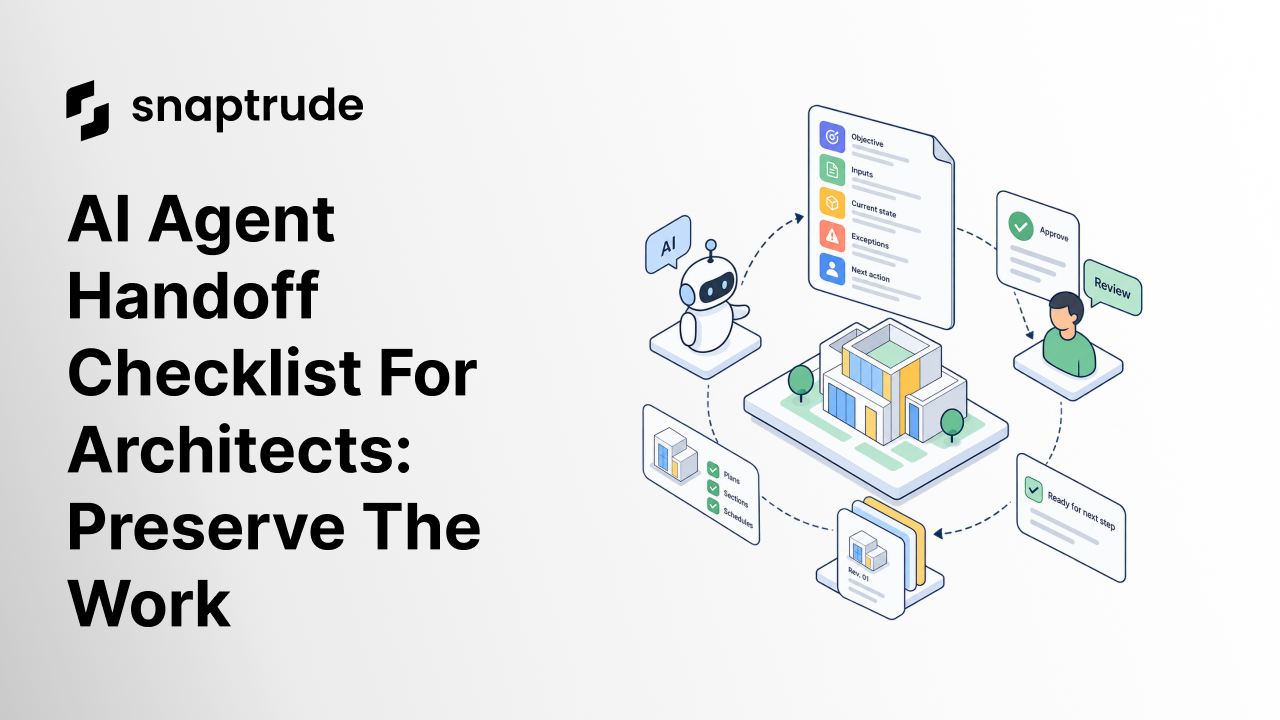
An AI agent handoff checklist for architects needs a compact execution record, not a narrative recap. It should let the receiver answer: What are we trying to achieve? Which inputs are authoritative? What has been accepted? What remains uncertain? What may I change? What must a human approve? What output is expected next?
Use nine fields:
Keep the handoff tied to a model or artifact revision. “Use the latest model” is ambiguous when several browser tabs, exports, or options exist. Record the stable identifier, revision time, option, and view or scope the next step must use.
Separate facts from assumptions. A measured site boundary, client-approved area target, inferred occupancy, and AI-proposed adjacency do not have the same authority. Label each one so a later step does not convert a suggestion into a requirement.
The introduction to Apps and App Builder in Snaptrude provides product context for reusable custom workflows. The handoff checklist takes over once one step has produced work that another step must continue.
%20(1).jpg)
How do you use an AI agent handoff checklist for architects between steps?
Create the handoff at a meaningful boundary: program to layout, site research to envelope, option generation to comparison, model change to documentation, or automated proposal to human review. Do not create a transfer after every trivial action. Use it where a lost assumption would change the design or a wrong action could propagate.
The sender prepares the record and runs a self-check. The receiver then confirms three things before acting: the referenced inputs are accessible, the current state can be reproduced or inspected, and the requested action stays within authority. If any fail, the receiver returns a specific exception instead of improvising.
Pass only decision-relevant context. A full transcript can hide the current constraint among abandoned ideas. Preserve source links and the decision trail, but summarize the accepted state and explain which earlier paths were rejected. This keeps the handoff concise without erasing provenance.
Require visual context where geometry matters. Include the relevant plan, section, view, model location, or highlighted object set alongside a written description. A downstream symptom may originate in an earlier modeling or data decision. Visual state helps the receiver inspect what actually happened instead of guessing from language.
Define recovery. If the next step fails validation, state whether it should stop, roll back, return an exception, or ask for human review. An agent should not silently patch a model until the output looks plausible. Professional work needs a known safe state and a visible failure path.
Use Snaptrude to keep AI-assisted program and design work connected to an editable BIM context.
Where should humans review an AI agent handoff?
Human review belongs where authority or design consequence changes. A person should approve a source interpretation before it becomes a governing constraint, an option before it becomes the basis for documentation, a regulatory conclusion before design reliance, and an external delivery before it leaves the controlled workflow.
The reviewer should inspect evidence, not just the output. Ask whether the right model revision and option were used, whether the sources support the stated input, whether exceptions remain visible, and whether the result meets the downstream acceptance criteria. A polished image or complete table can still be wrong.
Distinguish review from editing. The reviewer can accept, reject, or return the handoff with a named correction. If the human changes the model directly, record the new authoritative state and create a revised handoff. Otherwise, the next agent may continue from the pre-review version.
The guide to AI agents for architectural programming shows where specialized steps can enter an architectural workflow. The handoff checklist preserves continuity between those steps. The review record determines whether the work may cross one.
Which AI agent handoff checklist for architects is complete enough?
Keep one authoritative handoff record per transition. Update it by revision rather than copying fragments into several tools. If a system cannot preserve the record beside the artifact, store a stable link and require the receiver to confirm both before work begins.
Measure handoff quality by continuity: repeated work avoided, missing inputs caught before execution, exceptions resolved by the right person, and outputs accepted without reconstructing the task. Speed alone is misleading if the next person spends hours discovering what the agent assumed.
How does Snaptrude support multi-step AI design work?
Verified product facts describe AI-assisted architectural programming, spatial layouts from program requirements, area and adjacency planning, program data connected to 3D design, and specialized AI agents for site, envelope, massing, circulation, programming, and layout in private beta. Snaptrude also keeps manual creative control central to the workflow.
Because the AI capabilities are private beta, describe them as demonstrated or beta where relevant and confirm current availability before promising a workflow. The handoff checklist remains useful regardless of which agent performs a step. It preserves human accountability, accepted state, and the evidence needed to continue in the editable model.
Frequently Asked Questions
Q: What is an AI agent handoff checklist for architects?
A: An AI agent handoff checklist for architects is a structured record for transferring design work between an agent, tool, or person. It preserves the objective, accepted inputs, current artifact and revision, evidence, assumptions, exceptions, authority, required output, acceptance criteria, owner, and next action. It helps the receiver continue without rebuilding context or silently exceeding permission.
Q: Why is a chat transcript not enough for an AI handoff?
A: A transcript mixes accepted decisions, abandoned paths, speculative ideas, and repeated context. The receiver may not know which model revision or assumption now governs. Keep the transcript available for provenance, but provide a compact handoff that identifies authoritative inputs, accepted state, open exceptions, authority, expected output, and the exact next action the receiver should take.
Q: When should an architecture workflow create a handoff?
A: Create one at a boundary where responsibility, tool, authority, or design consequence changes. Examples include program to layout, research to envelope, generated options to human comparison, model changes to documentation, and internal work to external delivery. Avoid recording every trivial action. Focus on transitions where a lost constraint or hidden exception could propagate into later work.
Q: What should happen when an AI handoff fails validation?
A: Stop at the last accepted state. Record the failed criterion, affected artifact, evidence, and owner. Then return the handoff for correction, roll back the proposed change, or escalate to the named human reviewer. Do not let the receiving agent invent missing requirements or patch only the visible symptom. The recovery path should be defined before execution begins.
Q: Can Snaptrude’s AI agents work across architectural workflow steps?
A: Snaptrude has demonstrated private-beta agents for site analysis, buildable envelope, massing, circulation, programming, and layout, with program information connected to 3D design. Availability should be confirmed for the intended workflow. Use the checklist to preserve accepted inputs, model state, exceptions, and human approval as work moves between beta capabilities or other tools.
Q: Does Snaptrude remove the need for human approval?
A: No. Verified product positioning keeps architects in creative control, and private-beta capabilities should not be treated as autonomous professional sign-off. Humans remain responsible for interpreting requirements, checking regulations and sources, judging design consequences, reviewing exceptions, and approving external deliverables. Snaptrude can connect AI-assisted work to an editable BIM context, but accountability stays with the project team.
Start a Snaptrude workflow with a named human approver and an explicit stopping rule.



