3.49.1
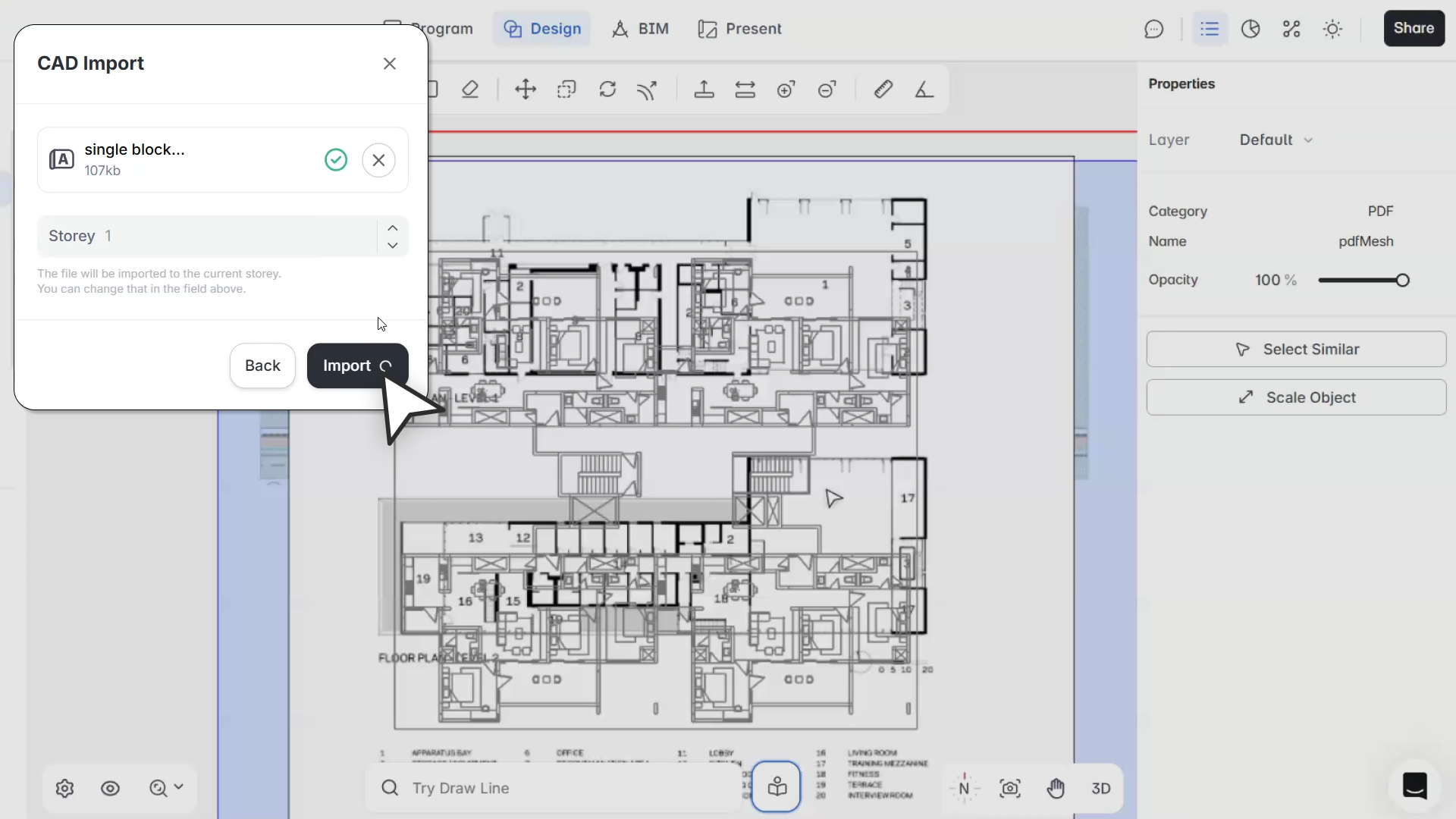
"Tracing over a PDF or site plan should be straightforward. With this update, your imports stay visible while you draw, selection follows a clear stacking order, and you don't have to fight the tool to pick the right reference."
– Spoorthi Narayan, Product Specialist
What's Improved
Predictable selection for overlapping imports
Selecting the right import when multiple files overlap is now consistent. Selection follows a clear stacking order based on import sequence: the most recently imported item is selected first, and older imports follow in order.
This stacking order persists across sessions. Save, close, and reopen your project, and the order stays the same.
Stacking control via right-click
You can now manage import stacking directly:
- Bring to Front moves the selected import to the top of the stack
- Send to Back moves it behind all others
Both options are context-aware and only appear when applicable.
Tab-to-select
Pressing Tab now cycles through overlapping imports in visual stacking order, from top to bottom. Useful when you need to reach an import that's behind another one.
Marquee selection
Marquee selection now follows standard CAD/BIM conventions:
- Left to right selects only imports fully inside the selection box
- Right to left selects any import partially intersecting the selection
Tracing over imports
Tracing workflows are significantly better. Imports (PDFs, images, CAD files) now stay visually accessible while you draw spaces, site elements, slabs, roofs, ceilings, and other geometry. No more imports disappearing behind new objects or visibility changing at different zoom levels.
Adjustable import opacity
Each import now has an opacity control in the Properties Panel. Default opacity is set to 50% on import, so references are visible without overpowering the geometry you're drawing on top.
Visual layering
Imports still exist at the base level of the story, but they're now rendered so they remain visible during drawing. You can see your reference and still select and edit new geometry without conflict.
Bug Fixes
- Fixed PDFs becoming unselectable when overlapped by other imports
- Fixed images being incorrectly prioritized in selection order
- Fixed floor slab visibility behaving inconsistently across zoom levels