3.48.1
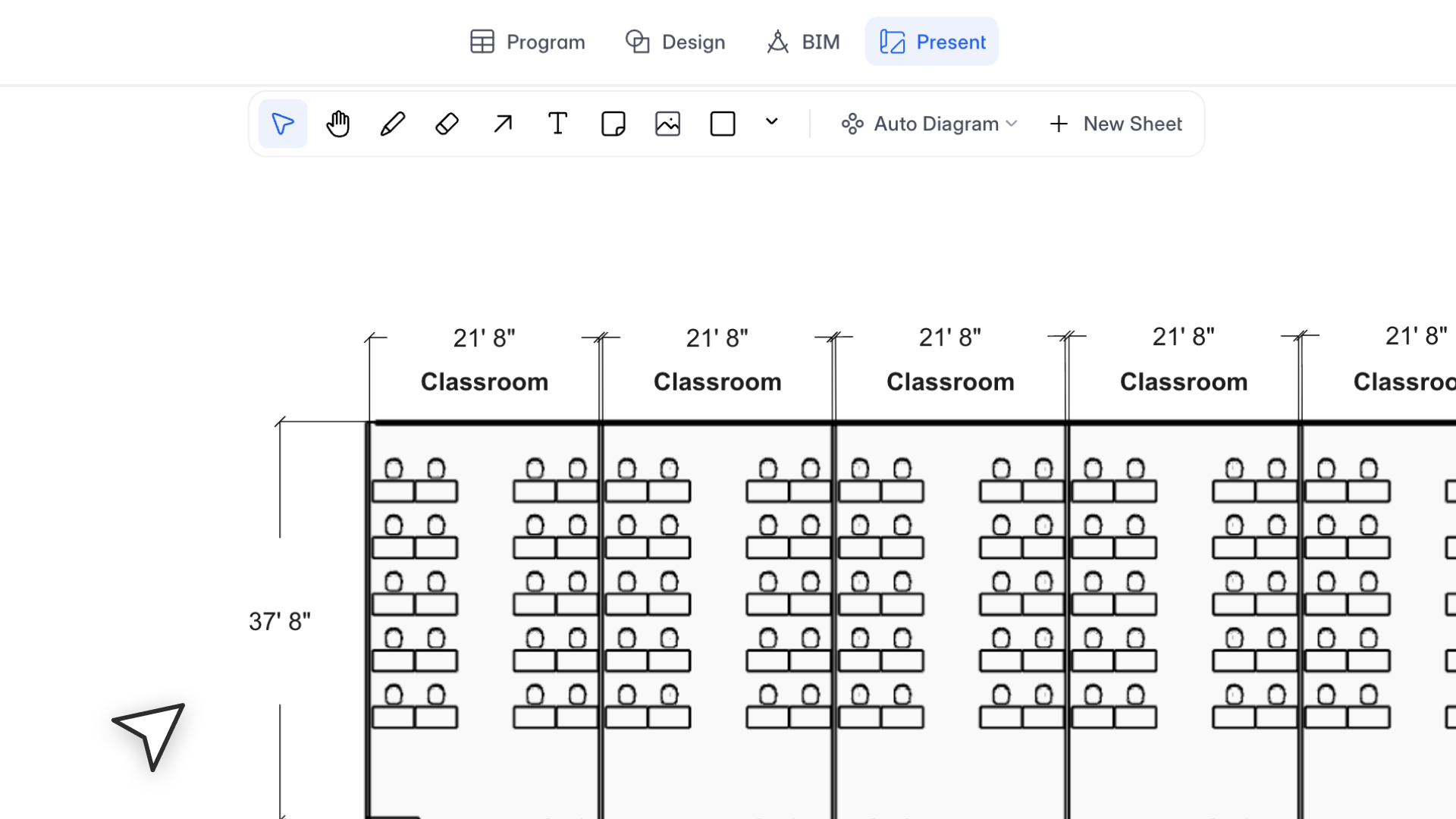
"Dimensions were the missing link between design and presentation. Now what you annotate in your plans carries through to your sheets, without any extra work."
– Azhar Poonawala, Sr. Product Analyst
What's New
You can now show dimensions in Present Mode. Any dimensions added on the design canvas are automatically visible in your presentation views, for both SVG and raster outputs.
This was one of the most requested features from users. Previously, dimensions were only visible in Design mode, which meant presentations never matched working drawings without manual workarounds.
Dimension view settings
You can control how dimensions appear in each view:
- Show/hide dimensions per view from the Properties panel
- Line settings: change line color and line weight
- Text settings: change font, font style, and font size
- Move, rotate, copy, or delete dimension text directly in the view
Bulk update views
You can select multiple views and update dimension settings across all of them at once. Views without dimensions are not affected.
Raster image views
Dimensions also appear in raster views. They render as SVG objects on top of the raster, so you can still edit the dimension font, style, and size. You can also change text size directly from the settings bar above raster views.
Update and Reset
Dimension settings follow the same logic as other object types. If you customize dimension appearance and then update the view, your settings are preserved. Resetting the view brings dimensions back to their default state.
Defaults: Text height matches space label text (2mm), line weight is 0.09mm, line color is black (#000000), font is Arial Regular.
Bug Fixes
- Labels no longer disappear when zooming out after a font change
- Fixed fonts in the dropdown that failed to display their original style
- Labels no longer bleed into the next line when switching from a thinner font to a wider one
- Fixed label font display issues on PDF export
- Reset button no longer shifts label positions
- Resolved issue where updating SVG to raster showed all label types incorrectly
Limitations
- Dimensions are currently supported for plan views only. 3D views and elevations do not show dimensions yet.
- The gap between the dimension line and text stays constant regardless of text size.
- Dimensions from other storeys are not visible in Present Mode if their visibility is off on the design canvas.