3.47.0
"We wanted to give teams a way to organize their program that matches how they actually think about a project, not force them into a single hierarchy."
– Aman Jain, Product Specialist
What's New
Spaces, classification, and area calculations now work with explicit, flexible controls. You decide how spaces are categorized, how they're counted, and how they're grouped.
Space Types
Every piece of drawn geometry is a Space. Each space has a type, and the type drives its default behavior, including how it appears in Present Mode and how its area is counted.
Program Blocks are a space type built for department-level planning. Labels are plain names, with smart behavior attributed to the space type rather than the label itself.
Tags: Classify Spaces Across Multiple Dimensions
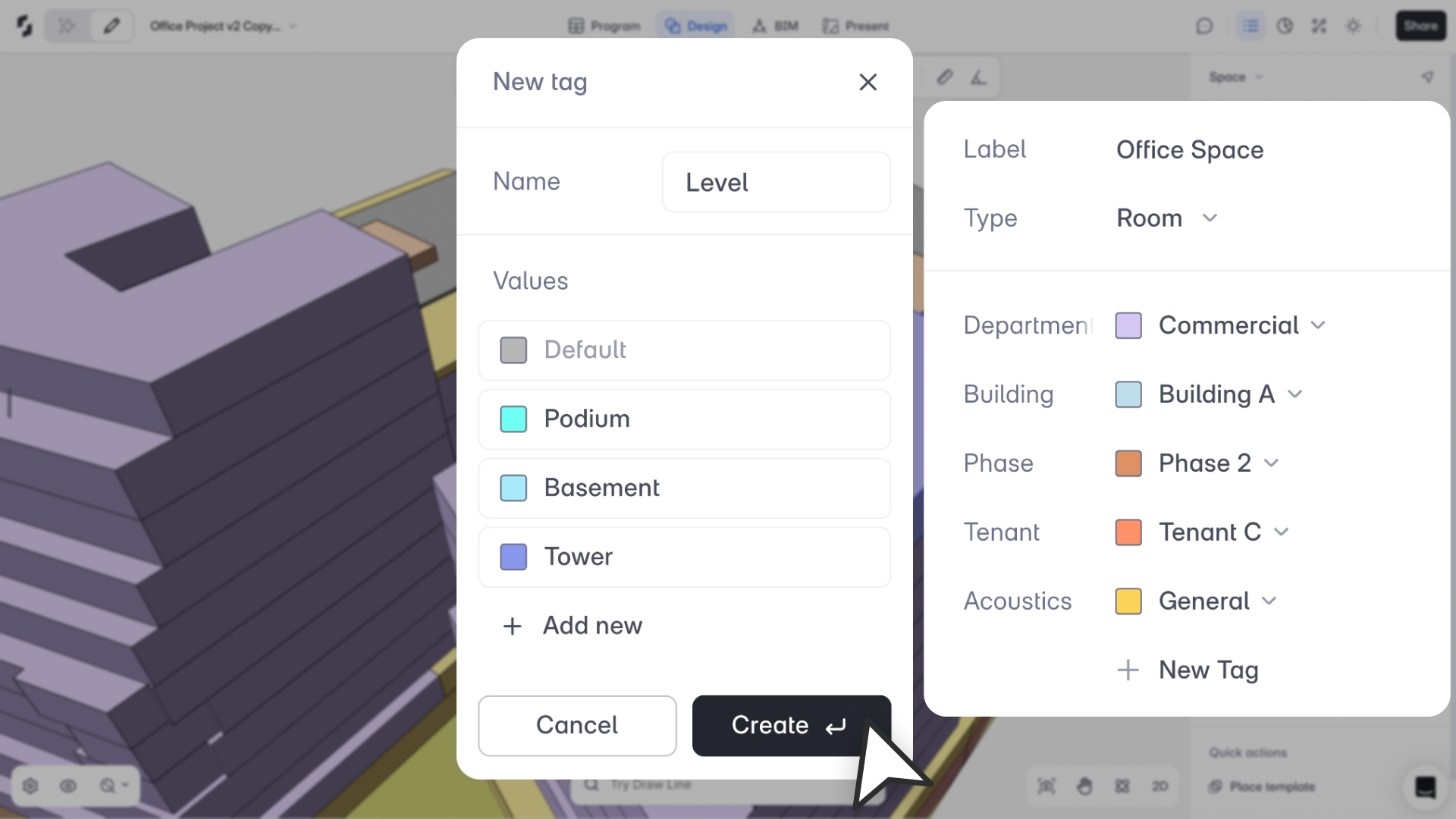
You can now create custom Tag Categories to organize spaces across as many dimensions as your project needs. Department, Building, Phase, Specialty, or anything else that matters to how your team works.
Each space gets one tag per category. Department is one tag category among many, so you're not limited to a single hierarchy. Tags stay consistent across Design Mode, Program Mode, and the Area Panel.
Net / Gross / Excluded: Explicit and Editable
Every space has an Area Type you can see and edit directly from the Properties Panel or Program Mode: Net, Gross, or Excluded. Space Types give you sensible defaults, but your overrides always take priority.
Planning blocks, rooms, and non-program areas can sit in the same model without the numbers getting confused.
Supporting Updates
In Program Mode, tag categories appear as custom columns and a new Area Type column (Column U) shows Net / Gross / Excluded at a glance. Department grouping works through Department tags.
In the Area Panel, you can view Excluded Area separately, sort by Tag Categories, Story, or Label, and filter by any tag or type. Totals always reflect your explicit area settings.
Known Limitations
Tags currently apply only to Spaces. You can read tags in Program Mode, but editing, creating, or assigning tags from Program Mode isn't supported yet. Advanced tag analytics and tag-based color modes are coming in a future release.