January 29, 2026
3.44.0
Adjacency Diagrams in AI Panel
“Adjacency is a design decision; bringing adjacency diagrams into the AI flow helps architects validate spatial logic the moment a program comes together.”
– Shamanth Thenkan, Product Specialist
What’s New
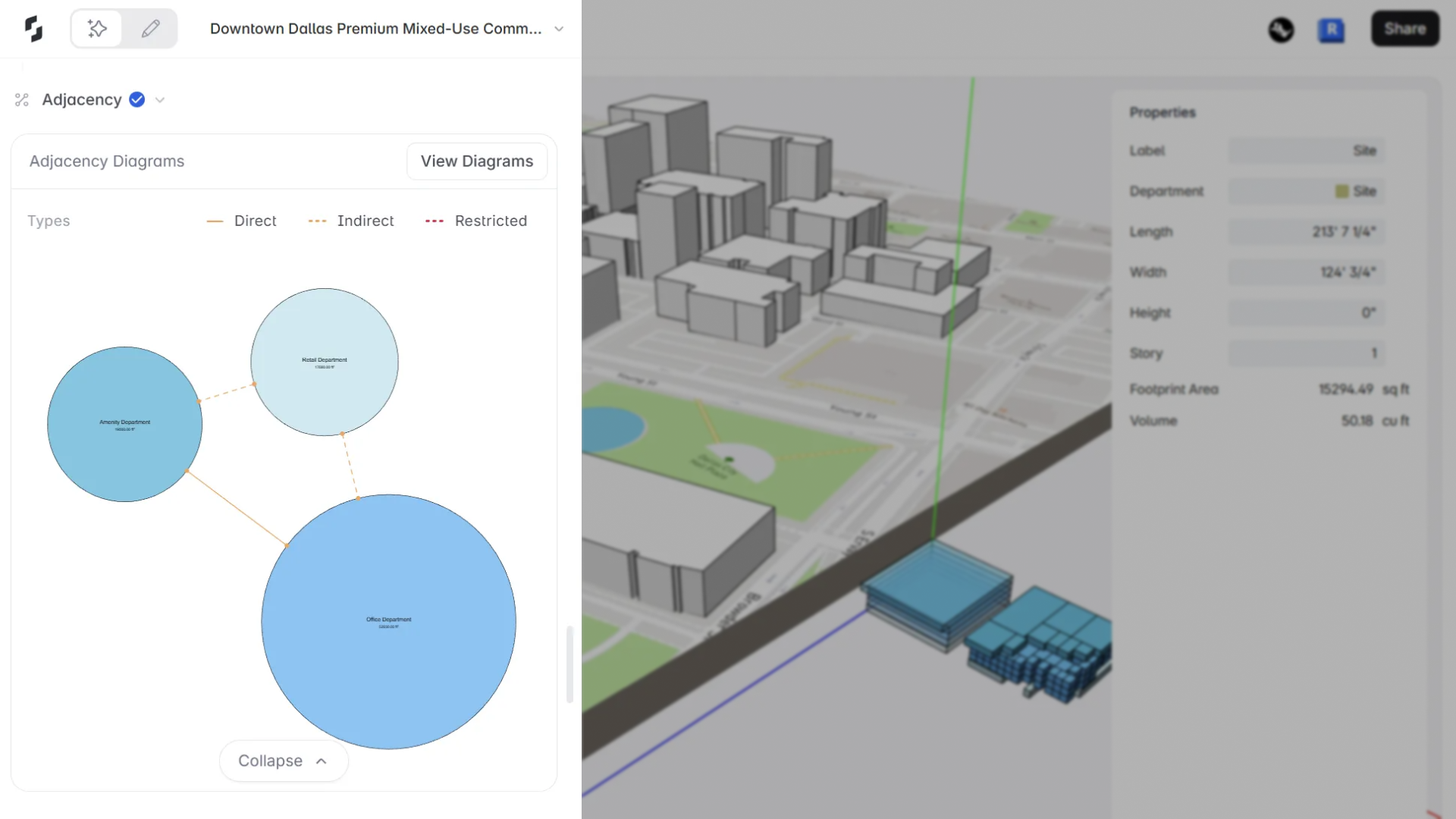
Snaptrude now generates Department Adjacency Diagrams directly inside the AI Stack flow. As your program is created, department relationships are automatically computed and visualized, giving you instant clarity on how spaces should connect, before you ever reach the canvas.
This extends Auto Adjacency Diagrams from Present Mode into AI Mode, making adjacency planning a first-class part of AI-driven project setup.
Key Highlights
Automatic Adjacency Computation
- Department adjacencies are computed automatically once the AI finalizes your program.
- Runs in parallel with space generation.
- Identifies Direct, Indirect, and Restricted relationships.
Live Adjacency Diagram Preview
- A bubble diagram appears in the AI panel after Vertical Planning.
- Departments are sized by area with color-coded adjacency lines.
- Click View Diagram to open it in Present Mode for deeper review.
Clear AI Reasoning
- The AI explains why departments are connected, using readable, human-friendly reasoning instead of technical IDs.
Seamless Present Mode Handoff
- Open the diagram in Present Mode to annotate, export, or include it in presentations.
How It Fits into the Workflow
- Start a project using the AI Stack
- AI generates the program and departments
- Adjacencies compute automatically in the background
- After Vertical Planning, the diagram and reasoning appear in the AI panel
- Open the diagram in Present Mode for inspection or sharing
- Jump back into AI mode to continue the stream
This update brings adjacency planning into the moment of creation, helping you validate spatial logic earlier, and design with more confidence from the very first AI pass.