December 24, 2025
3.41.0
Area Panel Filters
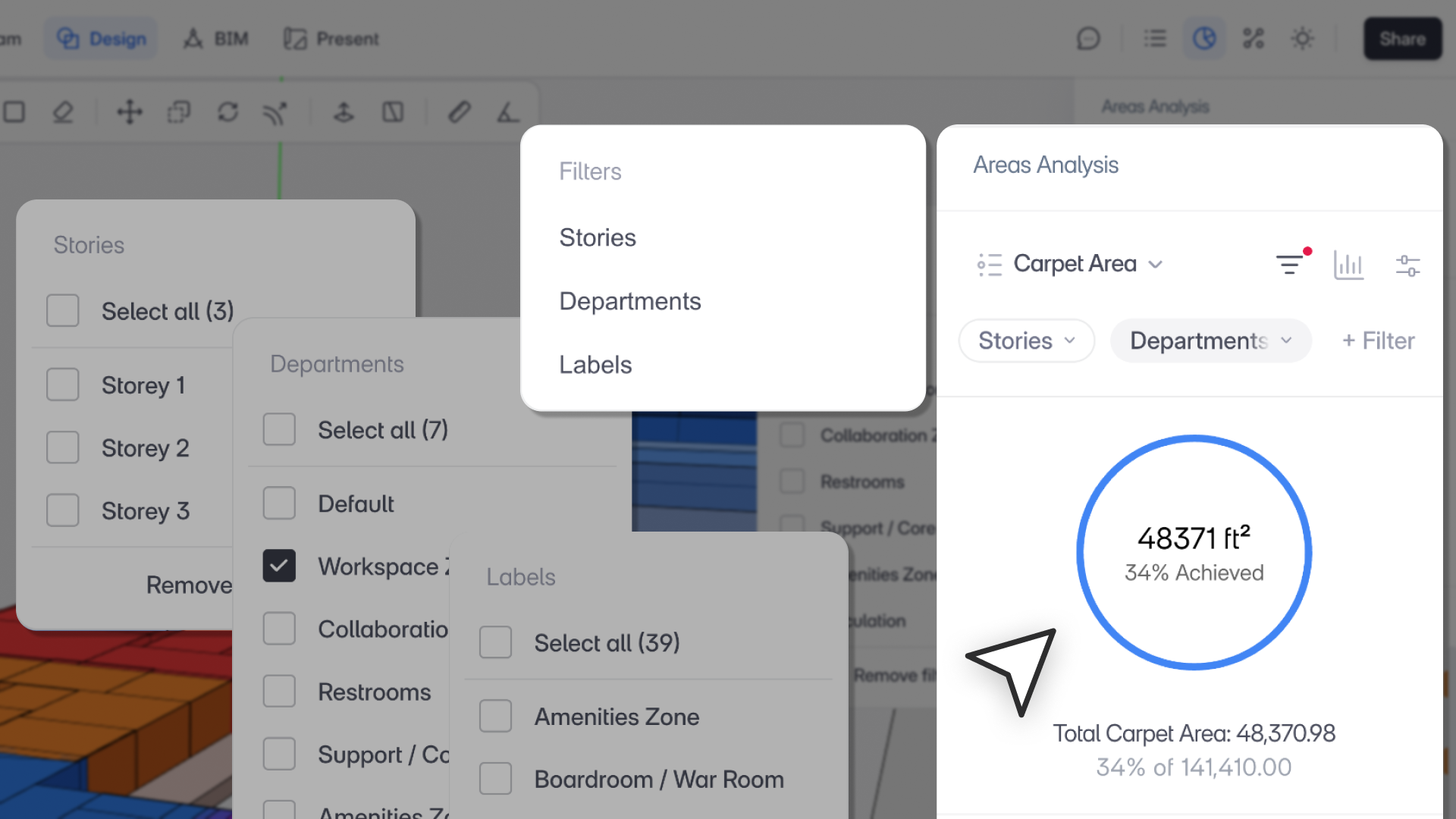
“Area Panel Filters give teams confidence in their numbers by cutting through visual noise and eliminating double counts. It’s about seeing the right areas at the right level, without workarounds.”
– Aman Jain, Product Specialist
What’s New
The Area Panel now includes advanced filtering to help you focus on the areas that matter, avoid double-counting from overlapping geometry, and analyze projects by department, story, or label with clarity.
Key Highlights
- Flexible Filters
- Filter areas by Department, Story, and Label
- Supports single- and multi-select
- Filters apply consistently to rows, group rollups, and total area values
- Active filters appear as removable chips for quick adjustments
- Cleaner Area Totals
- Exclude overlapping or non-counting geometry (envelopes, planning blocks, roads, pools, gardens)
- Prevents duplicated area calculations in complex models
- Story-Level Isolation
- Review and validate areas one story at a time
- Combine story filters with department and label filters for precise analysis
- Predictable Defaults & Behavior
- No filters applied by default
- Existing projects open with:
- View: Carpet Area
- Sort: Label
- Filter: None
- Filters are user- and browser-specific
- Deleted departments, stories, or labels are automatically removed from active filters