December 18, 2025
3.40.2
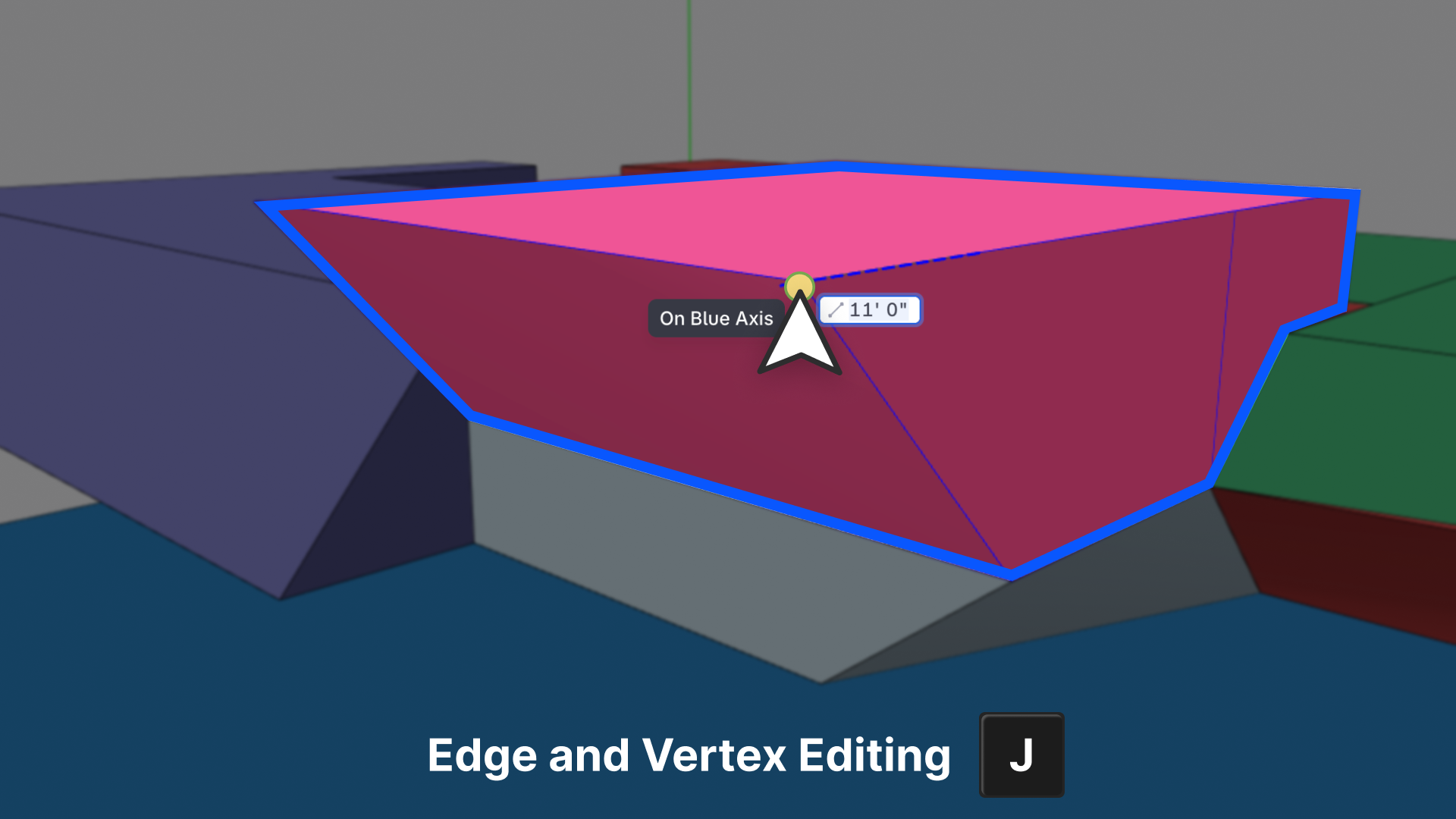
3D Edge & Vertex Editing (Press J)
What’s New
Snaptrude now allows explicit 3D Edge & Vertex Editing, giving you finer geometric control directly in 3D using the J key.
When editing geometry in 3D, you can now switch from face-based editing to edge or vertex editing by pressing J, unlocking precise adjustments that were previously unavailable through direct interaction.
This makes advanced 3D edits fast, intentional, and easy to access—without cluttering the interface.
Why This Matters
Most early-stage modeling relies on face-level edits for speed and simplicity. But as designs evolve, architects often need localized control, to fine-tune corners, edges, and junctions without reshaping entire faces.
With this update, you can:
- Make precise geometric adjustments directly in 3D
- Access edge and vertex controls on demand
- Maintain the speed of face-first editing, while unlocking deeper control when needed
How It Works
- Hover near an edge or vertex in 3D Edit mode
- Press
Jto enter Edge / Vertex Editing - Adjust geometry with precision
- Continue face editing seamlessly when you’re done
Key behavior notes:
- ✅ Available only in 3D Edit mode
- ✅ Face editing remains the default
- ✅ Edge/vertex editing is explicitly activated via
J - ❌ No impact on 2D workflows
What This Unlocks
- Fine-grained 3D control without mode switching
- Cleaner geometry edits in complex forms
- Faster iteration during form refinement
- A more complete 3D editing toolkit inside Snaptrude