3.39.0
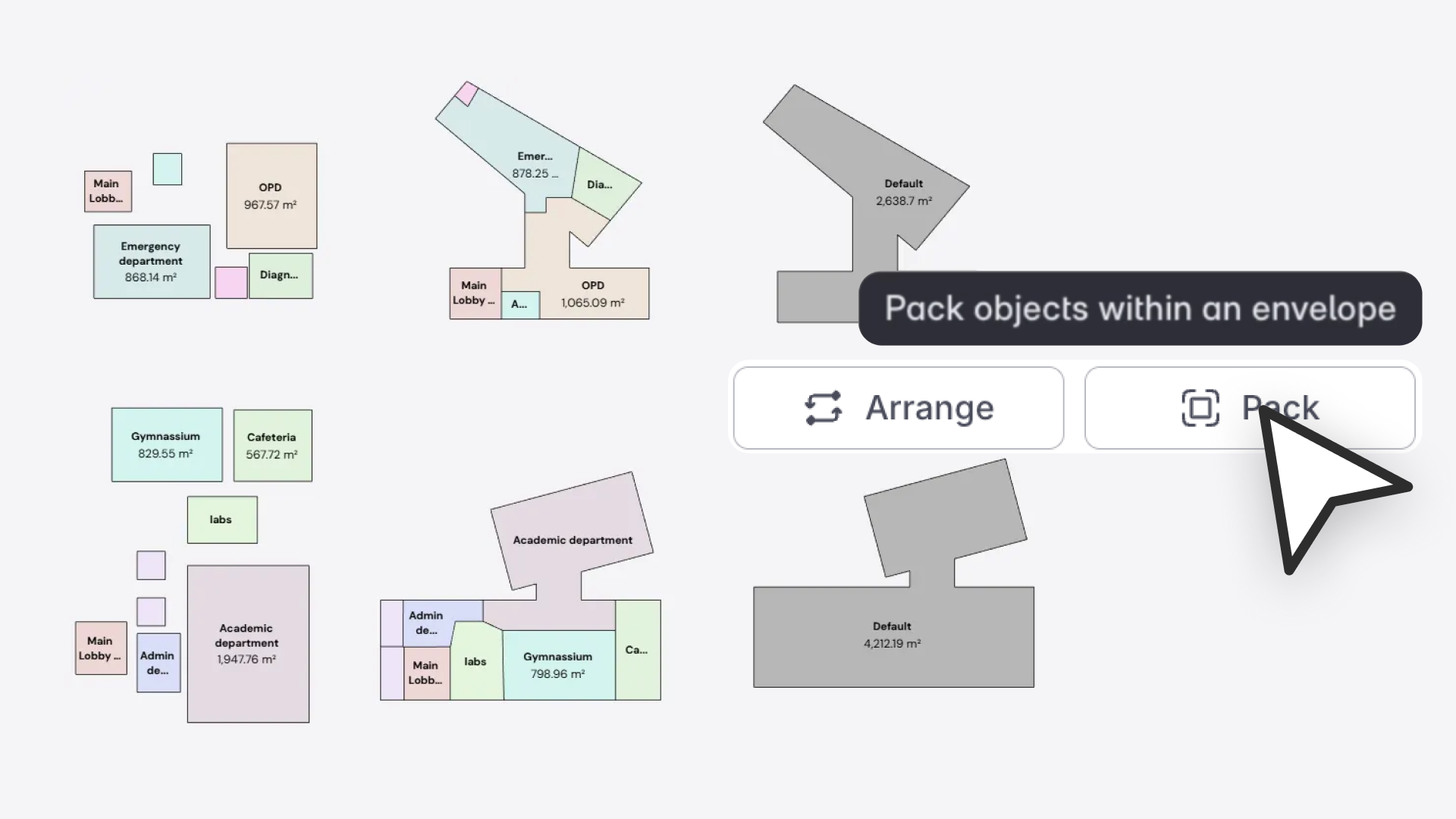
“Pack in Envelope helps architects go from program to layout in seconds—by arranging or packing spaces directly inside a chosen footprint. It’s the fastest way to test fit studies and validate adjacencies early in design.”
— Sai Dileep Dunna, Product Analyst
What’s New
Snaptrude now lets you arrange and pack spaces or departments directly inside a selected envelope, giving architects a rapid way to generate layout options that respect both adjacencies and building footprints.
Instead of manually placing dozens of spaces, you can now:
- Arrange objects neatly inside an envelope while keeping adjacency logic intact
- Pack objects into a footprint by morphing shapes with minimal area deviation
- Generate instant early layouts that fit your envelope geometry
This is a major speed boost for test fits, early blocking, feasibility studies, and massing-to-layout workflows.
Why This Matters
- Instant test-fit layouts inside any building footprint
- Faster adjacency-driven design (no manual dragging or alignment)
- Better early design decisions using quick iterations
- Supports both space planning and department-level layouts
Whether starting with a site mass, a department block, or a program bubble, you can now quickly see how it fits inside your chosen envelope.
Key Features
1. Arrange in Envelope
Automatically positions spaces or departments inside a selected envelope while respecting adjacency lines.
- Works on 2+ selected objects
- Automatically computes adjacencies if not precomputed
- Option to Skip Envelope and arrange normally
- Supports space and department envelopes
- Found in Object Properties → Arrange
Limitations
- Max 20 objects
- Only rectilinear envelopes supported
2. Pack in Envelope
Packs spaces/departments tightly into an envelope by morphing shapes while keeping areas within ±5% tolerance.
- Computes adjacencies automatically
- Option to Skip Envelope to pack freely
- Shapes adapt organically to fill available area
- Works with rectilinear envelopes
- Found in Object Properties → Pack
Limitations
- Only rectilinear envelopes
- Shapes may become non-orthogonal/zig-zag
- ~80% adjacency resolution (remaining may need manual edit)
- Instance objects become unique upon packing