November 18, 2025
3.37.0
View Styles
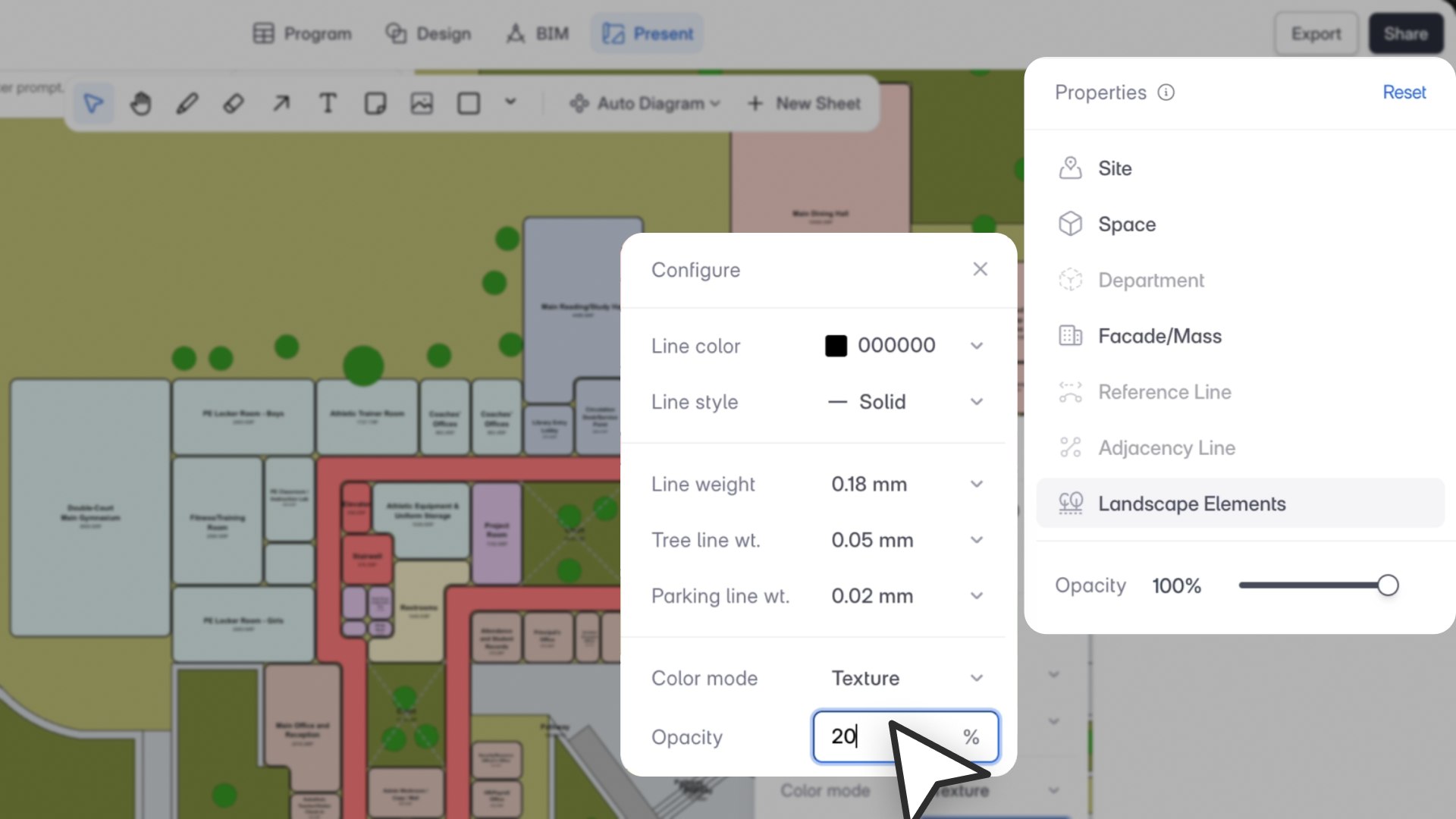
“View Settings give architects precise graphic control right inside Snaptrude so you can present cleaner plans, clearer diagrams, and stronger design narratives without relying on external illustration tools.”
– Aman Jain, Product Specialist
What’s New
Introducing View Settings in Present Mode, allowing you to customize the graphic style of any plan view or auto-diagram. Control line weights, colors, fill styles, and cut/projection graphics (directly per view), so every sheet matches your presentation style.
This brings far greater clarity to diagrams, improves export fidelity, and reduces the need for Illustrator or Photoshop during presentations.
Key Features
- Per-View Graphic Overrides: Customize the look of each SVG-based view independently without affecting others.
- Line Style Controls: Adjust color, weight, type (solid, dashed, dotted, etc.), and separate cut vs. projection line graphics for added clarity.
- Fill Style Controls: Choose between Monochrome, Texture, or Department Colors, with adjustable opacity.
- Seven Editable Categories: Style Sites, Spaces, Departments, Facades/Masses, Reference Lines, Adjacency Lines, and Landscape Elements individually.
- Cut-Plane Awareness: Plans automatically differentiate objects above and below the 6ft/1800mm cut plane, giving you BIM-quality clarity in presentations.
- Fully Export Ready: All custom styling is preserved in PDF, PNG, and JPG exports.
Why This Matters
- Produce cleaner, more branded presentation graphics directly in Snaptrude.
- Reduce reliance on external tools for linework and style adjustments.
- Make diagrams easier to read for clients and stakeholders.
- Maintain style consistency across sheets and modes while retaining flexibility per view.