3.35.0
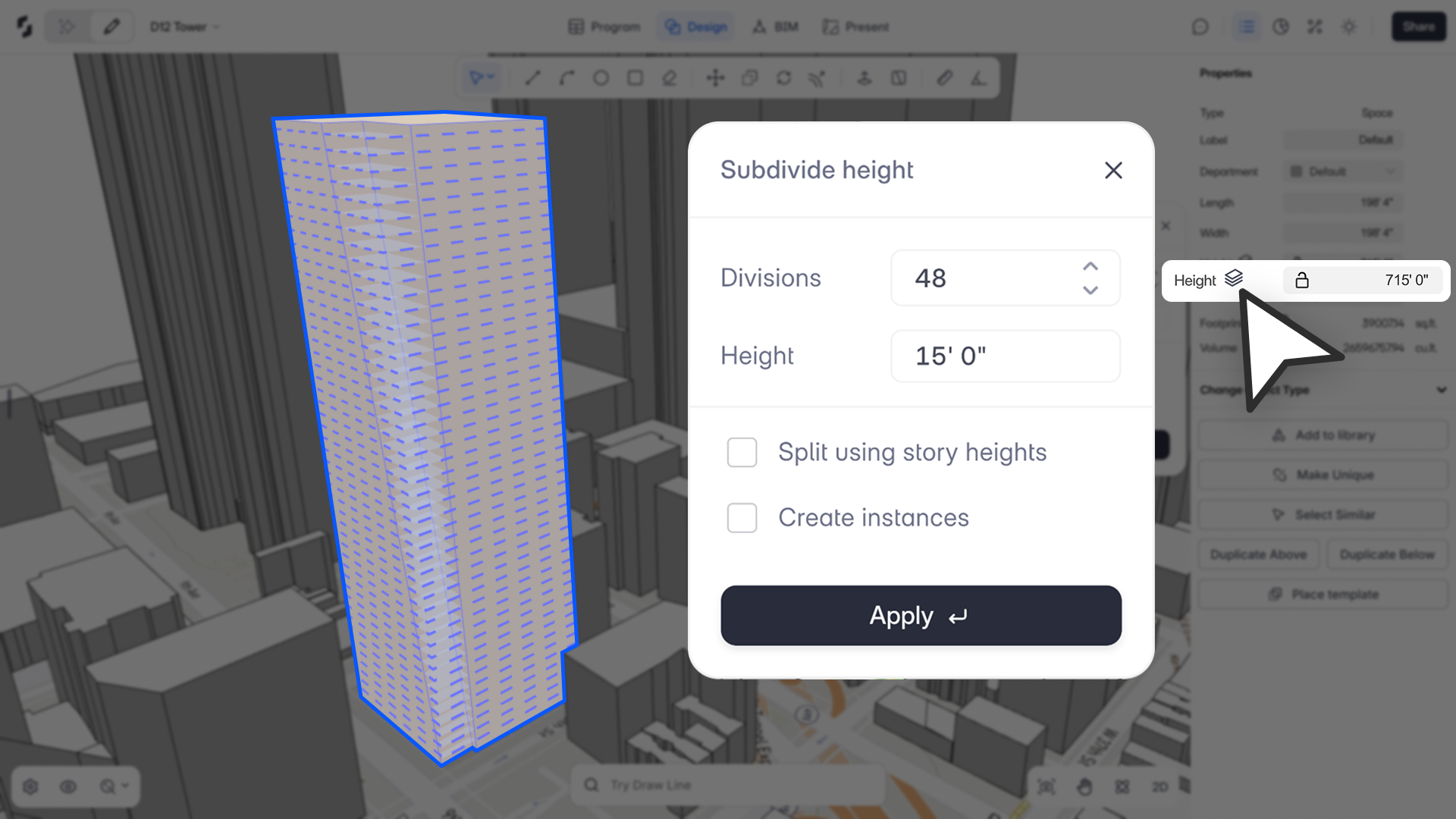
“Split Volumes brings a true form-first workflow to Snaptrude, letting you sculpt a mass once and explore endless story configurations without redrawing.”
– Spoorthi Narayan, Product Specialist
What’s New
The new Split Volume feature allows you to subdivide any massing object horizontally into multiple volumes by height, division count, or existing story heights. This enables a natural, envelope-first design workflow where you can shape a building mass and later define stories, stacking, and logic without reconstructing geometry.
With Split Volumes, architects can finally work the way they sketch: shape → test story logic → iterate freely.
Why We Built This
Early-stage design is often form-led, not story-led. Across firms, designers frequently:
- Model a single envelope first
- Only then decide how many stories it should contain
- Experiment with different story heights, floor counts, and instancing patterns
- Adjust proportions without having to redraw the mass each time
Until now, Snaptrude required configuring stories before stacking volumes, breaking this natural workflow.
Split Volume restores the “mass first, stories later” process, bridging conceptual massing with precise architectural logic.
Core Capabilities
1. Split by Height
- Enter a height to slice the mass into story-like volumes.
- Residual height becomes a unique top slice.
- Minimum supported height: ⅛”.
- Instance or unique slices supported.
2. Split by Count
- Divide a mass into N equal slices (fractional heights allowed).
- Max divisions:
- 300 with instances
- 100 without instances
- Inputs beyond limits auto-correct with a tooltip.
3. Split by Existing Story Heights
- Uses the project’s configured story heights (equal or unequal).
- “Split by Story” toggle off by default.
- Instancing automatically disabled if story heights vary.
- Auto-association rules determine which slice maps to which story.
Additional Rules
- “Split other instances” is ON by default.
- Supports spaces and departments.
- Negative stories are supported.
- If instances have different base levels → slices become unique.
- Preview shows real-time results; geometry is committed on Apply.
- Fully undo/redo compatible.