November 12, 2025
3.34.2
Move Auto-generated Diagrams
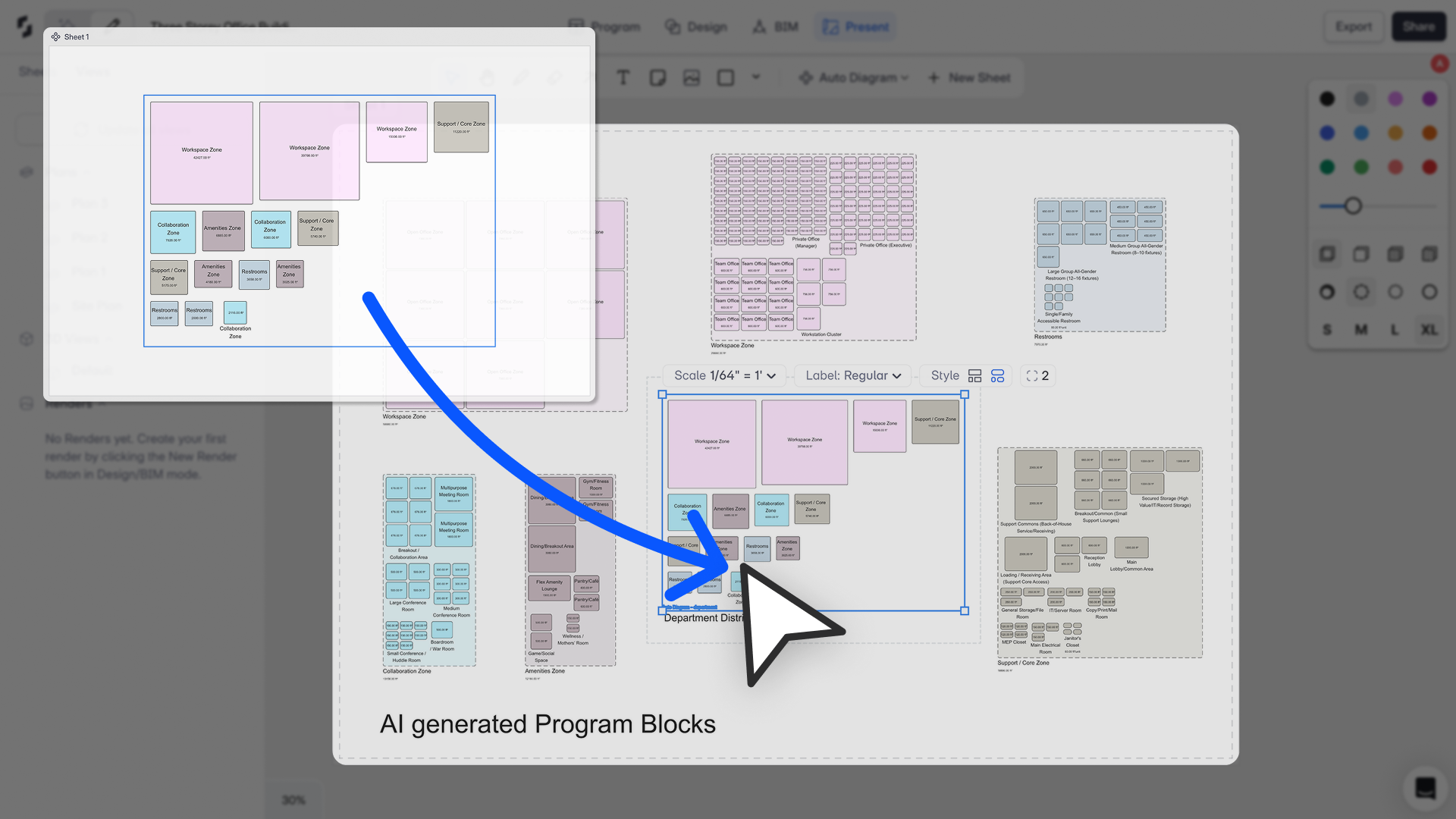
“This update gives users full control over presentation layouts. Auto-generated diagrams in Present mode can now be moved and easily arranged to help you tell a better story.”
– Shamanth Thenkan, Product Specialist
What’s New
You can now move auto-generated diagrams out of their diagram set, giving you full freedom to rearrange, scale, and customize layout compositions directly inside Present Mode.
This makes it easy to organize program diagrams and department layouts into any presentation flow- tailored to clients, internal reviews, or design narratives without being locked into the default auto-arranged grid.
How It Works
- Drag department layouts anywhere on the sheet
- Scale diagrams freely to fit custom compositions
- Reorder and restructure layouts to craft your own visual hierarchy
- Build polished presentation sheets without needing external tools
Once a diagram block is moved outside the auto-diagram set, it becomes a fully editable, independent layout.
Limitations
Update All Viewsdoes not apply to diagrams moved out of the diagram set- We recognize the confusion this may cause and are exploring improvements.
- Moved diagrams cannot be updated with new program changes
- Workaround: Generate a new auto-diagram set for the latest program changes and use those updated blocks to replace outdated ones.