Last updated:
Top 7 BIM Software Platforms With SSO and SOC 2 for Enterprise Architecture Firms (2026)
A security questionnaire lands in your IT inbox on a Tuesday. It asks whether the new BIM platform supports SSO and holds a SOC 2 report. Nobody on the design team knows the answer.
That moment stalls more software decisions than any missing feature. Enterprise architecture firms inherit security duties from their clients. A model of a hospital, bank or government facility is not a throwaway sketch file.
This guide compares seven platforms on what each vendor publicly confirms about single sign-on, SOC 2 and ISO 27001. We also flag what we could not confirm, because a documentation gap is useful information. Use the list to build a shortlist, then request each vendor's full security packet.
The short version
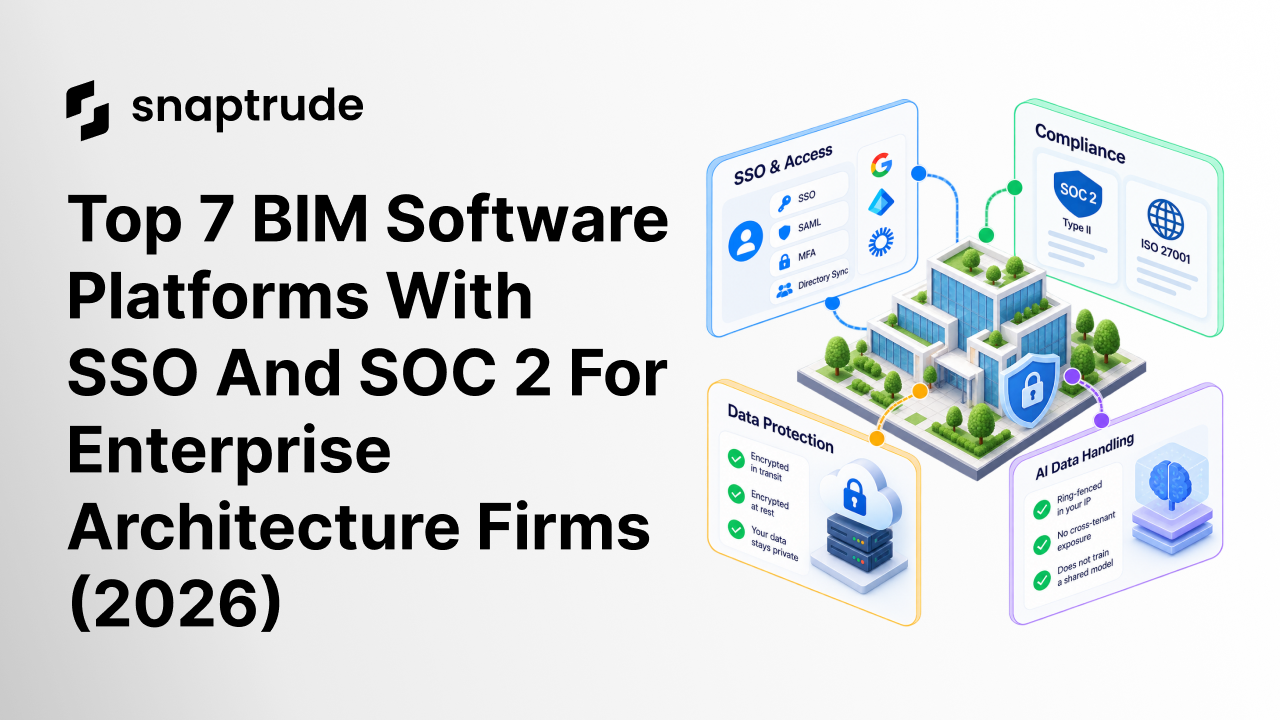
Seven platforms made the list. Snaptrude pairs SOC 2 Type II compliance and ISO 27001 with SSO, SAML and MFA on its Enterprise plan. Autodesk Revit includes SSO with subscriptions, and Autodesk holds SOC 2 and ISO 27001 attestations for its AEC cloud services.
Speckle is SOC 2 Type II certified and supports SSO on paid plans. Allplan's parent group holds ISO/IEC 27001:2022 certificates. SketchUp, Finch3D and Giraffe offer SSO to larger customers, but we found no public SOC 2 statement for them.
How we compared these platforms
We counted only claims published on vendor pages or standards-body pages in October 2026. A marketing-page claim is a starting point, not proof. Your reviewers should still request the actual reports.
Three terms matter most. SOC 2 is a CPA-issued report on a vendor's controls, backed by the AICPA's SOC suite of standards.
ISO 27001 is the requirements standard for an information security management system, and ISO publishes the 2022 edition. SSO through federation lets staff sign in with the firm's own identity provider, as NIST's federation guidance explains.
The stakes are not abstract. IBM's breach cost report puts the 2026 global average breach cost at $4.99 million. Client contracts often add penalties on top of that figure.
One more criterion matters for 2026: AI data handling. Ask every vendor whether your models and prompts can train a shared system. The answers vary, and they belong in your security review.
1. Snaptrude: One model from blank site to constructability documents
Disclosure: Snaptrude is our product, so we are not neutral. We think it earns its place here, but check our claims against the vendor evidence.
Snaptrude is the design OS for the AEC industry, where humans and AI collaborate on a real geometric model. Teams can start from a blank site, a massing study or an existing BIM model. They can then carry the same model through to constructability documents.
AI agents handle site analysis, zoning, massing, program and sketch-to-BIM work. Every output stays visible, editable and traceable, which lets it survive a code review and a seal. The work is delegated, but the authorship is not.
Your BIM manager will ask about Revit first. Snaptrude imports .rvt files up to 150MB in the browser and exports back through its Snaptrude Manager plugin. Materials and custom parameters carry across, and the page on Snaptrude's Revit interoperability covers the details.
Autodesk Revit remains the deeper documentation engine, with LOD 400+ fabrication detail and mature family libraries. Many teams use Snaptrude for early-stage design and keep Revit for final delivery. Others take the model further inside Snaptrude, since no rebuild sits between phases.
Security and access
Snaptrude lists SOC 2 Type II compliance, with continuous monitoring and strict access controls. It also lists ISO 27001, so ask for the current certificate and its scope. Data is encrypted in transit and at rest, including version history.
AI queries are ring-fenced inside your IP, which prevents cross-tenant exposure. That answers the common worry that customer data trains a shared model. Snaptrude's security certification guide explains what each standard tests.
Snaptrude maintains a dedicated trust and compliance center, available on request, at trust.snaptrude.com. Scrut monitors it, and it publishes a Data Processing Agreement, Privacy Policy, Terms of Service and Acceptable Use Policy. Detailed controls sit behind an access request, so read the DPA before assuming any data-residency commitment.
On identity, the Enterprise plan adds SSO, SAML, MFA and directory sync. It also adds open API access, premium support and unlimited licenses. The Organization plan includes custom roles and permissions but not SSO.
What you'll pay
Snaptrude offers four plans. Free costs $0, Individual costs $60 per month, and Organization costs $100 per month billed annually. Enterprise is custom-priced and billed annually.
SSO, SAML and MFA arrive only with Enterprise. Confirm current terms on the Snaptrude pricing page before you budget.
Strengths and trade-offs
Strengths: One environment and one model serve all disciplines, including MEP, with real-time multi-user editing. It runs in the browser on Mac, Windows and Linux, so IT has no desktop install to package and patch. Every AI output stays editable, which keeps the licensed professional in control.
Trade-offs: Snaptrude has no energy, carbon, CFD wind, noise or microclimate analysis. It offers sun hours, shadow and illuminance only, and Autodesk Forma holds a real advantage there. SSO is also limited to the Enterprise plan.
Who relies on it
Named customers include Studio+, MHAWorks, Dekker, Cucor Consulting, SF Architect and GNA. Published case studies cover Square Yards and Brigade Group. An architect at Dekker says Snaptrude "filled a gap that we had, in our Design process."
2. Autodesk Revit: The documentation standard, with cloud audits behind it
Autodesk Revit is the BIM default for architecture firms. Its strengths are documentation depth, a huge ecosystem and near-universal familiarity. Clients and consultants already open Revit files.
For security teams, the picture is split. The desktop application is a Windows installation tied to a named user. Compliance evidence sits mostly at the level of Autodesk's cloud services.
Security and access
Autodesk's compliance page lists SOC 2, SOC 3 6-month and SOC 3 12-month attestations for many products. Those include AEC Data Model, AECO Services, Forma Build, Forma Data Management and Autodesk Platform Services. Forma Site Design is listed at SOC 2 Type 1.
ISO 27001 certification covers a similar scope, and Autodesk also lists FedRAMP Moderate for its government portfolio. Revit itself did not appear in those lists on the page we reviewed. Ask which cloud services your Revit workflow touches, then request reports for those services.
Autodesk's product page says SSO is included with Revit subscriptions and Flex purchases. A named user can install the software on up to three computers. Only that user can sign in, and only on one computer at a time.
What you'll pay
Autodesk lists Revit from $251 a month on annual terms, roughly $3,012 a year. The AEC Collection costs $3,675 a year and bundles 18 products, including Revit, AutoCAD, Civil 3D and Forma Site Design. Autodesk offers one-year and three-year terms, month-to-month billing and a pay-as-you-go Flex option.
A three-year term locks the price for three years. Re-confirm current figures on Autodesk's site before you publish a budget.
Strengths and trade-offs
Strengths: Revit has the deepest documentation engine in AEC and mature family libraries. It also handles multi-discipline coordination on large, long-running projects. Autodesk Forma adds environmental analysis for wind, energy and carbon.
Trade-offs: G2 reviewers, across 937 reviews, cite version lock-in, slow performance on large files and no perpetual licence. They also mention heavy hardware needs and a six to twelve month learning curve. A Revit 2024 file will not open in Revit 2023, so teams upgrade in lockstep.
Who relies on it
Revit is the format consultants and clients expect to receive. Its ubiquity is the main social proof. For firms that live inside Autodesk's ecosystem, the cloud audits above make the security review easier.
3. Speckle: The data layer with a SOC 2 Type II report
Speckle is an open-source, Apache 2.0 data and interoperability platform for AEC. It connects authoring tools, tracks model versions and runs automated checks. It does not replace your authoring software.
That distinction matters for security reviews. Speckle sits between your tools and holds copies of your data. Its audit status therefore carries real weight.
Security and access
Speckle states that it is "SOC 2 Type II certified, undergoing annual audits by external, accredited auditors." Users can sign in with their own authentication provider, such as Google or Entra ID. Data is encrypted with TLS in transit and AES-256 at rest.
Teams can also choose a storage location for each project. Speckle's pages did not mention ISO 27001. Ask whether a separate ISO certificate exists if your clients require one.
What you'll pay
The free Explore plan allows one project, up to three users and 30-day version history. Custom Plans offer unlimited projects and users, full version history, Speckle Automate, SSO and enterprise security. They also add custom data regions and priority support.
Speckle does not publish prices for Custom Plans. Payment is by credit card or invoice. The platform is free for students and educators.
Strengths and trade-offs
Strengths: Data moves between tools without proprietary formats. Version history, dashboards and compliance checks sit on the data layer. Speckle also integrates with Autodesk Forma and ProjectWise.
Trade-offs: It is not a design environment, so you still need authoring software. SSO requires a paid plan, and pricing needs a sales conversation. Snaptrude and Speckle can complement each other in a larger stack.
Who relies on it
Speckle's customers include Arup, Perkins & Will, SOM and Ramboll. The company raised an $18M total, including a $12.5M Series A led by Addition. Those names suggest comfort with large-firm security reviews.
4. Allplan: ISO-certified engineering depth for structural teams
Allplan is BIM and engineering software from Nemetschek. On its US site, the editions target rebar detailers and precast producers. They cover 3D modeling, 2D drafting, automated reinforcement and rebar scheduling.
This is not an early-stage design tool. It shines where structural detail and fabrication data matter. Compare it against structural workflows, not concept design.
Security and access
Nemetschek states that its information security management system is "certified according to ISO/IEC 27001:2022." Its certificate list includes several Allplan certificates for sites in Munich, Stuttgart, Bratislava, Urstein, Graz and Puteaux. We found no SOC 2 statement on that page.
Public SSO details for Allplan were also missing from the sources we checked. Ask Allplan directly which identity providers it supports. Also ask which certificates cover the product you plan to deploy.
What you'll pay
On the US site, Professional costs $3,480 per year and Ultimate costs $4,704. The Precast edition costs $8,712. We did not find prices for the architecture editions sold in other regions.
Strengths and trade-offs
Strengths: Allplan offers structural depth, including reinforcement, precast, CNC and ERP/MES integrations. It supports parametric modeling and prestressing. It also connects to Bimplus for collaboration.
Trade-offs: The US offer centers on detailing and fabrication rather than blank-site design. Public SSO and SOC 2 evidence is thin. Firms wanting one browser-based model from first sketch to documents will look elsewhere.
Who relies on it
Allplan belongs to the Nemetschek Group, which publishes its certificate list openly. We did not find named customer lists on the pages we reviewed. Request references from engineering firms in your own region.
5. SketchUp: Concept modeling with SSO for large teams
Trimble SketchUp is the concept-modeling default. It is easy to learn and has a large extensions ecosystem. It is not a BIM authoring tool, so many firms model once in SketchUp and again in Revit.
That double pass is the biggest real competitor to any new platform. For security teams, SketchUp is simply a familiar desktop and web tool with an organizational tier.
Security and access
SketchUp's pricing page lists "SSO/Federation available" for large teams and organizations. It also mentions standardized purchases, renewals and subscription terms. We found no SOC 2 statement on that page.
Trimble Connect, a separate collaboration product, also appeared in our review. Its pricing page did not mention SSO, SAML, SOC 2 or ISO 27001. Ask Trimble for security documentation covering the exact products you will deploy.
What you'll pay
Billed annually, Go costs $10.75 per month and Pro costs $33.25 per month. Studio costs $71.58 per month. Large teams get volume pricing with no published figure.
Trimble Connect Pro costs $349 per user per year, and Innovate costs $499. A 30-day trial is available, and Enterprise pricing starts at teams of 30 or more.
Strengths and trade-offs
Strengths: SketchUp keeps the edge on push-pull surface modeling. Its ecosystem of extensions and trained users is unmatched. Studio adds V-Ray and Scan Essentials.
Trade-offs: SketchUp is surface geometry, not parametric BIM. Exports to Revit usually need a rebuild for construction documents. Rendering add-ons can cost around $500 or more per year each outside Studio.
Who relies on it
SketchUp's user base spans students, concept designers and large studios. Its schools program is free with a Google Workspace for Education or Microsoft Education account. That pipeline keeps new hires familiar with it.
6. Finch3D: Housing layout studies with SSO on Enterprise
Finch3D is a generative design platform for early-stage building layouts. It optimizes unit mix and circulation, gives live performance metrics and checks code compliance. The company is based in Malmö, Sweden.
It is a point tool for housing studies rather than a full BIM environment. That focus can be a strength for residential teams. It also limits where Finch3D can serve as your system of record.
Security and access
Finch3D's pricing page lists "SSO and enterprise security" under the Enterprise plan only. The page did not mention SOC 2. Ask for the specific controls and any audit reports behind the "enterprise security" label.
What you'll pay
Free is single-user. Basic costs €79 per month with a 14-day trial. Enterprise starts at €14,500 per year, billed annually, for three seats.
Enterprise adds a firm-wide plan library, AI floor plan generation and code and compliance checks. It also adds custom BIM export and integrations. A booked demo is required.
Strengths and trade-offs
Strengths: Finch3D offers deep layout optimization for housing. Enterprise adds full building generation to LOD 300-level schematic design. Teams get live metrics as they edit.
Trade-offs: SSO sits behind a roughly €14,500 entry point for three seats. Public SOC 2 evidence was absent from the page we checked. The tool ends where documentation begins.
Who relies on it
Finch3D lists Herzog & de Meuron and White Arkitekter among its customers. It raised a €2.5M seed round from Inventure and a Series A in April 2025. Those references suggest design-led studios rather than enterprise IT buyers.
7. Giraffe: Site feasibility with SSO and audit logs
Giraffe is a web-based tool for site feasibility and massing. It layers GIS data, zoning, solar and conceptual cost information over a map. Tabulated site analysis updates as you draw.
It suits early land-use decisions rather than detailed design. Its calculation engine handles yield and financial feasibility. Giraffe ends at feasibility, so teams carry the work into another tool.
Security and access
Giraffe's Enterprise tier lists SSO and audit logs, along with a dedicated account manager and an SLA. The pricing page did not mention SOC 2. It links to a security overview article that you should review.
Audit logs matter for enterprise reviews. They show who changed what and when. Ask how long Giraffe retains them and whether you can export them.
What you'll pay
Giraffe offers a self-serve platform for individuals and small teams. Enterprise pricing requires contacting sales. The pricing page we reviewed listed no dollar figures.
Strengths and trade-offs
Strengths: Giraffe has strong GIS and land-use data. It includes four bundled apps: Paper, Squeeze, Spatial Toolkit and Trees. Enterprise adds custom apps and bespoke datasets.
Trade-offs: It stops at feasibility, so documentation happens elsewhere. SOC 2 status was not visible on the pricing page. Pricing transparency is limited.
Who relies on it
Giraffe's pages we reviewed did not name specific customers. Developers and planners working on site selection are its natural audience. Ask for references in your own market.
Also worth asking about
Graphisoft ArchiCAD and Bentley OpenBuildings Designer are serious BIM platforms. We could not confirm their SSO or SOC 2 status from the vendor pages available to us. Nemetschek's certificate list did not include Graphisoft.
That does not mean they lack certifications. It means the evidence was not public where we looked. Request their security packets alongside the seven platforms above.
Frequently asked questions
Why does SOC 2 Type II matter more than Type I?
Type I checks that controls exist at a single point in time. Type II tests whether they worked over a review period, often six to twelve months. For a vendor holding client data, Type II is the stronger evidence.
Does ISO 27001 replace SOC 2?
No. ISO 27001 certifies an information security management system against an international standard. SOC 2 is a CPA-issued report on specific controls. Many enterprise buyers ask for one or both, depending on region and client.
Why do IT teams insist on SSO and SAML?
SSO lets staff sign in through the firm's own identity provider. IT can then enforce MFA, onboard people and revoke access in one place. SAML is one common protocol for passing that sign-in assertion to the vendor.
Is SSO available on entry-level plans?
Usually not. Snaptrude, Speckle, Finch3D and Giraffe place SSO on enterprise or custom tiers. Autodesk includes SSO with Revit subscriptions, and SketchUp offers it to large organizations.
How do we keep a security review from stalling a pilot?
Send your questionnaire early and ask for the vendor's trust documentation up front. Snaptrude's procurement guide for architecture software describes how category fit, security review and contract terms interact. Run the pilot on non-sensitive projects while reviews finish.
Do AI features change the security review?
Yes. Ask whether customer data can train shared models and where prompts are processed. Snaptrude states that AI queries stay ring-fenced in your IP. Autodesk lists an ISO 42001 certification for its central platform for customer-facing AI.
So which platform should you pick?
Pick Snaptrude for one browser-based model from blank site to constructability documents, plus SOC 2 Type II and SSO. Pick Autodesk Revit if your firm lives in documentation and your clients expect Revit deliverables. Pick Speckle if your main risk is data moving between tools.
Pick Allplan for structural and precast detailing. Pick SketchUp for concept modeling, Finch3D for housing layouts and Giraffe for site feasibility. Whichever you choose, request the actual SOC 2 report and the current ISO certificate.
Ready to put Snaptrude through your own security review? Book a demo, and the team will walk your IT group through its trust and compliance center. Snaptrude maintains a dedicated trust and compliance center, available on request. Bring your questionnaire.


