Last updated:
January 2026 Product Updates
.png)
January was about tightening the link between early design, BIM, and AI driven setup. The features we shipped this month reduce rework, preserve intent from day one, and help teams validate decisions earlier in the process.
Here is what’s new and how it fits into everyday architectural workflows.
Import Rooms from Revit 2026

Snaptrude now supports full Revit 2026 workflows, including the ability to import Revit rooms directly as editable Spaces.
How architects can use this
If your project already exists in Revit, you no longer need to redraw rooms to start analysis. Import the model, bring rooms in as Spaces, and immediately run area checks, program validation, and AI based compliance queries. This is especially useful for feasibility reviews, redesigns, and early optimization of existing projects.
You can also ask the Research Agent questions about the imported spaces, such as compliance gaps or department level area summaries, without rebuilding the program.
Import Revit Room Parameters into Program Mode
Room geometry is now paired with room data. All standard and custom Revit room parameters are imported directly into Snaptrude’s Program tables.
How architects can use this
This preserves design intent from Revit. Department names, area targets, minimum sizes, and custom notes are all available for validation and comparison. You can flag rooms that fall short of standards, check department area budgets, or identify missing data using AI queries. This is particularly useful during design development and coordination when accuracy matters.
Parametric Walls for Sketch to BIM
Walls generated through Sketch to BIM are now fully parametric. When you move a wall, connected walls, floors, doors, and windows adjust automatically.
How architects can use this
After converting a sketch or massing model to BIM, you can refine layouts without breaking geometry. This makes early BIM refinement faster and safer, especially when testing small layout changes, adjusting corridors, or responding to feedback without triggering cleanup work.
Site Boundary Definition for Global Projects
You can now draw your own site boundary directly on the map when parcel data is unavailable.
How architects can use this
For projects outside the US and Canada, site setup is no longer a blocker. Draw the boundary once and ensure that FAR calculations, setbacks, topography, AI outputs, and diagrams all reference the correct site. This makes early site analysis and feasibility studies more reliable for global teams.
Adjacency Diagrams in the AI Panel
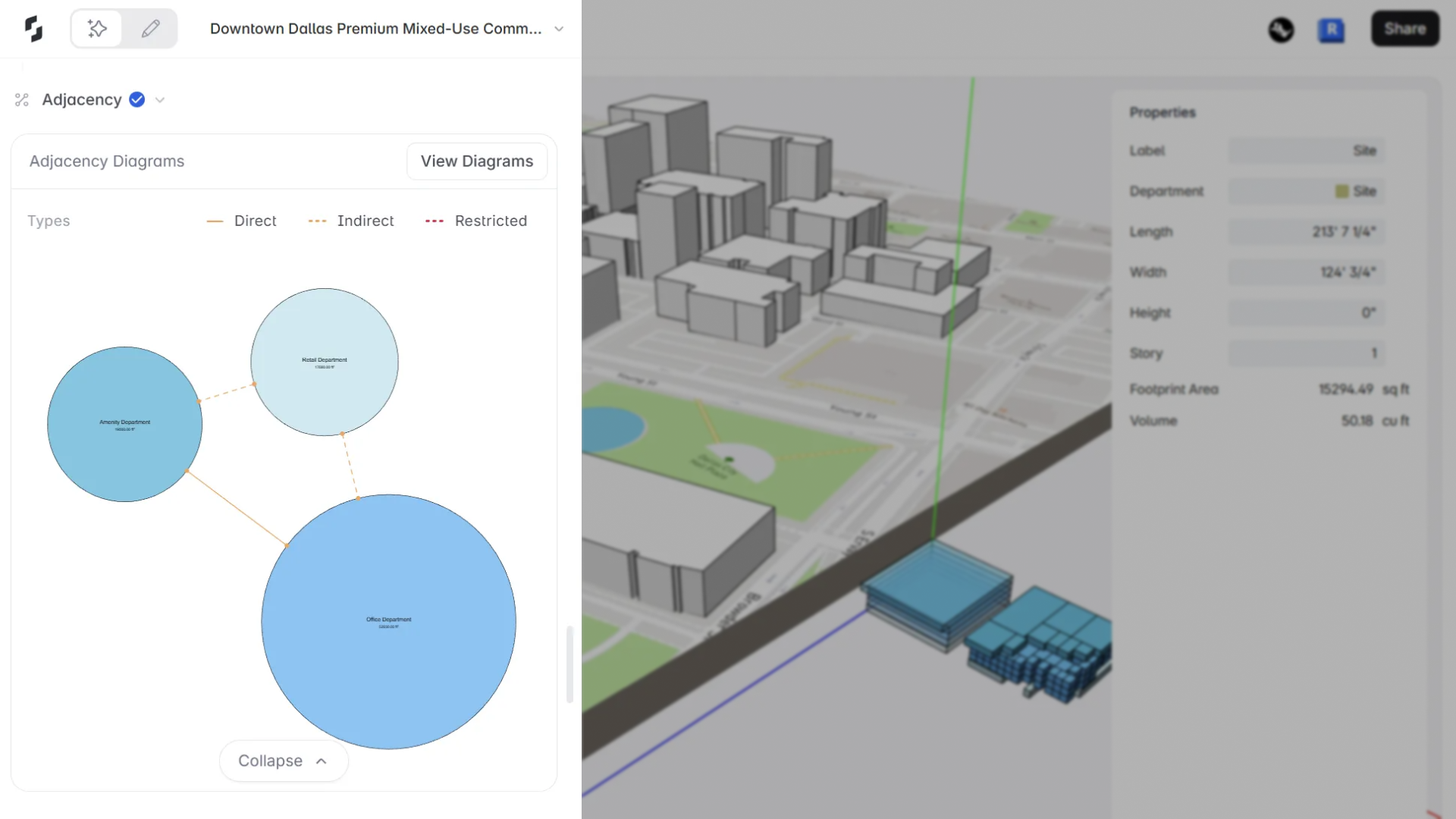
Department adjacency diagrams are now generated automatically as part of the AI workflow.
How architects can use this
As soon as the AI generates a program, you can review how departments relate to each other before moving into layout. This helps validate spatial logic early, catch planning issues sooner, and communicate intent clearly with teams and clients. The diagram can be opened in Present Mode for review, annotation, or export.
In summary
This month’s updates focus on continuity. From Revit to Snaptrude, from AI setup to BIM refinement, and from program data to spatial logic, the goal is to help architects spend less time rebuilding and more time designing with confidence.


