Last updated:
February 2026 Product Updates
.png)
February was about giving architects more control: over their firm's knowledge, over the AI design process, over how they see their model, and over the small repetitive actions that add up across a project day.
Here is what we shipped and how it fits into real workflows.
Knowledge: Query Your Firm's Documents and Past Projects
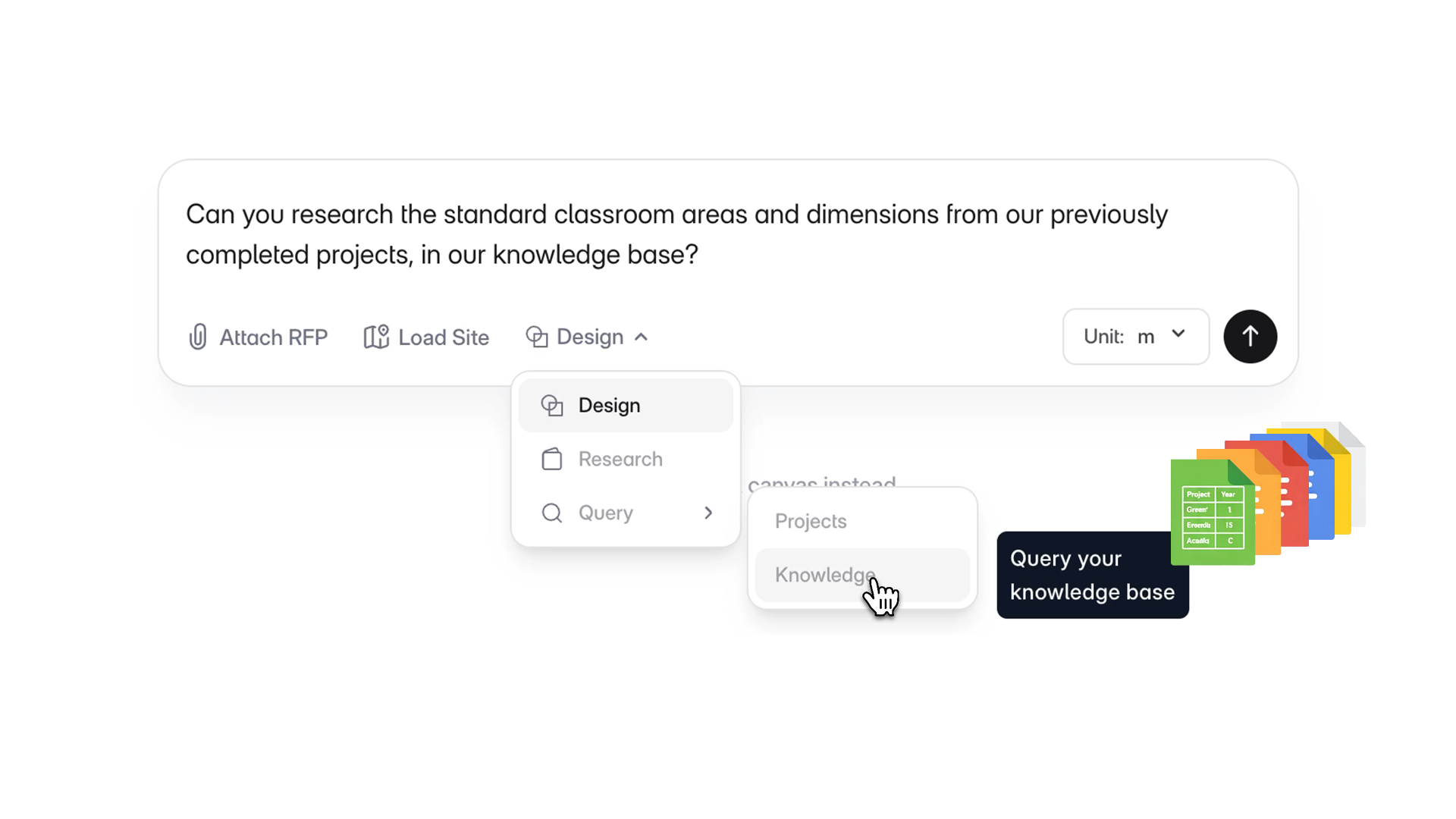
Your firm already has years of answers locked away in folders, past models, and shared drives. Knowledge makes that information accessible without leaving Snaptrude.
There are two parts to it.
Organization Knowledge lets admins connect external document sources, including Google Drive, Google Sheets, Dropbox, and Box, and query them using natural language through the Knowledge Query Agent. So if someone on your team needs to check a past specification, a design standard, or a client brief, they can ask for it directly instead of hunting through folders.
Project Query lets you query data from existing Snaptrude projects. You can ask questions across a single project or multiple projects at once, and get back structured tables or plain-language answers. Useful when you are trying to compare area programs, check how a past project handled a similar brief, or pull data you know exists somewhere but don't want to reopen everything to find.
How architects can use this
If your firm works on repeat building types, like healthcare, housing, or hospitality, you have probably solved the same problems many times over. Knowledge lets you query those past decisions directly. Ask the agent about department area standards from a previous project, pull specifications your team has used before, or check how a similar brief was structured. You stop recreating work you have already done.
Update Agents: Refine AI Designs Without Restarting
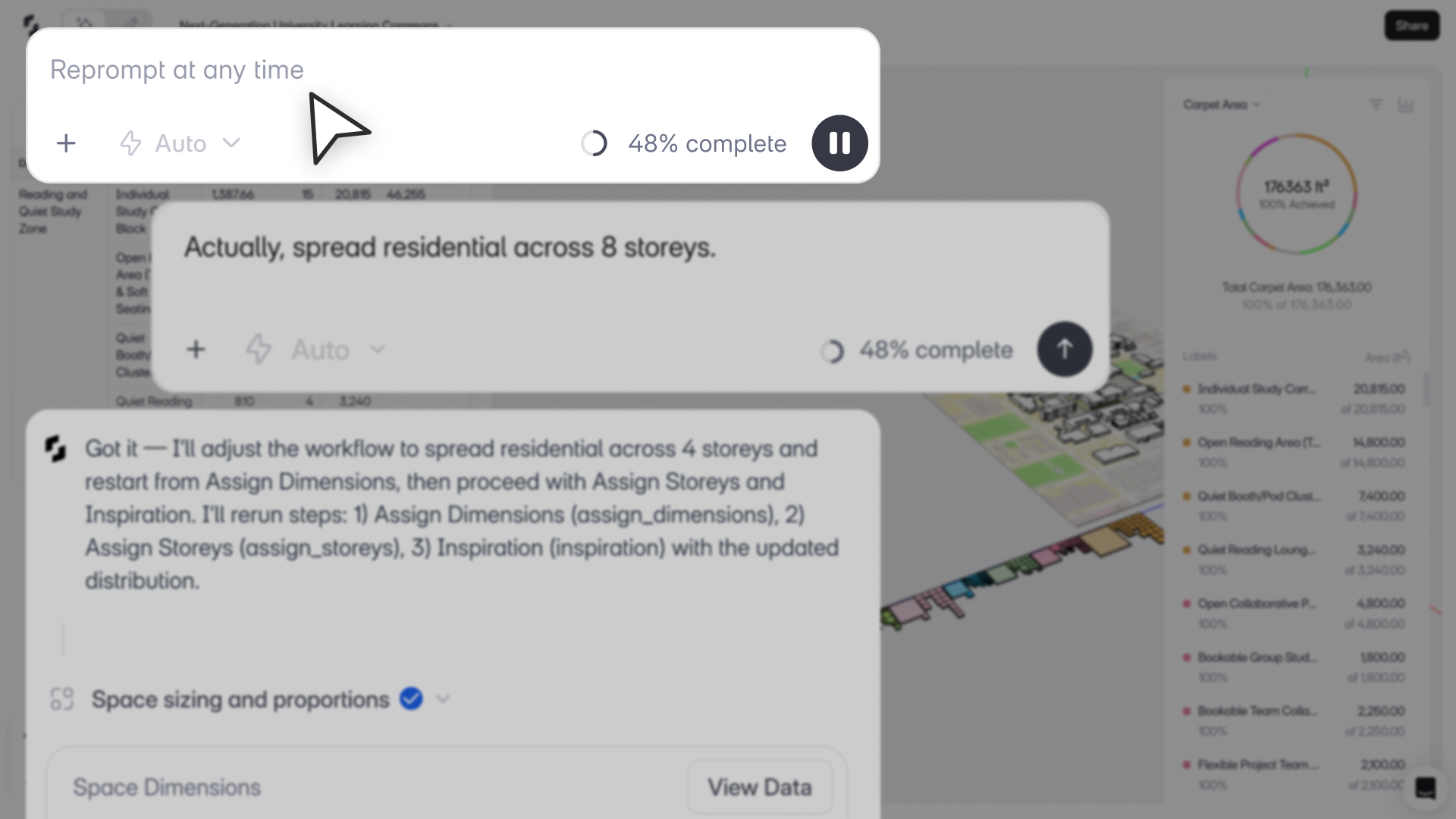
When the AI Stack generates a design, the old workflow required rerunning the entire stack if you wanted to change something. Update Agents fix that.
You can now send a follow-up prompt to adjust the program, change dimensions, or redistribute storeys, and Snaptrude updates only what needs to change while keeping everything else intact. The stack then continues forward automatically from the updated state.
How architects can use this
Say the AI generates a massing that looks right except the service areas are too large. Instead of starting over, you prompt: "Reduce service area and merge storage into it." Only that part updates. Everything else stays confirmed.
This makes the AI Stack genuinely iterative. You can refine mid-flow or after the stack completes. You build on what is already validated instead of rerunning from scratch every time a client changes their mind or you want to test a variation.
Configure Visibility Across Stories
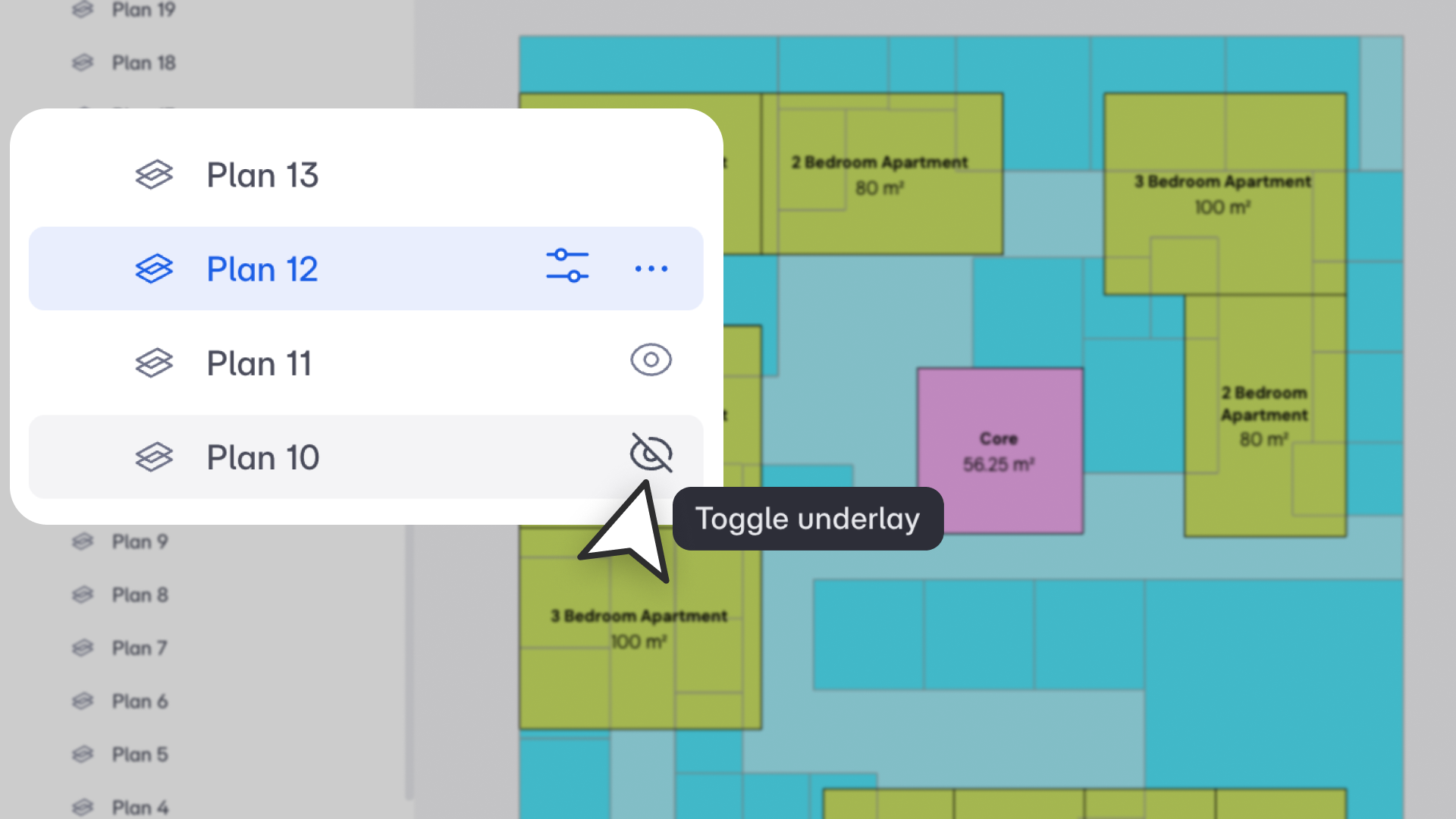
You can now view any floor as an underlay directly within your active plan. Turn on the floor below, the floor above, or multiple floors at once, and work against them without switching views.
Underlays are styled automatically so they're easy to read: the immediate lower story shows solid grey edges, upper stories appear as dashed lines, and different floors get distinct visual treatments so you always know which level you're looking at. You can snap to underlay objects the same way you would snap to anything else in the active story.
Settings save per view and carry through to Present Mode and exports. If a floor gets renamed or deleted, underlays update automatically.
How architects can use this
Vertical alignment is one of the things that tends to create rework later in a project. Checking that columns line up, that circulation stacks correctly, that a structural bay makes sense across floors: these are things architects do constantly, and they used to mean switching back and forth between views. Now you just turn on what you need and keep designing.
Quick 90-Degree Rotate with Spacebar
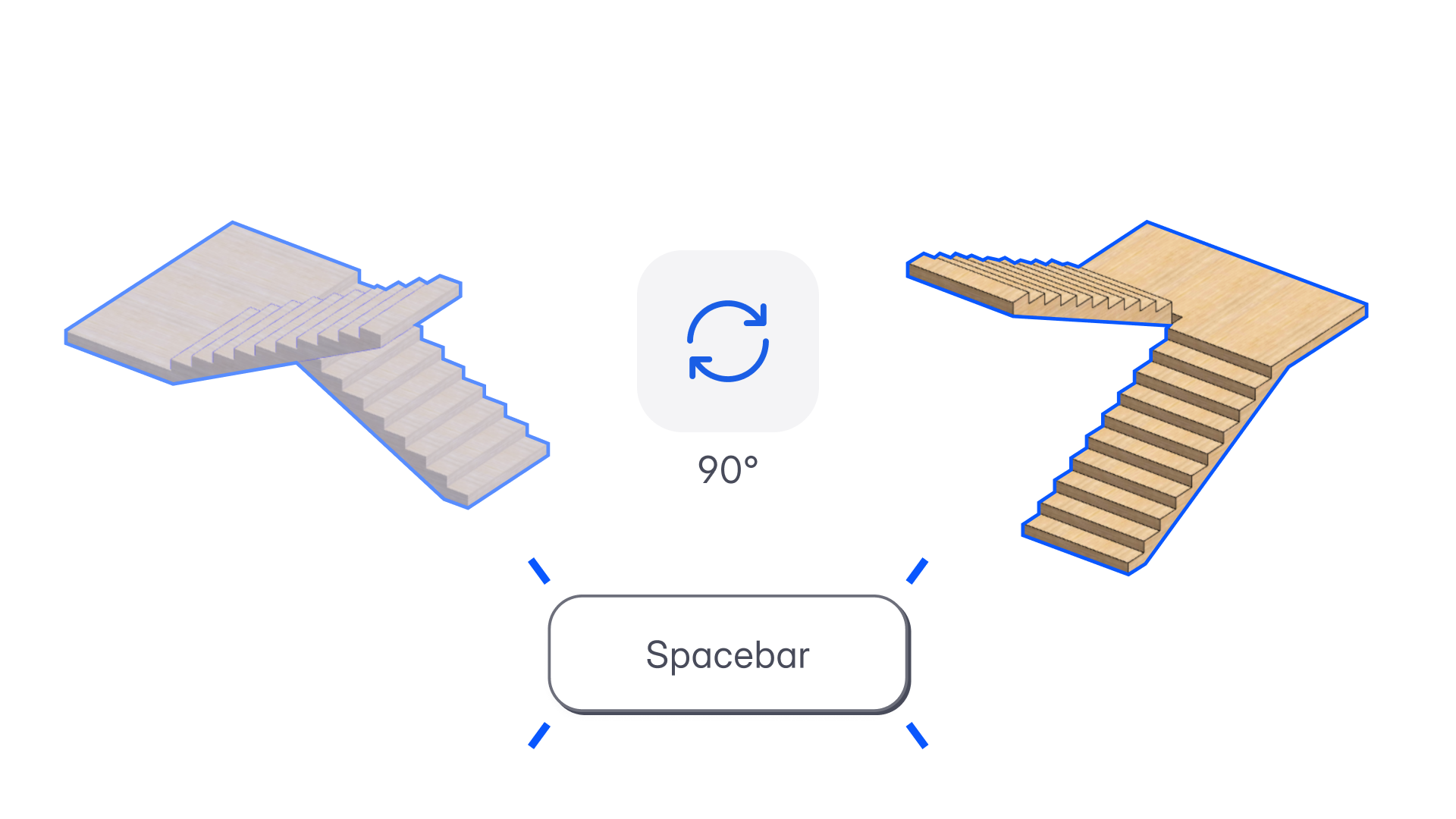
Press Spacebar to rotate any selected object 90 degrees clockwise. Works during placement and after selection, across spaces, BIM elements, imported files, groups, reference lines, and AI-generated objects.
Multiple selected objects rotate together around the bounding box centroid. Each rotation is a single undo step.
How architects can use this
It is a small change but it adds up. Orientation adjustments happen constantly in early planning, especially when testing layouts or placing program elements. Having a single consistent shortcut across every object type removes a friction point that used to require different steps depending on what you were working with.
Font Settings in Present Mode
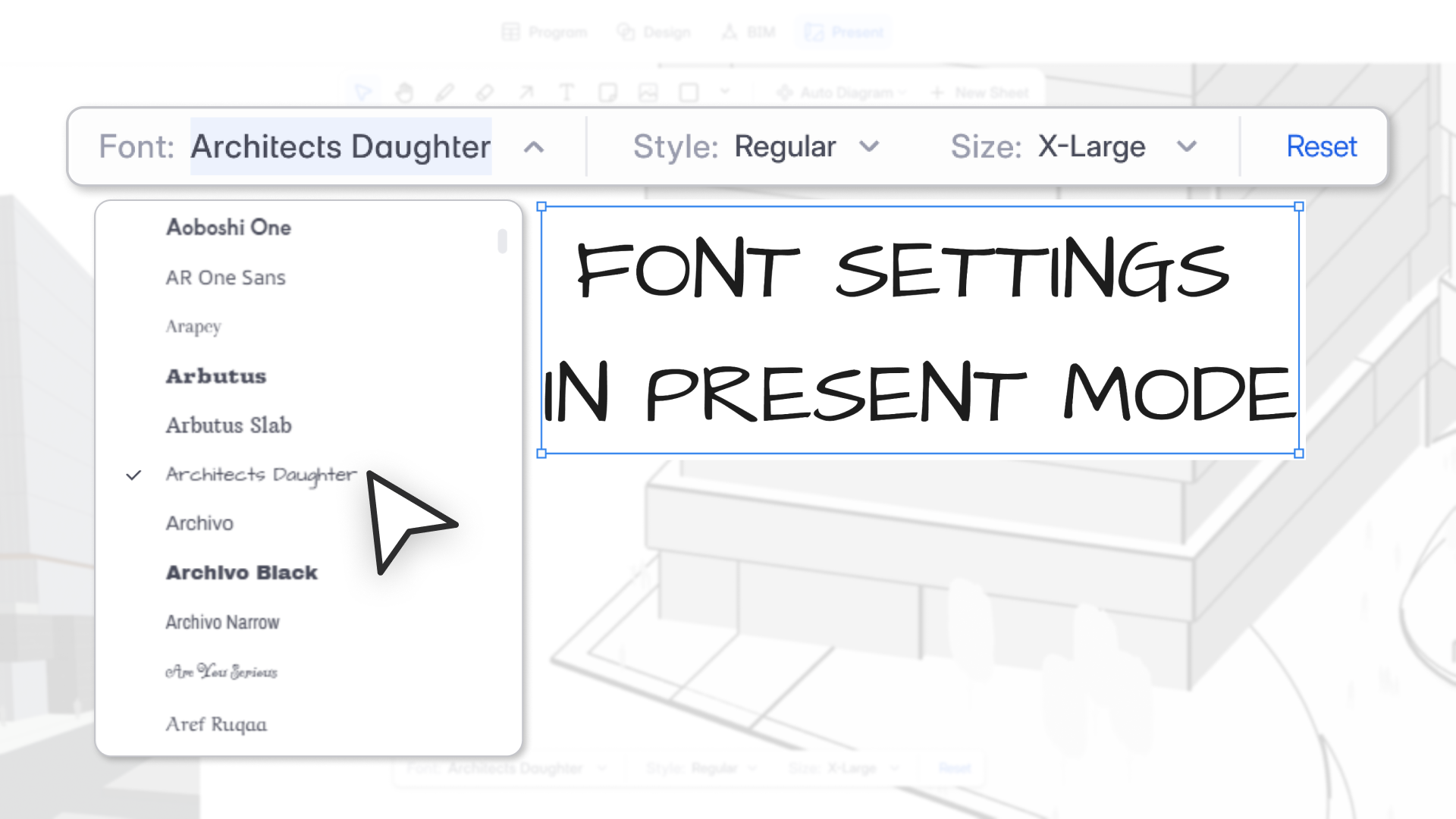
You can now control font, style, and size for all text in Present Mode. This covers space labels, area tags, department names, and any manually added text. Settings apply per view and persist through exports to PDF, PNG, and JPG.
You can set a single font that applies across all label types, or set different fonts for different object types. A live preview in the dropdown shows you what each font looks like before you apply it. You can also override settings on individual text elements if a specific label needs to look different from the rest.
For auto-diagrams, changing the settings on one diagram updates the entire set.
How architects can use this
Presentation quality matters, especially when drawings go to clients or planning authorities. Being able to match your firm's standard font across all views, without exporting and editing in another tool, keeps your output looking considered. It also saves time when a principal reviews a set and asks for a typography change across the whole presentation.
In Summary
February's updates connect more parts of the workflow. Knowledge brings your firm's data into reach. Update Agents make AI design genuinely iterative. Story visibility reduces the back-and-forth between views. The Spacebar shortcut and font controls are smaller, but they reflect the same goal: less friction across the work you do every day.


