3.50.0
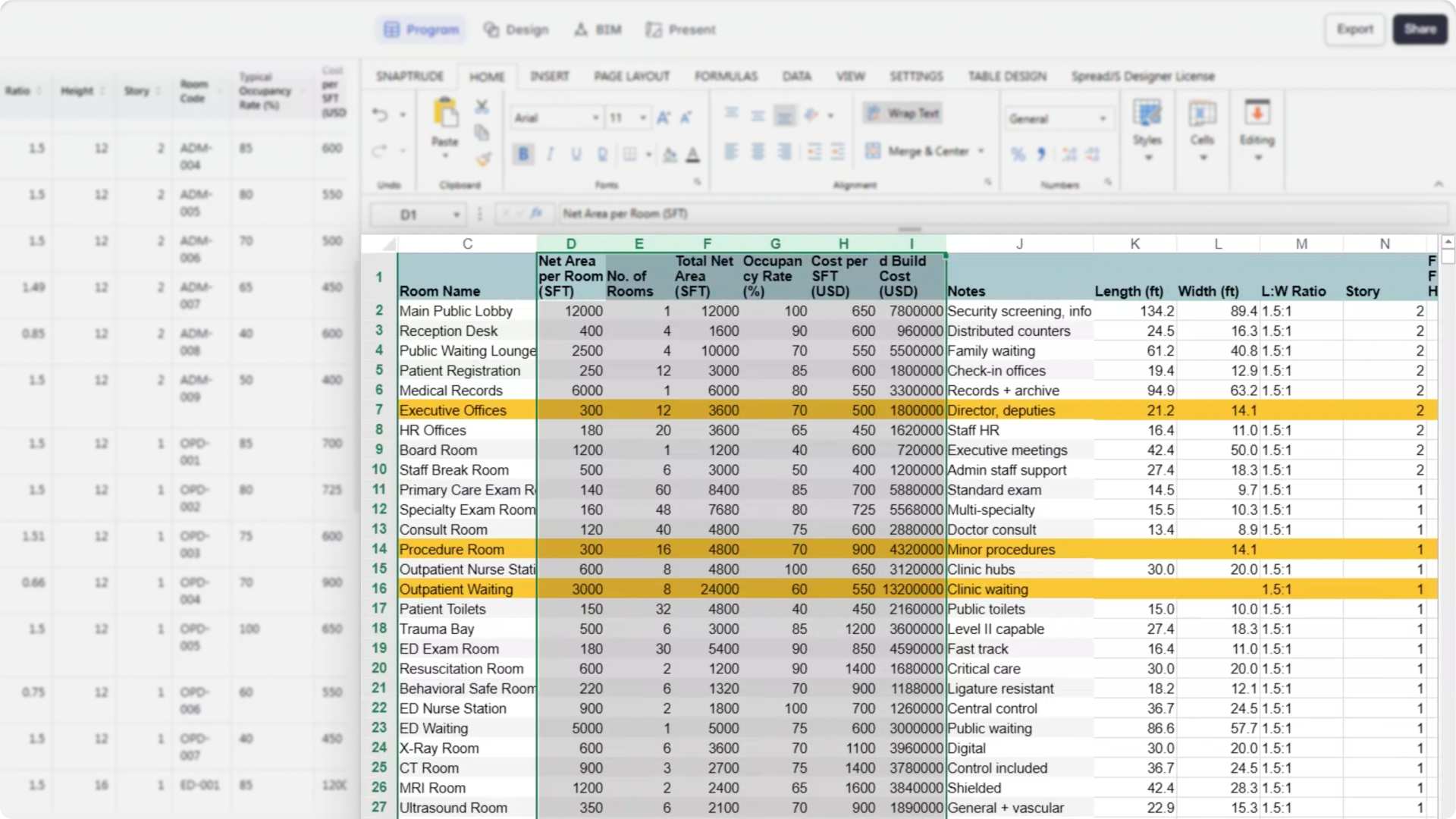
"Program data in architecture projects is rarely one-size-fits-all. Custom Templates let teams structure and analyze their program exactly the way they think — by story, department, building, or any combination — without leaving Snaptrude."
What's New
Custom Program Sheets
Program Mode now supports Custom Program Sheets — user-defined spreadsheet views that let you structure, group, and edit program data the way your workflow demands. Think of them as Snaptrude's answer to Revit schedules, built for early-stage design.
Each custom sheet starts with configurable columns (defaulting to Label and Achieved Area) and supports any combination of object properties, tags, calculated fields, and custom parameters. You choose the columns, define the grouping hierarchy, and the sheet stays connected to your design data.
Flexible grouping hierarchy
Define one or more grouping levels — Story → Department → Space, Building → Phase → Space, or any structure that fits your project. Grouping rows display color-coded labels (pulled from department colors or configurable through the Group By settings), and rollups for Count and Volume are generated automatically at each group level.
Editable object-level data with live sync
Custom sheets support editing at the object row level, with changes reflected bi-directionally between Program Mode and the design canvas. Editable fields include Department Name, Label, Type, Achieved Area, Story, Area Type, Width, Length, Height, and Ratio. Area, length, width, and ratio are mathematically linked — changing one automatically recalculates the dependent values. Group-level and derived values remain protected to preserve data integrity.
Multiple sheets per project
Create as many custom sheets as needed within a single project. Duplicate an existing sheet or start fresh from the sheet creation flow. Each sheet maintains its own grouping configuration, column setup, and formatting — useful for maintaining separate analytical views (e.g., one for blocking and stacking, another for gross vs. net tracking).
What's Improved
Interpret workflow — broader field recognition
Interpret now extracts length, width, ratio, height, and story from program sheets during the Create Objects on Design Canvas flow (Set Target is unchanged). Previously limited to count, label, area, and department, Interpret can now work with more detailed and structured program data to generate objects with the right proportions and placement.
Smarter dimension handling
When length and width are available, Interpret converts them into project units and applies logic to determine proportions:
Height and story defaults
Interpret now extracts height and story values for object creation. Height is converted into project units, defaulting to story height when not specified. Story values are mapped to Snaptrude's internal structure (e.g., "First Floor" → Story 1), defaulting to Story 1 when absent.
Review and edit before generating
All extracted values appear in the Interpret Table for verification before object creation. Users can edit area, length, width, and ratio directly in the table — linked values recalculate automatically, and edited and affected cells are highlighted to make dependencies visible.