Last updated:
LOD in BIM: Why Architecture Proposals Fail Before Detailing Even Begins
TL;DR
LOD 100 massing models are fast and flexible, but they are visually vague -- and vague designs lose proposals. The problem is not design quality. It is the gap between what architects can show at schematic stage and what clients need to see to say yes. Bridging that gap without committing to full design development is the central challenge of early-stage BIM.
By the Numbers: Design Decisions, Rework, and BIM
1. 70% of all rework in construction can be traced back to design-related errors not site execution CMAA, The Impact of Rework on Construction
2. 80% of cost deviation on projects comes from changes to design - only 17% from construction activities construction rework research
3. 9 to 20% of a project's total cost can be consumed by rework and most of it originates in decisions not resolved at the schematic phase ASCE, 2026
4. 20% reduction in project timelines and 15% reduction in costs reported from BIM adoption Pinnacle Infotech, 2025
What Is LOD in BIM?
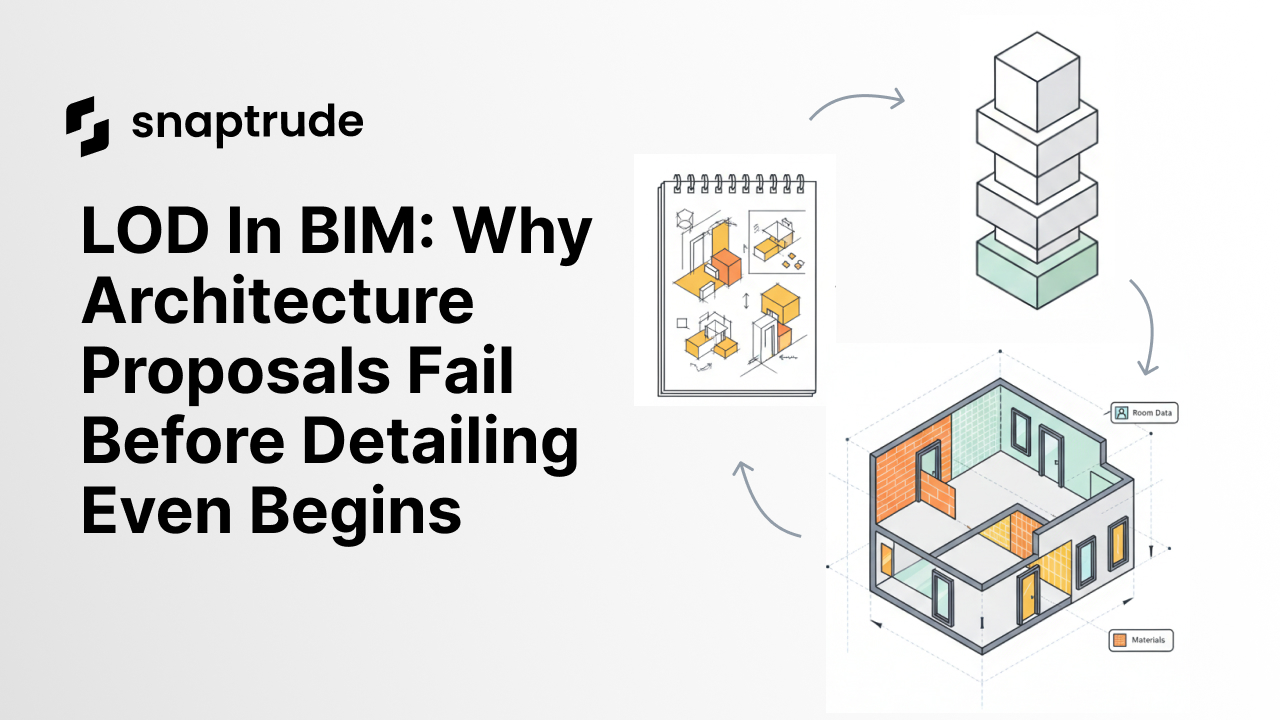
LOD: Level of Detail, or Level of Development describes how much information a BIM model contains at any given stage. The BIM industry uses LOD as a standard scale to communicate model maturity:
LOD 100: Conceptual massing. Blocks representing building volumes with no wall definitions or room data.
LOD 200: Approximate geometry. Walls, floors, and basic elements present with generic properties.
LOD 300: Precise geometry with detailed information. Construction documentation territory.
LOD 400 and above: Fabrication-level detail and as-built documentation.
LOD matters because it describes not just the model but the commitment embedded in it. A LOD 300 model implies decisions were made. A LOD 100 model implies options are still open. Clients feel this difference and it affects whether they say yes.
Why Most Architecture Proposals Fail at LOD 100
Most architecture proposals that fail do not fail because the design is wrong. They fail because the client cannot visualize it confidently enough to approve it.
Massing models are fast to build and easy to iterate. They show volumes, proportions, and overall massing strategy. But they are visually vague. Clients see blocks representing a building and have to imagine the rest. Imagination requires confidence, and confidence is exactly what the vague presentation does not provide.
The result: clients hedge. They ask for changes, not because the concept is wrong, but because they cannot clearly see what they are approving. The proposal stalls. The design cycle extends. The project may not advance at all. The cost of getting this wrong is significant: up to 70% of all rework in construction originates in design-related errors, meaning ambiguity at the schematic stage is not just a proposal problem- it is a project cost problem.
The Two-Tool Trap That Makes This Worse
The standard industry response to this problem has been a two-tool workflow: SketchUp for massing, Revit for documentation.
Sketch tools like SketchUp prioritize speed and flexibility. They let you draw freely without constraints. But they do not carry BIM data, so when construction documentation is needed, everything is redrawn in Revit.
BIM tools like Revit and ArchiCAD prioritize data and documentation. They enforce constraints that keep the model coordinated. But those constraints make early-stage exploration slow, you cannot sketch freely when every wall line is asking what assembly type it should be.
The translation step between SketchUp and Revit is where design intent dies. When you redraw a massing model in Revit, you are not just transferring geometry. You are making hundreds of small decisions that were not explicit in the massing model: wall thicknesses, floor-to-floor heights, how the roof connects to the parapet. Each of those decisions is an opportunity to drift from the original design intent.
The clients who approved the massing model often do not realize the BIM model being built looks meaningfully different. By the time they see it in design development, the decisions have already been made.
The Real Problem: The Gap Between LOD 100 and Client Confidence
The LOD 100 confidence problem is not about model detail. It is about the mismatch between what architects can show quickly and what clients need to feel confident approving.
Clients do not need construction documentation to say yes. They need to see the building clearly enough to visualize themselves in it. That threshold is somewhere between LOD 100 and LOD 200: approximate geometry with materials applied, windows and openings roughed in, interior volumes legible.
This is the gap. Most tools force a choice between:
Fast and vague (massing model, hard to approve)
Detailed and slow (design development model, expensive to iterate)
The middle ground- detailed enough to approve, fast enough to revise is where proposals are won.
How Snaptrude Addresses the LOD Gap
Snaptrude is an AI-powered, cloud-native BIM design tool that is specifically designed for the pre-schematic through schematic phase, the stage where the LOD 100 confidence problem lives.
In Snaptrude, you can move from massing to approximate geometry faster than in traditional BIM tools because the AI-assisted workflow handles the constraint-filling that slows down manual BIM modeling. Apply materials. Add window openings. Define floor-to-floor heights. The model stays parametric and editable, iteration does not feel expensive.
The result is a model that sits at the right LOD for client sign-off: detailed enough to see clearly, flexible enough to change in response to feedback. When the client asks to shift a facade or adjust room proportions, the change takes minutes, not days.
The Sketch to BIM feature extends this further: a space layout drawn in program mode converts to parametric BIM walls in one click, giving you construction-grade geometry from a schematic-speed starting point.
LOD as a Strategic Tool, Not a Checklist
Architects who win proposals consistently understand LOD as a strategic variable, not a project stage checkbox.
The goal at any given client presentation is to show the minimum level of detail required to generate confidence -- not the maximum level of detail possible. Over-detailing a schematic model implies false precision and makes changes feel expensive. Under-detailing makes the design feel unresolved and risky.
The right LOD for a proposal depends on the client, the project type, and what the client needs to feel confident approving. Healthcare developers need to see department-level adjacencies clearly. Residential developers need to see unit layouts and massing proportions. Mixed-use developers need to see how uses relate across floors.
LOD 200 with materials applied and openings roughed in is typically the threshold where client visualization becomes reliable. It is detailed enough to build confidence, flexible enough to survive a design review with budget changes.
Related reading
- LOD Hopping: Reimagining BIM Workflows for Continuous Design in Snaptrude
- The 2.5-Hour RFP Workflow: Site to Program to Envelope to Massing Without Switching Tools
- BIM Massing at Speed: Architecture Design Software Built for Concept
- Architecture Design Software: Iterate Without Multiplying Files


