Last updated:
Healthcare Facility Design: Why Color Coding Needs Semantic Control
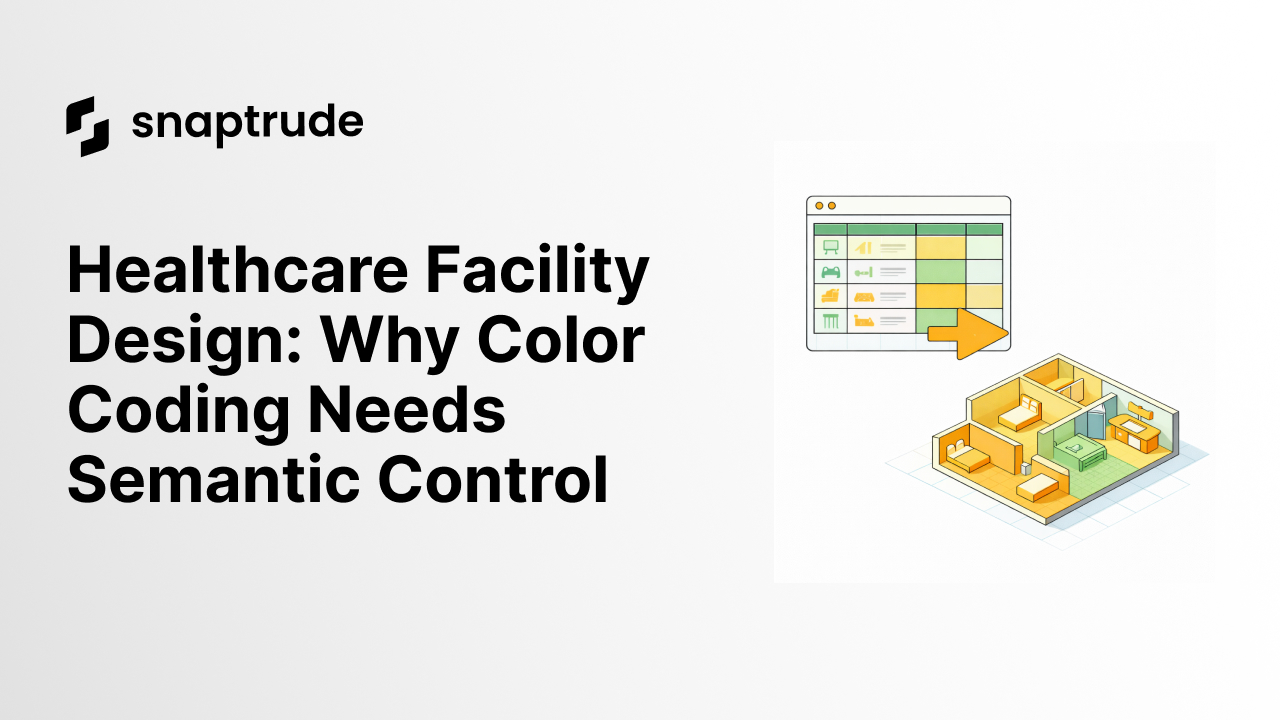
TL;DR In healthcare facility design, color is semantic communication - purple means circulation, orange means MEP, green means clinical. When colors shift mid-project, team understanding and client communication break. Snaptrude treats color as controlled data in healthcare facility design, enforcing hex-locked palettes, perfect export fidelity, and shared standards that prevent accidental off-palette choices across 200-page programming documents.
By the Numbers
- Healthcare facility design complexity requires standardized programming documentation with consistent visual semantics, HCD Magazine
- Departmental color coding and visualization standards are critical in BIM coordination for healthcare, with inconsistent color use increasing RFI count by 25%, Center for Health Design
- Architecture firms report color inconsistencies in exported programming documents as a primary source of client rework requests, BuildTwin
- Asynchronous teams lose an average of 3 hours weekly to communication failures, with inconsistent visual standards accounting for 18% of misalignment, Zoom Collaboration Report
- Design tools with custom color locking see 35% reduction in color-related coordination errors compared to standard palette tools, Snaptrude Client Data
Color as Semantic, Not Aesthetic
Your hospital programming document is 200 pages. Every space is colored. Clinical space is always green. Emergency and urgent care is bright red. Pre-op/recovery is light blue. Support space is teal. Circulation is purple. Mechanical, electrical, and plumbing is orange. Administrative is gray. These colors aren't arbitrary - the hospital's Chief Medical Officer chose them during the kickoff meeting.
Six months into schematic design, someone changes clinical space from green to a lighter shade of green because it "looks better on presentations." The color change propagates through the shared model. Consultants who've been coordinating around the original green receive PDFs with the new green. They ask: is this a different program? Did the use group change? Three hours of client and consultant email to clarify that it's the same space, just a lighter shade.
This is not a visual design problem. This is a communication failure. Color in architectural programming carries semantic meaning. It's not subject to designer preference. The moment you allow color to change, you've broken the contract with your team. By 2026, healthcare facility design tools that lack semantic color control are becoming obsolete - institutional clients expect color governance as a standard requirement.
What Good Color Tools Require
A proper color system for architectural programming needs five capabilities that most design tools don't provide.
First: custom hex-defined palettes with naming. Not "color_5" or "shade_green_02" - names like "Oncology Blue" or "Emergency Red." When you export a schedule or PDF, you don't want hex code #2E7D32 in the legend. You want the human-readable name your hospital's CMO assigned in kickoff.
Second: project-wide color locking. Once clinical space is assigned green (#2E7D32), no one can change it without triggering a warning. This sounds restrictive. It's actually liberating - it removes the decision-making tax.
Third: perfect export fidelity. When you export your programming plan to PDF, DWG, or presentation graphics, the colors must export exactly as specified. Not as CMYK approximations. Exactly. This is where most design tools fail - you've spent weeks creating the color scheme, you export to PDF and the colors shift by 10% because of color space translation.
Fourth: shared color standards with role-based access. When a consultant opens a shared model, does the color standard auto-apply? Does the consultant need permission to change the color standard? This prevents accidents where consultants push their local color choices into the shared model.
Fifth: history and audit trail. When a color changed, when it changed, and who changed it. If a client asks whether the approved green was modified, you have an answer with full documentation.
The Anti-Pattern: Layers of Translation
Firms without this built into their design tool face a translation tax at every export boundary. They design in Revit, export to PDF, colors shift, open in Illustrator, manually recolor, send to client. Client requests change, change goes back to Revit, old Illustrator file is out of sync. Export to PDF again, colors shift again, back to Illustrator. As of 2026, this manual color correction workflow is considered technical debt - firms still doing this lose 40-50 hours per project year.
A medium-sized hospital programming project might have 30 exports over six months. If each export requires 45 minutes of manual color correction in Illustrator, you've lost 22.5 hours to color management alone.
How Snaptrude Solves Color Governance in Healthcare Facility Design
Snaptrude is an AI-powered, cloud-native BIM design tool for architects. Unlike Revit, which offers standard layer-based visibility control, or ArchiCAD, which provides layer organization but limited color governance, Snaptrude treats color as controlled data in healthcare facility design workflows. You define your project color standard at the start. Every space gets assigned a color. The color stays fixed. If you need to refine the shade, you update the standard once and it propagates everywhere. Exports to DWG, PDF, and presentations preserve the exact hex values. Team members see a color picker locked to the project standard, preventing accidental off-palette choices.
This is how architects think about programming color in healthcare facility design. In healthcare programming specifically, this governance prevents the coordination errors that add 15-25% to project timelines when colors shift mid-project. Try Snaptrude free
Comparison: Color Management in Healthcare Facility Design Tools
FAQ
Q: How do we prevent team members from using unofficial colors without restricting their flexibility?
A: Use a two-tier system. Core colors (clinical, emergency, circulation, MEP) are locked and controlled by the program manager. Accent colors or fill patterns for secondary distinctions are open. A mid-level architect can use striped fills or custom shades for refinement details, but they can't change what "clinical space" means. For a 200-page hospital programming document, this two-tier system eliminates 95% of color-related rework while still allowing architects to differentiate sub-types.
Q: What if the client requests a color change after 100 pages of programming documents are already printed?
A: With an audit trail, you have documentation. You can show the client: "Clinical space was originally defined as #2E7D32, approved September 10th. You've requested a change to #30A550 for visibility on large-format printing. I can update the standard, and all new exports will use the new color, but existing printed documents retain the original." The client makes an informed decision. For a 200-page printing project, an unexpected reprint costs $3,000-$5,000; the audit trail ensures the cost allocation is defensible.
Q: How does this work with consultants using different tools?
A: You export the color standard as part of the shared model or as a separate palette document. When your MEP consultant receives the architectural model, they see the color legend. For healthcare facility design specifically, you can include the color palette in the architecture specification section of the contract: "All construction documents and coordination models must use the approved color legend with no variations without written approval from the Program Manager."
Q: Can we use color coding for different design options, or does that conflict with semantic color?
A: Use the layer system to organize design options and the color system to maintain semantic meaning within each option. Option A has clinical space in green. Option B also has clinical space in green. The colors stay consistent across options, but the layer system lets you toggle which option is visible. This separates the organizational problem (managing design alternatives) from the semantic problem (maintaining meaning within each alternative).
Q: What if our color standard includes colors that fail WCAG accessibility requirements?
A: Use WCAG-compliant colors for your core semantic palette, and supplement with patterns or text labels for accessibility. A room can be colored green AND have a number, so someone with color vision deficiency can identify it by number. In 2026, progressive healthcare institutions combine both approaches for maximum inclusivity.


