Last updated:
BIM for Renovation Projects: Why Architecture’s Other 50% Deserves Better Tools (2026)
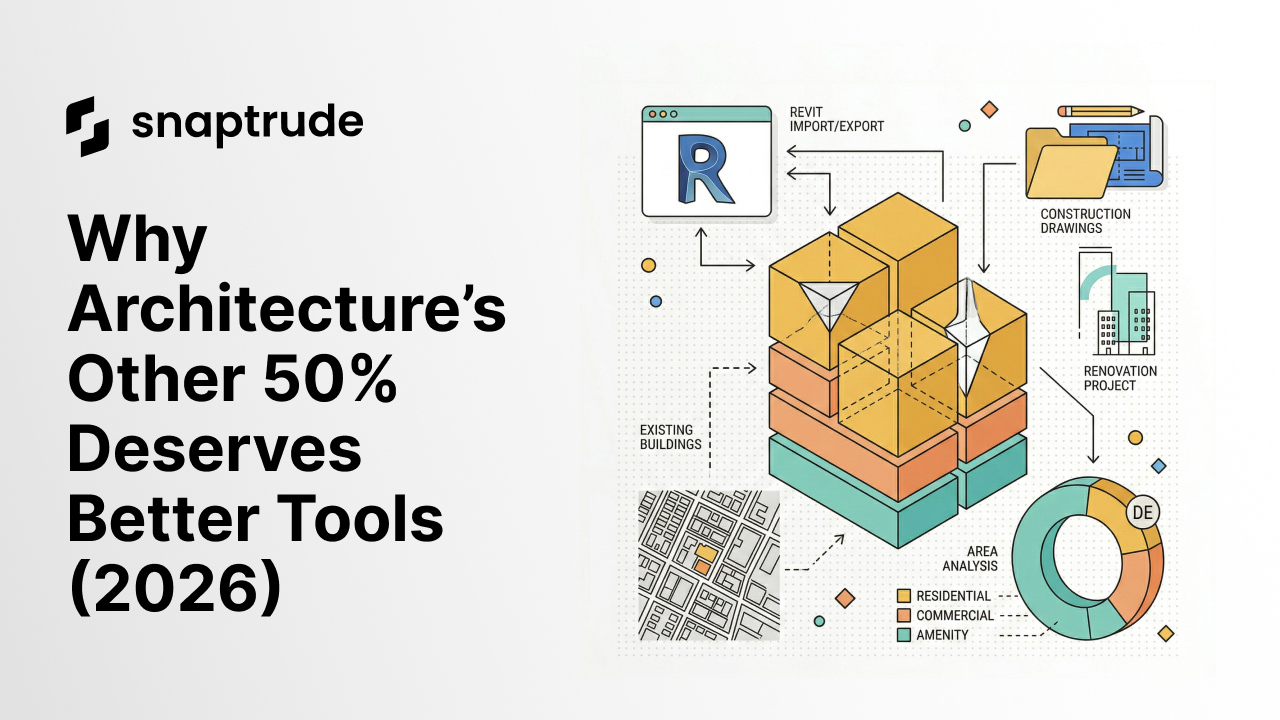
Key Facts: Renovation by the Numbers
- 45% of architecture firm billings come from renovations, rehabilitations, and retrofits, nearly matching new construction at 52% (AIA 2024 Firm Survey Report)
- Renovation projects are more complex per square foot than new builds — more constraints, more coordination, more iteration
- Yet most BIM tools were designed top-down for greenfield projects, not adaptive reuse
The BIM Renovation Workflow Gap: Why Architects Are Still Stuck in AutoCAD
Walk into most architecture studios working on renovation projects and you'll find something surprising: for all the talk about BIM adoption, significant chunks of renovation work still happen in 2D. Not because architects are stuck in the past, but because the tools haven't caught up with the problem.
Renovation architecture has fundamentally different demands than new construction. You're working with incomplete or inaccurate as-built documentation. You're reconciling point cloud data or hand-measured drawings with design intent. You're navigating existing structural, mechanical, and envelope constraints that only reveal themselves mid-project. You're managing client expectations around scope creep, budget surprises, and the endless discovery of "we didn't know that wall was there."
Traditional BIM platforms — Revit, ArchiCAD, and similar tools — were architected in an era when BIM meant modeling a new building from scratch. Their workflow assumptions reflect that: start from nothing, build up, coordinate in 3D, hand off to construction. Renovation doesn't work that way. Renovation starts from something messy, incomplete, and often contradictory.
Why BIM Tools Ignored the Renovation Market
The reasons are structural, not accidental.
First, BIM software development was driven by large commercial and institutional projects: hospitals, airports, corporate campuses. These projects are new construction. They have the budgets to license expensive software, train large teams, and invest in BIM implementation. Renovation work — smaller, more fragmented, spread across boutique firms and small teams — never had the same lobbying power with software vendors.
Second, renovation projects don't have the same repeatability that drives software investment. A tool purpose-built for hospital BIM will be used across dozens of hospital projects. A renovation workflow is by definition site-specific, constraint-specific, existing-condition-specific. Building generalizable tools for it is harder to justify.
Third, the data model problem. BIM tools are built around element libraries, parametric families, and structured data models that assume you're building something. Existing conditions don't fit neatly into those models. A door that's been modified three times, a wall that's structurally load-bearing in one section but not another, a floor system that changes material mid-span — these are renovation realities that BIM data models weren't designed to handle gracefully.
What Architects Actually Need from BIM Software for Renovation Projects
Architects doing renovation work have a consistent list of frustrations with current tools. They need:
Fast existing condition modeling
Point cloud integration that doesn't require a full Revit MEP license to use. The ability to quickly sketch out existing conditions at a conceptual level without committing to a fully parametric model that becomes a maintenance burden. Something between AutoCAD and full BIM — flexible enough for the messiness of existing conditions, structured enough to support design development.
Renovation-specific design modes
New/existing/demo layer management that doesn't require complex phase management setups. Clear visual differentiation between what's staying, what's going, and what's being added. Construction document sets that handle the NIC/existing/new legend without requiring custom workarounds.
Early-stage massing and feasibility
Renovation projects often require rapid feasibility assessments: can we add a floor? What happens to daylight if we move that massing element? Can we fit the program if we eliminate this structural bay? These questions need quick iterative 3D modeling, not full BIM coordination.
Import and interoperability
Renovation projects often inherit drawings from multiple eras, multiple software versions, multiple formats. DWG, PDF, IFC, RVT from old project files, hand-drawn scans. The ability to import messy reality and start working with it quickly is essential.
Cloud-based collaboration with clients and contractors
Renovation projects often involve clients who are currently occupying the building, contractors doing exploratory demolition, and consultants scattered across multiple firms. Real-time collaboration and easy client sharing reduces the coordination overhead that kills renovation project margins.
How Snaptrude Supports Renovation and Adaptive Reuse Workflows
Snaptrude was built as a cloud-native BIM platform designed for the messy realities of early-stage architectural design. Several of its features map directly to renovation workflow requirements.
Fast 3D from existing conditions
Snaptrude's import tools support PDF floor plans, DWG files, and IFC models as starting points. You can upload an existing building floor plan, trace it quickly in 3D, and start working with a volumetric model in minutes. This isn't full BIM coordination — it's rapid spatial understanding, which is often exactly what renovation projects need at the feasibility and schematic phases.
Revit integration for renovation documentation
For architects who do their construction documentation in Revit, Snaptrude's Revit integration allows existing Revit models (including existing condition models) to be imported into Snaptrude for early-stage design exploration. This lets teams use Snaptrude for fast conceptual design without abandoning their Revit documentation workflow.
Cloud-native collaboration
Renovation projects often require fast client feedback loops — "should we keep this wall or remove it?" Snaptrude's link sharing allows clients to view and comment on 3D models without software licenses, reducing the friction of client collaboration that slows down renovation decision-making.
Program and spatial analysis
Renovation projects often involve program fitting: you have an existing floor plate, and you need to figure out if the proposed program fits. Snaptrude's space analysis tools support area calculations and program validation against existing footprints.
The Bigger Point
The renovation and adaptive reuse market isn't going away. Sustainability pressure, embodied carbon accounting, and urban densification are all pushing architecture firms toward working with existing buildings rather than building new. The next generation of BIM tools needs to be built for this reality, not retrofitted onto it.
Snaptrude is positioning itself at this intersection: cloud-native, fast, interoperable, and designed for the kinds of early-stage design problems that renovation projects generate. It's not a full replacement for Revit in production — but for the messy, iterative, constraint-heavy early phases of renovation work, it's a better fit than tools designed for greenfield new construction.
Frequently Asked Questions
Is BIM useful for renovation projects?

Yes, BIM is valuable for renovation projects, though the tools need to be used differently than for new construction. BIM provides accurate 3D modeling of existing conditions, makes it easier to coordinate structural, mechanical, and architectural changes, supports clash detection before construction begins, and produces clearer construction documents for complex renovation work. The challenge is that most BIM platforms were designed for new construction workflows; renovation projects require more flexibility in how existing conditions are modeled and how new/existing/demo elements are managed.
What is the best BIM software for renovation projects?
The best BIM software for renovation projects depends on the project phase. For schematic design and feasibility, Snaptrude's fast 3D modeling and PDF import capabilities make it well-suited for working with existing building data. For construction documentation, Revit remains widely used, with phase management tools that support new/existing/demo workflows. ArchiCAD and Vectorworks also have renovation-friendly features. The key is choosing tools that support rapid existing condition modeling at early stages and rigorous documentation at later stages, rather than expecting a single platform to do everything equally well.
How do you model existing conditions in BIM?
Modeling existing conditions in BIM typically starts with available documentation: as-built drawings, original construction documents, field measurements, or point cloud scans from laser scanning. The process involves importing this data into your BIM platform (as PDF underlays, DWG imports, or IFC files), then rebuilding the existing conditions as a 3D model. In Revit, this is often done using a phasing approach, with existing elements assigned to an "Existing" phase and new work in the "New Construction" phase. In Snaptrude, existing floor plans can be imported directly and traced quickly in 3D, making the initial condition modeling faster for feasibility and schematic phases.
What is adaptive reuse in architecture?
Adaptive reuse refers to the process of repurposing existing buildings for new uses — converting a factory into loft apartments, transforming an office building into a hotel, or turning a church into a community center. It's distinct from renovation (which preserves the original use) and demolition/rebuild (which removes the existing structure entirely). Adaptive reuse projects are complex architecturally because they require reconciling an existing building's structure, systems, and envelope with a program it was never designed for. They're increasingly common due to sustainability pressures, historic preservation requirements, urban infill demand, and the embodied carbon argument against demolition.


